

6d •
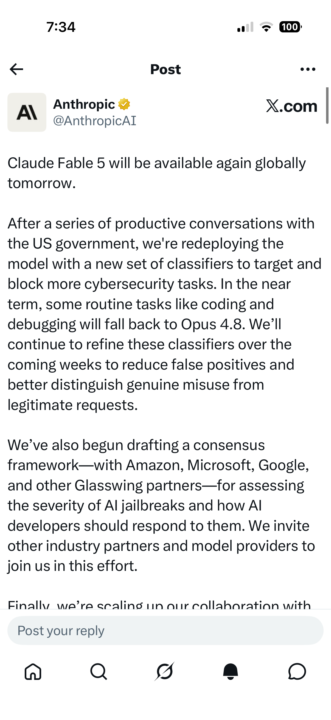
Fable 5 is coming back!
Okay so who's ready to build in Fable 5? I'm so excited to get it back. I hope they bring it back before July 5th because we have extra credits until then.
13d •
Blown away by these new AI tools
I got two new AI Tools that are a gamechanger for small business owners. Let me know what you think of each. 1. Korgi project management kanban boards that intergrate with your exiting tools without storing your personal data - https://www.korgiboard.com?uref=4dwwzm 2. Aside waitlist - This tool is an agentic browser that claims to excute tasks for you autonomously by using your brower. https://aside.com/ 3.I forgot to add this one to the top. see link and QR code. This app from my camera confidence coach just won Sabrina's AI app contest. It saved me so many hours and headache of editing my reels. It scripts, records and edit your video all in one shot. https://www.skool.com/genc/about?ref=43e3c59a6abf405dbfcebb55da95348c

24d •
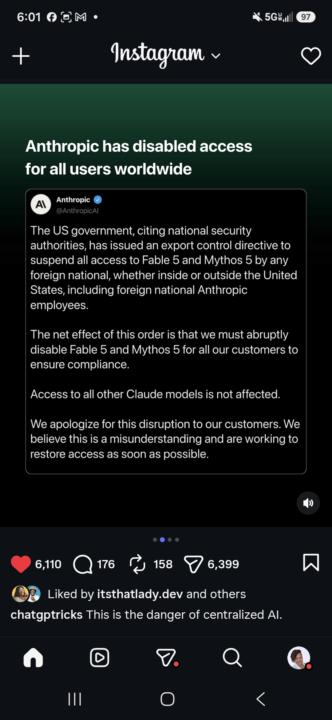
Claude Fable 5 Govt Shutdown 😫
The US government has ordered anthropic to shut down Fable 5 because it's too dangerous and they don't want people in other countries to have access to it because it poses a national security threat. Anthropic stated they do not agree with this order but they will comply. This is why it's so important to have all your data backed up. Have a backup for backups. Be model-agnostic. Be able to transfer your work to any model see the link to the article. what are your thoughts? https://www.anthropic.com/news/fable-mythos-access
13d •
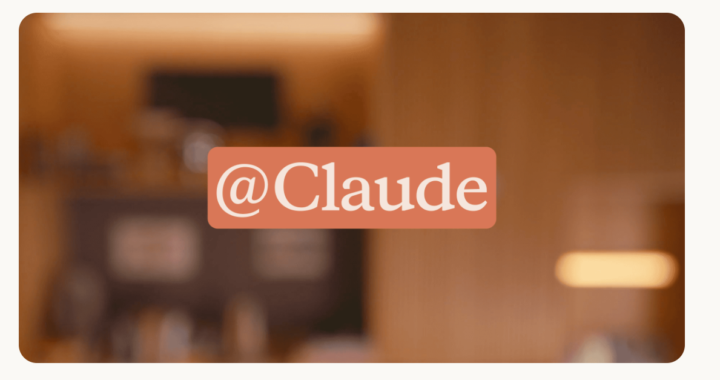
New: Claude Tags @
Claude Tag is a new way for teams to work with Claude. Its only available in Slack and works best if you are messaging your team and working together on a shared outcome. Grant Claude access to selected channels, and connect it to whichever tools, data—and even codebases—you choose. Then, anyone in the channel can tag @Claude in, and delegate tasks to it while they focus on other work. Claude builds context by remembering relevant information from the channels it’s in, and can plan out tasks to complete in the future. https://www.anthropic.com/news/introducing-claude-tag

13d •
Automating Social Media Posting
I Built Automated Posting for Twitter/X and Bluesky . I’ve been testing social posting automation, and I’ve now built it for Twitter/X and Bluesky. What stood out to me is that not every platform treats automation the same. Bluesky and Twitter/X are much more workable for automatic posting, especially if someone is trying to build an audience, test content, or stay consistent without manually posting every time. But platforms like LinkedIn, Facebook, Instagram, and TikTok are more restrictive, so the workflow has to be different there. For those platforms, the safer approach is usually: draft the post, check it, review it, then approve it manually. That distinction matters. For anyone trying to build an audience on Bluesky or Twitter/X, automation is possible. You can create a system that helps you post consistently, test ideas faster, and learn what type of content actually resonates. The point is not to spam. The point is to make consistency easier. That’s what I’ve been building: AI-assisted social posting that respects the rules of each platform. Right now, I have it working for Twitter/X and Bluesky, and I’m continuing to explore how to handle the stricter platforms in a safer, review-first way. Curious if anyone else is experimenting with automated posting, content workflows, or audience-building systems.
1-30 of 224
powered by

skool.com/digital-income-streams-8409
Turn AI from overwhelm into a clear agentic workflows that run your business, free your time so you focus on the work that actually moves the needle.
Suggested communities
Powered by