Activity
Mon
Wed
Fri
Sun
May
Jun
Jul
Aug
Sep
Oct
Nov
Dec
Jan
Feb
Mar
Apr
What is this?
Less
More
Memberships
Lifetime Cashflow Community
795 members • Free
Capital Connectors
2.7k members • $97/month
The AI Advantage
114.9k members • Free
61 contributions to Capital Connectors

21d •
🔴 HAPPENING TODAY — Live Webinar w Ken McElroy | 12 PM EST / 10 AM MST
Has the next real estate cycle already started? I am sitting down with Ken McElroy of MC Companies today LIVE, to talk about what experienced operators are actually seeing in the market right now. This is packed with real insight from two people who've navigated multiple cycles. Here's what they'll cover: → What the massive wave of maturing low-rate debt means for the market → Why deals from 2020–2022 are now under serious pressure → Where distressed opportunities are forming over the next few years → What passive investors should look for before deploying capital today → How experienced operators are structuring deals right now Property values are already down 30–50% across many markets. The shift isn't coming — it's already here. The real question is: what are experienced investors doing because of it? Reserve your FREE seat now - https://webinar.marcindrozdz.com/next-cycle

0 likes • 21d
Today's webinar with Ken McElroy and Marcin Drozdz: Worth watching when the video gets released. Ken and Marcin shared wisdom that comes from decades of experience in the business. Ken opened by making a point about the banker's REO mindset. - A banker selling REO will not sell to a buyer who can only raise capital. - Why? Because the the last buyer managed to raise capital, and they ended up giving the deal back to the bank (along with a total loss in equity). - Banks will sell to the buyer who can raise capital AND manage the asset. Banks want to know that the buyer's entire team can perform. Banker's question when evaluating a buyer: Can this buyer solve my problem for me? Problem to be solved: - Banks do not want to be in the property management business. - Banks want to get paid interest for lending money. That's it. - REO is a pain in the neck for the bank. So they want to get rid of it, but only if it can be turned into a performing asset. Question in banker's head: Can the buyer turn this troubled asset into a money-maker so the bank can once again get paid? - Buyers who solve this problem can buy assets at BIG discounts. - Both Ken and Marcin have bought discounted assets this way. Marcin shined a light on the ELEPHANT in the ROOM: - If the bank is stuck with a troubled asset, why don't they just hire an in-house prop mgmt team and solve the problem themselves? - Ken's response: I have never met a bank that knows how to manage property. - Banks can read books about property management, but PM is something that you only learn by doing. Just like any other profession. Bonus: Ask Marcin about his experience with inflation when he was six years old. Cool story!
Mar 23 •
Is the next real estate cycle already here… and most people just haven’t noticed yet?
Across parts of the market, we’re already seeing: • property values down 30–50% • loans from the 3–4% era resetting into 6–7%+ rates • deals struggling to refinance • lenders quietly extending instead of recognizing losses This isn’t theoretical anymore. It’s happening. But here’s the part most people miss: When markets shift like this…value doesn’t disappear. It moves. And the people closest to what’s actually happening on the ground tend to see it first. On April 2, I’m sitting down with Ken McElroy for a live conversation on what we’re seeing across real deals right now: • where pressure is building • where opportunity may emerge • how experienced operators are thinking through this cycle Before we jump into that… I’m curious: 👉 What are you seeing in your market right now?👉 Are lenders extending, or starting to force action?👉 Are deals still penciling the same way they did 2–3 years ago? If you want to join the conversation live, you can reserve your spot here: https://webinar.marcindrozdz.com/next-cycle April 2 10:00 AM MST / 12:00 PM EST

0 likes • 30d
In my market (MF in Arizona) my partners and I are seeing increased deal flow this year. Sellers/brokers are quoting whisper prices at or near the loan amount. The challege: Some of those deals still don't pencil, even at the loan amount, because... - The new operator must enter with a new loan at a higher rate. - Rents are lower, and dropping. We experienced a 30% decrease in rents at once of our AZ assets. We had to match the market in order to keep units occupied. - Some professional property management companies are giving up. When they stop finding new residents, we have no choice but to replace them because we have a fiduciary responsibility to our investors and ourselves. We've changed management at every AZ asset we own at least once, except for the one we bought four months ago. Through it all, my team and I are optimistic. We've been looking forward to this current climate of opportunity since 2022. We are actively walking deals and making offers (two LOIs this week alone, and it's only Tuesday). The future looks bright!
Dec '25 •
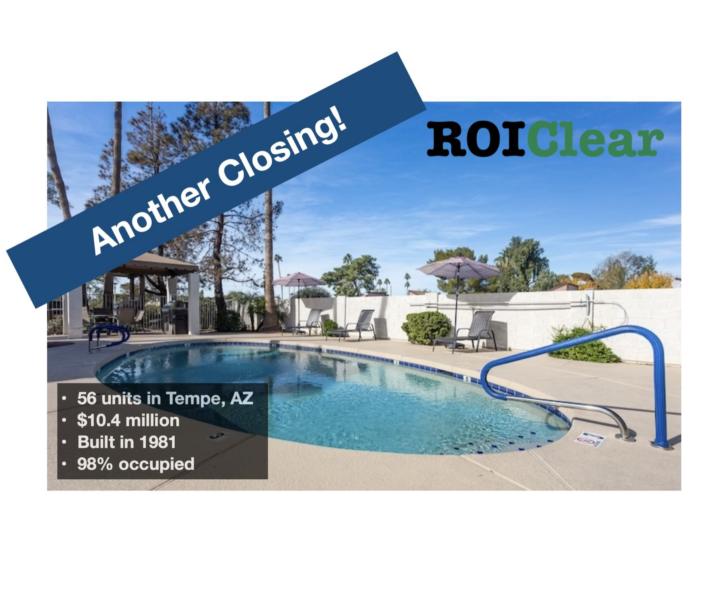
Another Closing! $10.4M Deal, $4.9M Raised.
The ROIClear team has closed another deal. Moving closer to the $10M threshold cited by @Marcin Drozdz in a recent video. Highlights: - Class B. Built in 1981. - 56 units. 98% occupied. - $10.4 million purchase price. - Eligible for 100% Bonus Depreciation in 2025. Please see your CPA and/or tax advisor for details on anything related to taxes. - Purchased from a “Mom & Pop” seller who owned the asset for 35 years. - Purchase price = $186k/unit. Similar asset across the street sold for $300k/unit in 2022. So the basis is low. - Partnership with the team at Asym Capital. Special thanks to the members of this Capital Connectors community who always offer wisdom and encouragement, and to Marcin for launching the community!
1 like • Dec '25
@Bob Richie Plenty of opportunity to do so. Much success to you!
0 likes • Mar 16
@Brian H Hi Brian, glad to hear from you. Let's trade contact info, and we can setup a time to talk. https://go.roiclear.com/rth-business-card
2 likes • Jan 9
Solid info. I’ve watched this video several times before, and it took me awhile to really get it. Key points: - Replacing pressure and uncertainty with structure and clarity. - Letting the investor know that it’s okay to say “no” goes a long way toward building the relationship. It is very difficult to learn these lessons during times of easy money. Tough times force us to study the basics. Thanks for sharing this, Marcin.
Mar '25 •
AI + Raising Capital
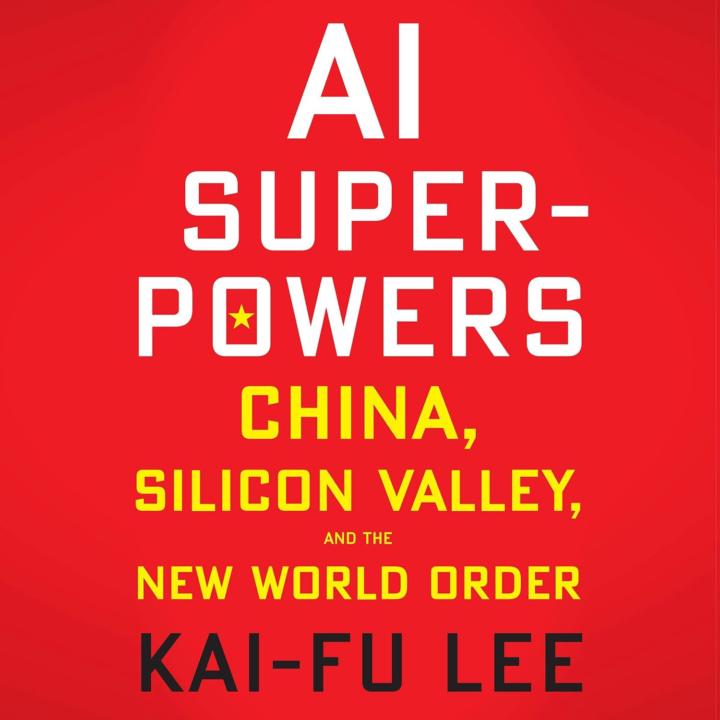
The book "AI Super Powers" by Kai-Fu Lee is one of my favorite works on AI as it applies to business. The author observes that AI-powered machines have excelled at games for decades. - IBM’s Deep Blue defeated chess champion Garry Kasparov in 1996. - Alphabet’s AlphaGo defeated world champion Go player, Ke Jie, in 2017. What about general purpose AI, software that can mimic human intelligence and make human-like decisions? How will AI impact capital raising and real estate syndications? Personally, I believe that AI will enable syndicators to scale at an incredible rate. Rote, repetitive tasks will be handled by AI, which will free humans to do more of what we do well. Humans are great at interacting with other humans! What do you think? What opportunities do you see for AI in your business?
0 likes • Jul '25
Lots of competition in the AI space. Check out this chart with recent rankings for Grok, ChatGPT, Gemini, and others.
0 likes • Dec '25
Kai-Fu Lee, author of "AI Super Powers", is a powerhouse in tech and in business. - Tech: PhD in Computer Science, fmr Apple, Microsoft, and Google. - Biz: Founded Sinovation Ventures, VC firm with $3 billion AUM. And he offers insights from both worlds. "AI Super Powers" is worth reading!
1-10 of 61

@ray-hightower-3826
Managing Partner, ROIClear
https://RayHightower.com
https://ROIClear.com
Active 15h ago
Joined Mar 5, 2025
Arizona, USA
Powered by