Activity
Mon
Wed
Fri
Sun
Aug
Sep
Oct
Nov
Dec
Jan
Feb
Mar
Apr
May
Jun
What is this?
Less
More
Memberships
AI Automation Society
417.9k members • Free
AI Marketing Insiders
1.4k members • Free
169 contributions to AI Marketing Insiders

16h •
Test Quiz
Hello all, on Tuesday's call with Corey Ganim, I got to working on an Ai Assessment but one thing that came up was some kind of pre-qualifying questions. I've built this quiz. If you would go to quiz.myqualityguy.com and fill it out and tell me what you think. Feedback is appreciated.

1 like • 7h
The questions are on point. Great job Mike

17h •
Happy Fourth of July 🇺🇸
Happy Fourth of July to all my fellow AI Marketing Insiders who live in America! I hope you have a fun and safe weekend with friends & family 🇺🇸

5 likes • 16h
Same to you @Ryan Doser 🎆🎉🇺🇸
2 likes • 8h
Do you know that technically we should be celebrating it on July 2nd not 4th. The declaration of independence voted by Congress was done on July 2nd , but people wenr along with the July 4th date because that's the date printed on the declaration itself because they added the explanatory document which was approved on the 4th. :)
2d •
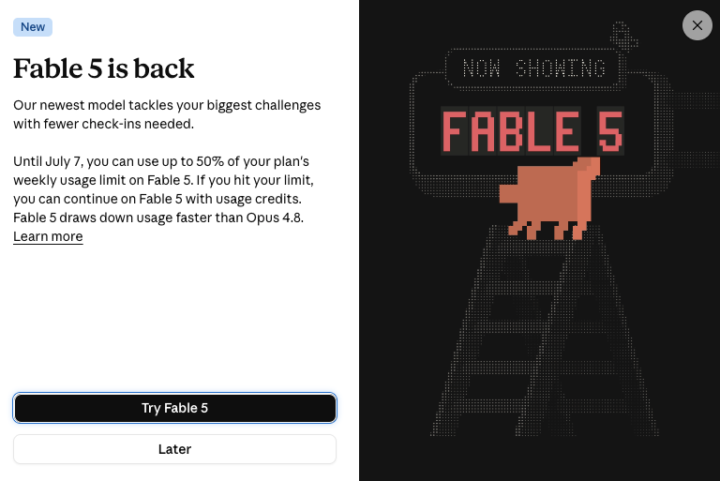
Claude Fable 5 Returns - How Will You Use it?
Anthropic just announced the return of Claude Fable 5 - https://www.anthropic.com/news/redeploying-fable-5 Now before you consume hype videos (😱) ask yourself this - 'How can I actually use Fable 5 to improve real world tasks in my business/job/personal life?' Here's a quick list of how I'll be implementing Fable 5 in my workflows: - Landing Pages - Websites - Dashboards & Reports - SEO Strategy & Analysis - Skill & System Building - Building Internal Apps How will you be using Fable 5?
1 like • 2d
@Ryan Doser By the way, thanks for the masterclass with Corey. That was super valuable. It's was very nice of him sharing all those detailed tips and ways he makes this work. I'll definitely provide this as a service. It's nicely scalable and profitable
1 like • 2d
@Ryan Doser yeah, that would be amazing. Being able to ask such questions and get answers is gold.
5d •
Zero Data Retention by llms
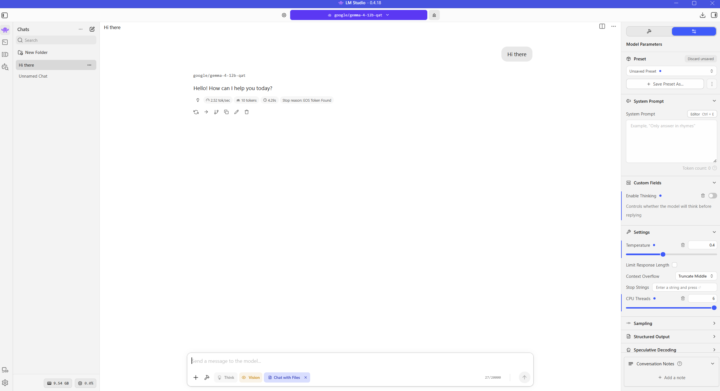
I thought I'd share this because it might be helpful to some of you, especially if you care about privacy. So as you probably know one of the drawbacks of using LLMs, web based and API, is that almost all major ones, like OpenAi/Anthropic/Gemini etc. retain your input and output data for 30 days. In business and even personal uses it's a problem because you don't have data privacy plus there's additional risk of your data being stolen from their servers. So you have an option... to run a local llm, like Google's Gemma/Nvidia Nemotron/OpenAI GPT OSS/Qwen/Deepseek etc. and everything stay on your computer. I actually tried it few days ago :) but quickly found out that you need a powerful machine to run it efficiently. Think a $15-20k workstation not my laptop lol. It worked but a query that I do on ChatGPT for example, which took 1 minute to complete, took 65 minutes on my laptop 😄. In addition local llms are not nearly as good as API models. But they are good enough for many simpler tasks where top notch advanced reasoning is not needed. And if you/your client can invest in a $15/20k machine to run it it's an option. So I dug deeper and found a more affordable option :). Perplexity offers Sonar/Sonar Pro API. It has Zero Data Retention Policy. None of your inputs/outputs are retained, only metadata. https://docs.perplexity.ai/docs/resources/privacy-security Hope this helps!
2 likes • 4d
@Mike Bryan Try it out. It should handle most versions of Gemma I thiink. Here's the link to Lm studio download https://lmstudio.ai/download Just click the search icon, pick the model and install, really easy
1 like • 3d
@Mike Bryan if you do try it out let me know how good the user experience is
4d •
AI Audit Masterclass Reminder (Today)
Hey guys! Just a quick reminder for paid members that the AI Audit Masterclass with Corey Ganim is happening TODAY at 1:30 PM US Central Time. This will also be recorded. You can find the link to join on the Calendar - https://www.skool.com/ai-marketing-insiders/calendar Corey will go in the weeds and any questions are fair game to pick his brain on how to make this 'AI Audit' business model successful. This will be super valuable. Again these bonus Masterclasses are for Paid Members ONLY. This means both VIP and Premium members. Look forward to seeing everyone!
2 likes • 4d
Got my questions ready :)
1-10 of 169

@rafal-glaz-8342
Teaching U.S. small business owners how to use AI to
💰 Increase profits
💸 Cut costs
⏰ Save time
Instagram @rafal_glaz_
Active 6h ago
Joined Dec 16, 2025
Chicago
Powered by