Activity
Mon
Wed
Fri
Sun
Nov
Dec
Jan
Feb
Mar
Apr
May
Jun
Jul
Aug
Sep
Oct
What is this?
Less
More
Owned by Misty
Stop chasing shiny objects. Build a clear creator business with strategy, systems, and repeatable income.
Six Figure CEO Society
1.3k
Free
Hustle Pretty
201
Free
Hustle Motion Studio
116
Free
Prompt Fluency Academy
498
Free
Pretty Little Resellers
1.6k
Free
Haus Of Bots
127
Free
The Ultimate Bot Vault
193
Free
Pretty Girls Prompt Too
1.5k
Free
65 contributions to YAMS Ai Club

🔥
Jul 25 •
You Asked for More AI Image Prompts—So I Built the Vault
Imagine creating better AI images without writing every prompt from scratch. Instead of guessing what to type or settling for generic visuals, you can choose the kind of image you need, personalize the prompt for your brand or likeness, and start creating. That’s why I built the AI Image Prompt Vault. Inside, you’ll find detailed prompts for brand photos, social media graphics, Pinterest visuals, product mockups, editorial concepts, and AI twin content and more If you already like the Image Library, the Vault has nearly twice as many prompts—plus new additions as I keep building. VIP members already have access included. Non-VIP members can unlock lifetime access, and you can earn 50% commission by sharing it too. Open the AI Image Prompt Vault in the Classroom, choose the visual your brand needs next, and start creating it today. — Whit 😉🫶🏽


4 likes • Jul 26
Awesome!
🔥
Jul 4 •
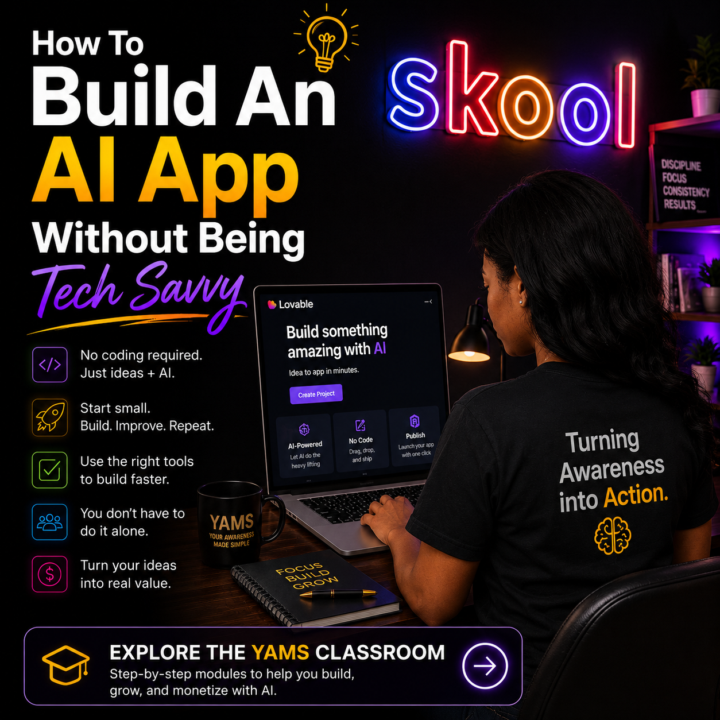
How To Build An AI App Without Being Tech Savvy
Building an AI app isn’t about becoming a software engineer. It’s about learning how to solve a problem with the right tools. Many first-time builders assume they need years of coding experience before they can create something useful. Today, that’s simply not the case. No-code AI platforms like Lovable have made it possible to turn ideas into working applications by focusing on what you want to build instead of how to write the code. If you’re just getting started, don’t try to build your dream app first. Start with one small idea, learn the fundamentals, and finish something simple. Every project teaches you something you’ll use on the next one, and confidence comes from completing builds—not consuming more tutorials. Before you start building, though, ask yourself one question: What problem is your app solving? If you have an idea but aren’t quite sure how to turn it into something people would actually pay for, I also built the Monetized Offer OS App inside YAMS. It helps you take a rough idea and shape it into a clear offer before you spend time building the technology behind it. Once you have that foundation, that’s where Lovable Made Simple and the Lovable AI Builder Sprint come in. They’re designed to help you move from idea to implementation with a structured approach that removes much of the guesswork. If building AI apps is one of your goals, explore the YAMS classroom and start with the modules that match where you are today. Whether you’re refining an idea with the Monetized Offer Builder App or building your first AI app with Lovable, explore the YAMS classroom and start with the module that fits your next step. -Whit 🫶🏽
1 like • Jul 4
Great!
🔥
Jul 4 •
How To Find Customers Who Are Ready To Buy (Instead Of Convincing Everyone)
One of the fastest ways to waste time in business is trying to convince someone they need what you sell. 🤑 Instead, look for people who are already searching for a solution. One of my favorite ways to do this is with AI. Open Claude, ChatGPT, Gemini, or Perplexity and ask: “I’m a [your business]. My ideal customer is already looking for a solution to [problem]. What questions are they typing into Google, Reddit, YouTube, TikTok, and ChatGPT right before they’re ready to invest? Organize the results by platform and buying intent.” Don’t stop there. Take the questions it gives you and look them up yourself. - Read the Reddit threads. - Look at the comments on YouTube videos. - Search those phrases on Google. - Pay attention to the language people use when they’re frustrated, comparing options, or asking for recommendations. That’s often where buying intent shows up. The goal isn’t to create interest.The goal is to show up where interest already exists. If you consistently answer the questions your ideal customer is already asking, you’ll spend less time chasing leads and more time talking to people with buying intent who are actively looking for help. -Whit 🫶🏽😬

4 likes • Jul 4
This is good!
🔥
Jul 4 •
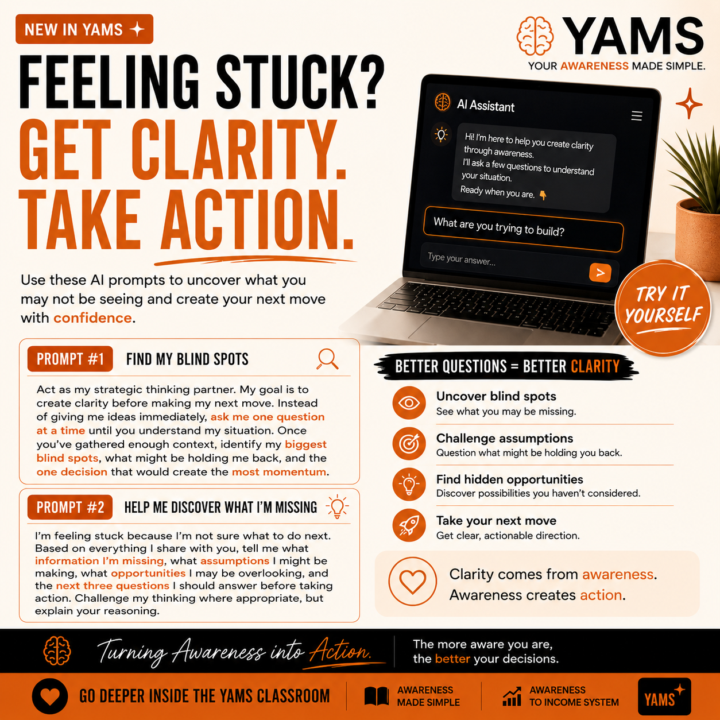
Try These AI Prompts When You’re Feeling Stuck
If you’re not sure what your next move should be, open your favorite AI assistant (ChatGPT, Claude, Gemini, Perplexity, etc.) and try one of these prompts. Prompt #1: Find My Blind Spots Act as my strategic thinking partner. My goal is to create clarity before making my next move. Instead of giving me ideas immediately, ask me one question at a time until you understand my situation. Once you’ve gathered enough context, identify my biggest blind spots, what might be holding me back, and the one decision that would create the most momentum. Prompt #2: Help Me Discover What I’m Missing I’m feeling stuck because I’m not sure what to do next. Based on everything I share with you, tell me what information I’m missing, what assumptions I might be making, what opportunities I may be overlooking, and the next three questions I should answer before taking action. Challenge my thinking where appropriate, but explain your reasoning. If you’re ready to explore your own thinking a little deeper, I’ve built a few resources inside YAMS to help. Start with the Awareness Audit to uncover blind spots, then continue with Awareness Made Simple and Awareness to Income System to learn how awareness can influence the way you build, market, and grow your ideas. Whit 🫶🏽
5 likes • Jul 4
[attachment]
🔥
Jul 4 •
10 AI Prompts to Help You Pick Up Where You Left Off
One of the biggest productivity killers isn’t having too much to do. It’s getting interrupted. 😒 Then spending the next 30 minutes trying to remember what you were thinking before the interruption 🤔 Here are a few prompts that could help you get back into the flow faster. 1. Catch Me Up Based on everything in this project, summarize where we left off, what we’ve already accomplished, and what we were trying to achieve. 2. Restore My Thinking Assume I’ve been away from this project for several days. Help me get back into the same headspace by reminding me of the goals, important decisions, open questions, and recommended next steps. 3. Decision Recap List every important decision we’ve already made and explain why we made it. 4. What’s Still Open? Show me every unfinished task, unanswered question, and loose end related to this project. 5. Find My Next Step If I only have 30 minutes today, what’s the single most important thing I should work on to move this project forward? 6. Reconnect the Ideas Show me how all of these notes, conversations, and ideas connect. Point out anything that overlaps or could be combined. 7. Finish My Thought Based on our previous conversations, what do you think I was trying to accomplish before I stopped? 8. Challenge My Plan Review everything we’ve discussed and tell me where I might be overcomplicating the project or missing an easier path forward. 9. Prepare Me to Continue Before we start working again, summarize the project, remind me of the current status, and ask me the three most important questions to help us move forward. 10. Create My Handoff Note Summarize today’s work into a progress log that Future Me can read to immediately understand what we accomplished, what still needs attention, and exactly where to begin next time. The goal isn’t to remember everything yourself. The goal is to build a workflow where your AI remembers with you. Try it in Claude and compare the results on the different ai platforms you like to use.

5 likes • Jul 4
Thanks!
1-10 of 65

@mistypastilock
UGC/Creative Strategist showing creators how to land brand deals, build income systems & get paid like a creative partner. Join LUXX Creator Academy👇
Active 5d ago
Joined Jan 16, 2026
INFJ
Pennsylvania, USA
Powered by