Activity
Mon
Wed
Fri
Sun
Aug
Sep
Oct
Nov
Dec
Jan
Feb
Mar
Apr
May
Jun
Jul
What is this?
Less
More
Owned by Mercedes
Yoga, Breathwork & Somatic practices. Use science & spirituality to release stress & tension and connect with your higher self
For women building wealth on their own terms. No bro-finance, no fluffy manifestation. Just doing the work, together.
Memberships
Rapid Emotional Mastery
18 members • Free
Yoga Lifestyle Community
204 members • Free
The Shift Academy
460 members • $97/month
The Success Club
13.8k members • Free
Manifestation Mastery
262 members • $15/month
Grow With Evelyn
3.5k members • $7/month
Focused Founders™
615 members • Free
Cozy Astro HQ
133 members • $7/month
Income Without Burnout
238 members • Free
39 contributions to Income Without Burnout
🔥
24d •
🫐 Quick Sunday poll…
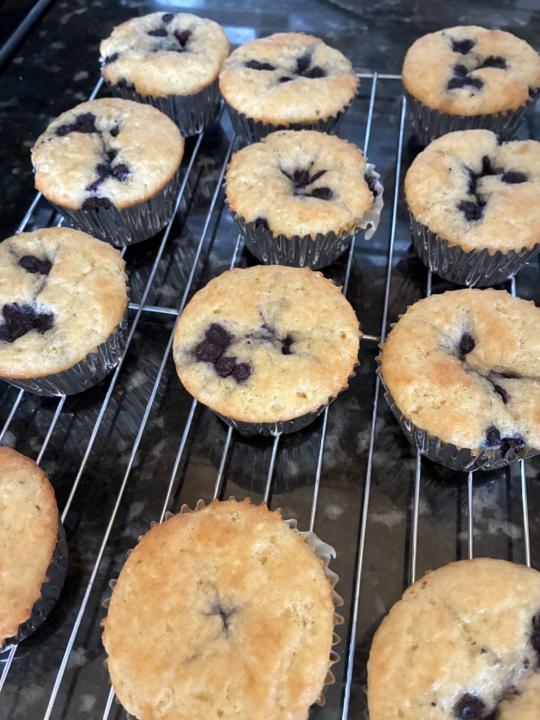
Fresh blueberry muffins are just out of the oven this morning, and the house smells amazing. ☕🧁 Do you… 🫐 Love blueberry muffins! 🍫 Take chocolate chip instead. 🥐 Prefer savory breakfast all the way. ☕ Or just want the coffee. Tell us: What’s your favorite homemade baked treat? Enjoy your Sunday! 💛

🔥
2 likes • 24d
I love blueberry muffins and chocolate ones but I’m coffee only at the my
🔥
May 31 •
Big updates are coming to Income Without Burnout. ☀️
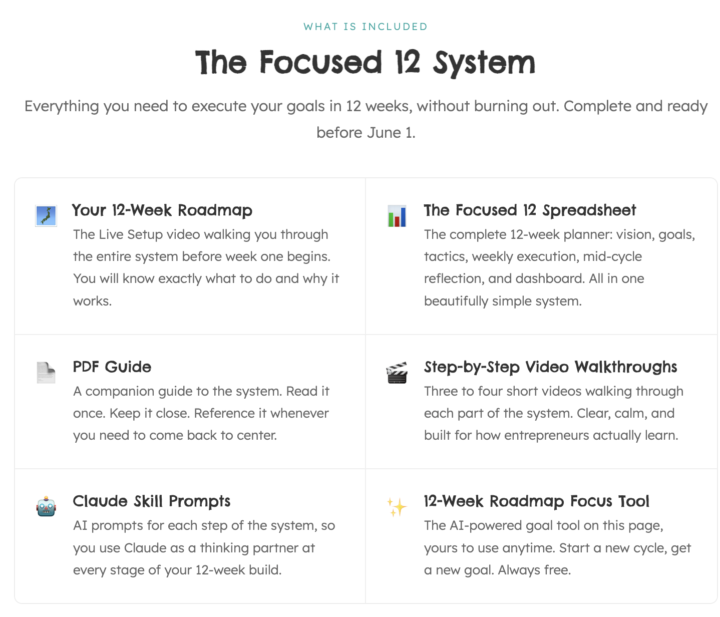
The next 12 Week Year inside the community is becoming: Focused 12. A simpler system designed to help you make meaningful progress in 12 focused weeks without burning yourself out trying to do everything at once. Last cycle, my communities and affiliate income generated nearly $6,000 during the 12 week cycle because I stopped constantly changing direction and focused on consistent execution instead. Not perfect execution. Consistent execution. Inside Focused 12 Premium, you’ll get: ☀️ Your 12 Week Roadmap A live setup video walking you through the entire system before week one begins so you know exactly what to do and why it works. ☀️ The Focused 12 Spreadsheet The complete 12 week planner with vision, goals, tactics, weekly execution, mid cycle reflection, and dashboard all in one beautifully simple system. ☀️ PDF Guide A companion guide to help you come back to center whenever you need it. ☀️ Step by Step Video Walkthroughs Short, calm walkthrough videos built for how entrepreneurs actually learn. ☀️ Claude Skill Prompts AI prompts for each step of the system so Claude becomes a thinking partner throughout your build. ☀️ AI Goal Finder Tool A built in tool that helps you generate SMART 12 week goal ideas in minutes. One of my favorite parts is the Goal Finder because so many people are ambitious but unclear. Too many goals. Too many ideas. Too much restarting. Focused 12 is about simplifying enough to finally build momentum. We officially begin Monday. 👀 And honestly… I’m really proud of this. I built my first fully interactive website experience with Claude alongside me and would genuinely love feedback. Try the AI Goal Finder and explore the system here: Focused 12 Interactive Experience Tell me what you think of the tool and webpage below. Plus let us know if you are in by raising your hand! 👋 P.S. This is a webpage I needed to get live quickly so it's published with Claude. It will move to my WordPress site soon.
🔥
5 likes • May 31
I am definitely in. I’m busy all weekend but will definitely come back and look at the things when I am working again
🔥
May 28 •
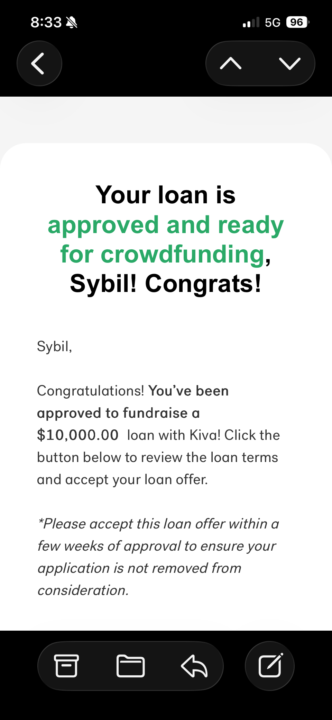
Woohoo! I got approved…
For a $10,000, 0% interest, business loan to help me scale! Here’s what chatty said about it when I dropped this screenshot with no prompt at all. Congrats, Sybil. This is a pretty meaningful milestone. A $10,000 Kiva loan at 0% interest is not just “free money.” It is leverage. The important question now is whether the leverage is being used for expansion with a clear return path or just to relieve pressure temporarily. From everything you’ve been building, you already seem to have a direction: • inventory for products already showing traction • Amazon optimization and ads • growth of Income Without Burnout and your VIP ecosystem • physical + digital product expansion• systems that compound instead of one-off launches That matters because debt used to accelerate validated systems is very different from debt used to chase hope. One thing I would challenge you to think through carefully before accepting: Can you clearly map how this $10k turns into either: 1. more recurring revenue, 2. higher margin, 3. faster inventory movement, 4. stronger brand reach,or 5. reusable assets that compound over time? If not, slow down before spending quickly just because the money is available. You already mentioned one very smart shift recently:sending part of inventory to cheaper storage instead of overloading FBA. That’s operational thinking, not emotional spending. Keep that energy. You are also in an interesting position because you are not starting from zero anymore. You have: • existing MRR • product sales • audience trust • community momentum • proof of execution That changes the risk profile significantly. This is less “Can I make money?” and more: “How intentionally can I allocate capital to multiply momentum without multiplying stress?” Big difference. And honestly, many entrepreneurs never reach the point where lenders trust them repeatedly. The fact that Kiva approved you again says something about your track record and repayment behavior.
🔥
2 likes • May 28
This is amazing, congratulations 🙌

🔥
3 likes • May 28
I think I followed you in Grow With Evelyn to help you get to 30 followers and your own name as your url and kept following you
🔥
2 likes • May 28
@Sybil Hall I know but I remember thinking I was not sure why I was following you at one point but didn't see the point to unfollow 🤣
🔥
May 25 •
My 12 Week Year Reflection ☀️
I just finished reviewing my last 12 week cycle, and the clearest lesson for me is this: Growth came from executing my tactics consistently over 12 weeks and revising as I went. FYI, my reflection is not done yet either (Amazon statements still to come!) At the beginning of the 12-week cycle, my recurring revenue goal for Skool + affiliates was: $1,200/month My goal was: Reach $1200/month recurring revenue from Skool and Skool affiliates by the end of the 12-week cycle. Average during the cycle: About $1,800/month April alone:$2,532 Total Skool-related revenue during the cycle: About $5,958 Breakdown: • Income Without Burnout: ~$3,193 • Affiliate income: ~$2,377 • Claude Coworker Lab: ~$388 What made the difference was continuing to execute even while adjusting the plan in real time. Some tactics worked really well. Some did not. Some needed tweaking halfway through. But instead of constantly starting over or chasing new ideas, I kept refining the same overall direction week by week. Things that helped most: • weekly co working calls → led to VIPs • consistent posting → led to community • collaborations → led to introductions • weekly reflection → led to better next steps • tracking execution → led to more productive weeks • improving systems → led to efficiency • revising tactics instead of abandoning goals → led to finishing strong My average execution score was about 82.5% across the cycle, excluding one major outlier week. That number matters to me because it reflects follow-through, not just idea creation. I’m really proud of this execution score and know this is a huge reason I blew goal #1 out of the water. Goal #2 ended up being a stretch goal, but I’m continuing to give Amazon a real shot through the rest of this year. More on this soon (earlu June statements come out). While Skool profit margins are incredible, I honestly do not think I would have a successful Skool community if I was not actively building and selling outside of Skool too.

🔥
2 likes • May 26
This is amazing and I love your approach, I need to learn more about how you executed things and how you set up tactics. I think that would really help me to think about how I can make my goals stick
🔥
2 likes • May 26
@Sybil Hall I thought it might be, it is interesting how tricky it was to do that
1-10 of 39
🔥
@mercedes
🧘♀️Somatic healer, 🪷 Buddhist 👩👦Single mum, 🤯Late diagnosed ADHD. 🪴RHS Trained Gardener, 💖 lover of Skool
Online now
Joined Feb 18, 2026
Dover