Activity
Mon
Wed
Fri
Sun
Jul
Aug
Sep
Oct
Nov
Dec
Jan
Feb
Mar
Apr
May
What is this?
Less
More
Memberships
THE OUTLIERS
1.3k members • Free
5 contributions to THE OUTLIERS

3d •
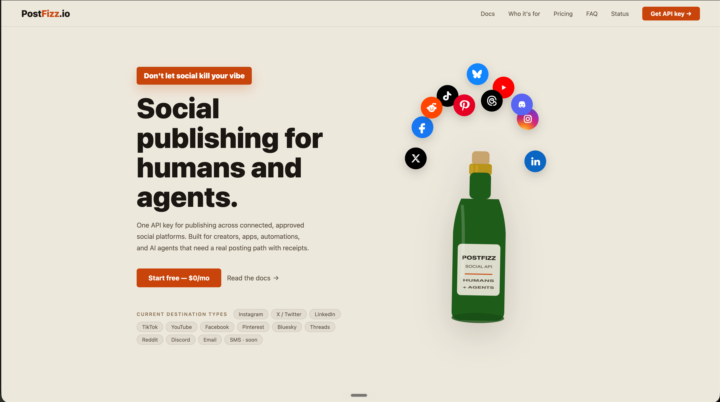
Built a tool.
Oauth and social publishing was not a joy of mine. So I have created a one api to rule them all. Check it out. Sign up if it'll help. https://postfizz.io
24d •
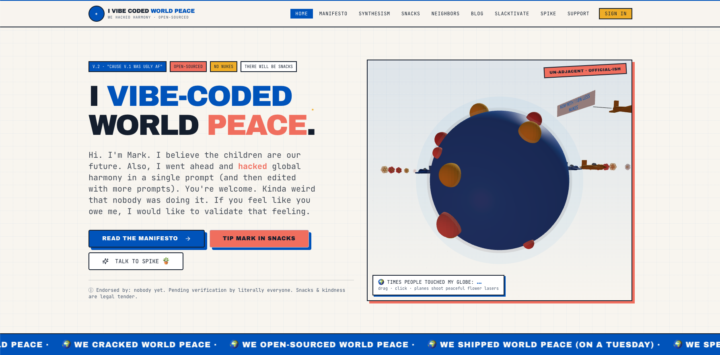
I Vibe Coded World Peace
Whelp, put down your pencils and pick up a fork, because it is done. Open Source and totally forkable. https://ivibecodedworldpeace.com/

Feb 27 •
Unlocking the Google Algorithm: The Topic Mapping SEO Hack #01 🕵️♂️💸
Listen up, Builders! You know those expensive SEO agencies? The ones charging thousands for fancy reports? They're not going to be happy with me for this. Why? Because I'm about to give you their playbook for free. 🤐 I've been in this game for... well, let's just say, long enough to see Google evolve from a simple card catalog to the behemoth it is today. And one thing never changes: Google loves experts. It's not about stuffing keywords anymore; it's about proving you are the go-to source. This is exactly what the pros call Topic Mapping. It’s the art of creating a comprehensive 'map' of a subject to dominate a search query. It's not some advanced theory—it's a simple, actionable hack. And I'm going to show you exactly how to do it in 15 minutes, with zero technical skill required. Here is your step-by-step blueprint: The "Expert Force" Workflow: Step 1: Uncover the Questions 🔍 Your first job is to find out what real people are actually asking about your topic. Forget guesswork. We're going straight to the source. • → Go to AnswerThePublic.com. • → Type in your primary topic (e.g., "Lightroom presets," "n8n automation," or "Lovable AI"). • → The tool will generate a visualization of questions people ask related to that term. It’s like peeking directly into the minds of your customers. Step 2: Map the Topic 🗺️ Look at the results. You'll see dozens of questions: 'how to...', 'what is...', 'best... for...'. These are not just queries; these are your blog post topics. • → Group these questions logically. This is the core of your Topic Map. You now have a complete breakdown of every conceivable angle your audience might explore. • → Create a dedicated content asset—like a detailed blog post or a guide—for each significant question or question cluster. Step 3: Prove Your Expertise 🧠 When you write these articles, don't just "blog." Answer the question directly and comprehensively. • → Think of it this way: for every question someone can ask about your main topic, your site has a clear, well-written answer. This is the defining characteristic of an expert.

1 like • Feb 27
Also, Schema markup is your friend and lovable will do it for you, but you'll have to tell it to. I've heard a lot of people asking if lovable does good SEO. Sure, It'll cover the basics, but if you know how to do SEO, it'll fast track that and do amazing SEO. I've gotten load times blazing fast. Also FAQ's are AI and SEO friendly and a good way to get pulled in on suggested answers.
Feb 18 •
Agencies are closing 7-figure deals with Lovable proposals.
Create interactive decks in minutes. Here's how I do it ↓

2 likes • Feb 19
I am most interested in the animations? What are the prompts for those?
Dec '25 •
Can Lovable replace Wordpress?
I was supposed to create a website for my company using Wordpress however, my boss, without telling me, created and published a website through Lovable. So basically, she stole my task smh. Now, I am worried that she will fire me because there is literally nothing for me to do anymore (1 month work for me was 'finished' by her in just 1 day) I am curious if there any downsides to Lovable so I can tell her and I can keep creating websites using Wordpress and keep my job lol
5 likes • Dec '25
Hang in there. I cannot imagine she got it all done in a day. There's a lot that needs to be done for integrations and SEO. I've been building websites with lovable, and to finish a robust website still takes about a week. Thats including things like newsletters, some backend CRM, technical and content SEO, schema. It should all be clear pretty quickly. There are no plugins for a lovable website... all api's.
1-5 of 5

@mark-matthews-2237
Hello there. I'm a big proponent of multi-agent, multi-model pipelines.
Active 3d ago
Joined Oct 30, 2025