Activity
Mon
Wed
Fri
Sun
Nov
Dec
Jan
Feb
Mar
Apr
May
Jun
Jul
Aug
Sep
Oct
What is this?
Less
More
86 contributions to Creators-hub
Nov '25 •
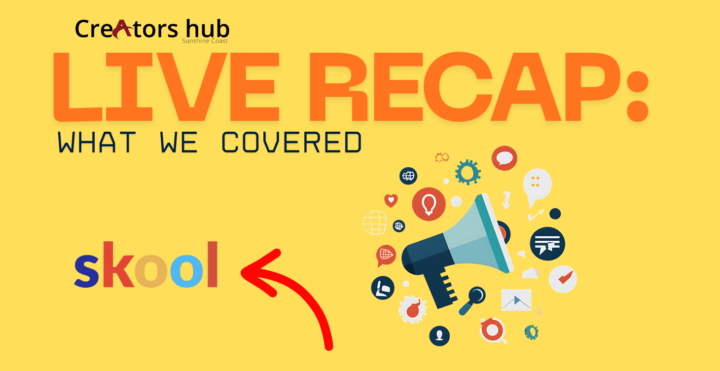
LIVE RECAP: What We Covered Tonight (For Anyone Who Missed Out)
LIVE RECAP: What We Covered Tonight (For Anyone Who Missed Out) Tonight’s live session was all about getting everyone properly set up, confident, and ready to create — and it turned into one of the most practical and eye-opening trainings we’ve had so far. Here’s a full breakdown of what we covered: Technical Setup + Screen Recording We started by testing audio, video, screen sharing, and the new screen-recording tool. Had a few sound issues (as always!) but got everything sorted so everyone could hear clearly. I’ll be setting up the full system for SKOOL tomorrow so everything’s smooth for future sessions. Canva’s New Upgrades (Massive Game-Changer) I took everyone through Canva’s latest updates — and these honestly replace several paid tools: Video editor upgrades Email templates + sequences Built-in forms Website & landing page builder Better animations & transitions You can now: Build an email funnel Capture subscribers Create landing pages Design video content Edit your branding …all inside Canva. I also showed how I’ll record a tutorial to walk everyone step-by-step through the new features. AI Tools for Image & Video Creation We explored a stack of AI tools: GPT Chat / Claude / Lemon Slice How I create high-res images How to edit or manipulate photos How to build content fast with scripts When to use each tool for different strengths Affinity Studio Overview Then I showed you my favourite free alternative to Adobe: Pixel vs vector graphics Logo creation Retouching Advanced image manipulation I explained why you still need manual skills, not just AI — this is what separates creators from button-pushers. Social Media Content Creation I demoed how I’m using Croak and AI to create: Headshots Promo images Carousels Sequences Website-linked posts I also shared how I make small income from views, how analytics works, and how to target: Age 35–44 Age 45–54 Age 25–35 Plus the importance of joining local business groups to promote your services completely free. Business & Traffic Strategy

1 like • Nov '25
That was an awesome teaching on Sunday 😁 Thank you so much Peter, I appreciate all your mahi (work) 💪

Nov '25 •
My first training flyer
Guys, I just made a training flyer and wanted to share it with you so you can give me some feedback on it. any constructive critisism is welcome
0 likes • Nov '25
Amazing stuff Karamba 😁
Nov '25 •
ENGAGEMENT PLEASE 😁
https://www.facebook.com/share/p/1F5gedQoWR/ https://www.facebook.com/share/p/1FvpDiXs9L/ https://www.facebook.com/share/p/17JymAEQPN/
0 likes • Nov '25
@Jacqualine Wharepapa Thank you sissy 😁
1 like • Nov '25
@Leon Makara Thank you brother 😁
Oct '25 •
Landing page
It's pretty plain but let me know what you all think please and let me know if the checklist link doesn't work.
1 like • Oct '25
@Holly Allsop Hey sis 😁 thank you. You know what lol i actually made some changes.

1 like • Oct '25
Done
1-10 of 86
@marina-kameta-3320
Mama of three from New Zealand. Building, learning and growing online and offline.
Active 13h ago
Joined Sep 29, 2025
Tauranga, New Zealand