Activity
Mon
Wed
Fri
Sun
Jul
Aug
Sep
Oct
Nov
Dec
Jan
Feb
Mar
Apr
May
Jun
What is this?
Less
More
Memberships
Booth Boss
84 members • Free
9 contributions to Booth Boss

Apr 21 •
Quick question before I plan the next 90 days...
Poll Question: What would make you actually log in here every week?' Answer options: - A: More AI and marketing tools (keep doing Fridays) - B: Real talk about trade show strategy - C: A place to ask questions and get answers fast - D: All of the above, just be more consistent - E: None of the above (Post below what you are in need of these days.)

1 like • Apr 21
D
Apr 17 •
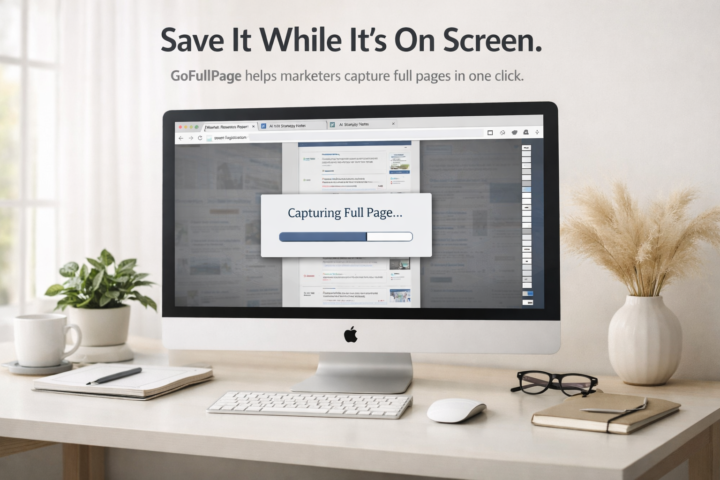
Save the ENTIRE page – no matter how long it is.
Okay this one is small but MIGHTY and I use it more than I expected to. GoFullPage by Full Page LLC. Free Chrome extension. 10 million users. 4.9 stars. Here is the situation it saves you from: 🤯You had a great AI chat with cited stats or a solid outline you want to reference later. But your chat history is a mess and the auto-naming is useless. Now you are scrolling forever trying to find it. 🤯You filled out a trade show order form online, got all the way to checkout, and the item details did not carry over. No record. Start over from scratch. GoFullPage captures the entire page, not just what is on your screen, and lets you download it as a PNG, JPEG, or PDF right then and there. A few ways marketers are using it: - Saving AI chats with stats or briefs worth keeping - Capturing trade show order details before checkout loses them - Documenting website pages before they change To get it, go to the Chrome Web Store, search GoFullPage, and grab the one by Full Page LLC. Two clicks. Your mission this week: Try it once on something you actually need to save. Then come back here and tell me what you used it for. I want to hear the specific situation. Bonus points if it saved you from a headache. 😄 I’ll go first…
2 likes • Apr 17
Wow! incredible....
Mar 27 •
Text to video in under 5 minutes? 🎬
Yeah, I didn't believe it either. But then I tried Pictory. Pictory is an AI video tool that turns scripts, URLs, images, and even PowerPoints into videos. I've been playing with it for creating training content and it's stupid simple. Here's how I use the text-to-video feature: 1️⃣ Go to your favorite LLM (ChatGPT, Claude, etc.) 2️⃣ Prompt it: "Create a script about ____. I only want the script, no notes, no instructions." 3️⃣ Copy/paste that script into Pictory and hit enter 4️⃣ Review your storyboard, swap out any videos you don't love 5️⃣ Add voiceover, background music, branding, gifs, stickers (all optional) 6️⃣ Change caption text style if you want, hit preview Done. Video ready. What can you make with this? 🔹 Course content 🔹 Webinar promos 🔹 Training videos 🔹 YouTube Shorts 🔹 Social media clips The options are honestly endless. Pricing is reasonable too: 💰 Starter: $29/mo (200 video mins) 💰 Professional: $59/mo (600 video mins) 💰 Team: $199/mo (1800 video mins, 3+ users) 💰 Enterprise: Custom pricing They all have free trials if you want to test it first. I'm not an affiliate for them (but a friend of mine is so I’m sharing her link - alicialyttle.com/pictory). I’m just genuinely impressed with how much time this saves. If you're creating any kind of video content for your marketing, give it a shot. Good luck with your creations! 🎥 👇Already using AI for video? PRETTY PLEASE drop your favorite tool below, I'm always looking for new ones to try.

1 like • Apr 2
Bookmark this for sure
1 like • Apr 10
@Heather Bundgaard Do tell soon!!!
Apr 6 •
32 Claude shortcut hacks for faster prompts:
Add one of these at the very start of your prompt. Example: ELI5: [your topic] → get a simple, kid-friendly explanation. —— /ELI5 is used to explain as if to a 5-year-old. /TLDL summarizes a very long text in a few lines. /STEP-BY-STEP lays out reasoning step by step. /CHECKLIST turns a response into a checklist. /EXEC SUMMARY gives a quick executive-style summary. /ACT AS makes ChatGPT speak in a specific role. /BRIEFLY forces a very short answer. /JARGON asks to use technical vocabulary. /AUDIENCE adapts the response to a chosen audience. /TONE changes the tone (formal, funny, dramatic, etc.). /DEV MODE simulates a raw, technical developer style. /PM MODE gives a project-management perspective. /SWOT produces a strengths/weaknesses/opportunities/threats analysis. /FORMAT AS enforces a specific format (table, JSON, etc.). /COMPARE puts two or more things side by side. /MULTI-PERSPECTIVE shows several points of view. /CONTEXT STACK keeps multiple layers of context in memory. /BEGIN WITH / END WITH forces starting or ending with something. /ROLE: TASK: FORMAT: explicitly defines the role, the task, and the expected format. /SCHEMA generates a structured outline or a data model. /REWRITE AS: rephrases in a requested style. /REFLECTIVE MODE prompts the AI to reflect on its own answer. /SYSTEMATIC BIAS CHECK asks to identify biases. /DELIBERATE THINKING forces slower, more thoughtful reasoning. /NO AUTOPILOT forbids superficial, autopilot responses. /EVAL-SELF asks for a critical self-evaluation of the response. /PARALLEL LENSES examines from several angles in parallel. /FIRST PRINCIPLES rebuilds from fundamental basics. /CHAIN OF THOUGHT shows intermediate reasoning. /PITFALLS identifies possible traps and errors. /METRICS MODE expresses answers with measures and indicators. /GUARDRAIL sets strict boundaries not to cross. Enjoy and Good luck!

1 like • Apr 10
Am I the only that hasn't used Claude yet?
Mar 11 •
Do you use, or have you used, Jasper?
For all my AI Marketing peeps, who has used (or is currently using) Jasper, what do you think of it? Do you recommend it? I've had my eye on that platform for a while, and wonder what you think. For those who don't know what Jasper AI is: Jasper AI is an AI-powered content creation platform designed for marketing teams to accelerate content production. It generates blog posts, social media captions, marketing copy, and images. Key features include maintaining a consistent brand voice, creating SEO-optimized content, and using AI agents to automate marketing workflows across various platforms.

1 like • Mar 19
I have never heard of Jasper, but it sounds interesting. Might be worth a look
1-9 of 9

@lewis-leoce-8878
Brand and BD strategist who builds visibility, strengthens relationships, and delivers measurable impact.
Active 36d ago
Joined Feb 27, 2026
New York City