Activity
Mon
Wed
Fri
Sun
Nov
Dec
Jan
Feb
Mar
Apr
May
Jun
Jul
Aug
Sep
Oct
What is this?
Less
More
19 contributions to KDP Publishers by PublishFlow

Sep 13 •
Audible audiobook with virtual voice
Have any of yall ever used "Audible audiobook with virtual voice." instead of ACX?

2 likes • Sep 16
I have, it’s pretty easy and fast
Jul 12 •
ARC Timeline
Hi everyone, I'd really appreciate some insight on how you manage your ARC launches. I have a fixed launch date, but new ARC readers continue joining throughout the campaign. The closer it gets to launch, the less time they have to read the book and leave a review. A few questions: - How long do you typically run your ARC campaign? - How many days or weeks before launch do you start recruiting? - Do you close the ARC campaign before launch? If so, how long before? - How much time do you give ARC readers to finish the book? - Do you wait for feedback before publishing, or stick to your launch date regardless? - Roughly what percentage of your reviews come in during launch week versus afterwards? So many questions! Apologies for that, but hopefully this might be of interest to others also. I'd love to hear what has worked best for you. Thanks!
0 likes • Jul 14
Following

Jul 9 •
New Templates for A+ Content in Visuals comming soon.
I created 30 new templates for the A+ Content Tool in Visuals 🎉 We will implement them next week and let you know as soon as they are online. If you have suggestions for A+ Content modules that you are missing, please comment below, and we will add them with the update next week. 👇🏼

5 likes • Jul 9
@Andrey Bernhart Hi Andrey, Just wanted to share some feedback after playing around with the A+ Content feature a bit more. The first time I used it, I have to admit I was a little disappointed with the results. But then, with a little help from AI, I created a much more detailed prompt that described exactly what I wanted, and the difference was huge. The results were so much better. I think it would really help users if you encouraged them to use very specific prompts instead of short or generic ones. It definitely makes a big difference in the quality of the output. The only thing I couldn’t get right was the author image. I started with a hyper-realistic photo of the author and tried several times, using quite a few credits, but I just couldn’t get an image that actually looked like the original person. I eventually decided to move forward anyway, and I already published both the book and the A+ Content. Overall, though, I’m really happy with how much the feature has improved. You guys are making great progress, and I can definitely see the difference. One small suggestion: it might be helpful to include a few example prompts or some quick prompt-writing tips right inside the feature. I think that would save users some trial and error and help them get much better results from the start. Thanks again for all the work you and the team are doing. I’m looking forward to seeing what’s next!
May 14 •
Fonts & Sizes
Looking for some formatting advice. For a self help book, what is your recommended font type and font size? Following on from that, what is the recommended line height? Maybe preferred is a better word than recommended. Should we be aiming for a word count on the page (my book is 5.5" x 8.5") and this decides. I'd love to know your thoughts on this.
2 likes • Jul 4
@Nigel Howard I would suggest 11 pt and 1.4 spacing
Jun 29 •
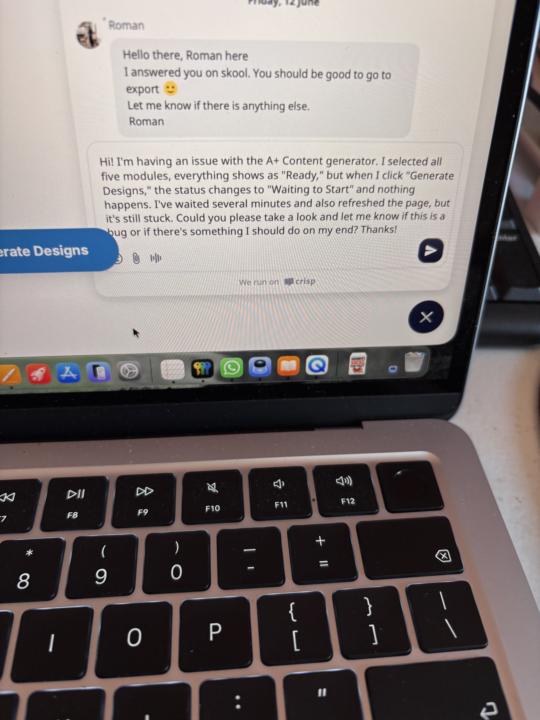
Can’t submit messages to the engineer. Anyone else?
I’m running into another issue and was wondering if anyone has seen this before. I’m trying to send a message to the engineer through the Messages box, but every time I click Submit, nothing happens. The message just stays there and never sends. I’ve already restarted my computer, but that didn’t fix it. Has anyone experienced this? Any ideas on what else I could try? Thanks in advance!
0 likes • Jul 2
@Roman Redl thank you 😊
1-10 of 19
@laura-lopez-arana-9401
KDP publisher in progress, learning every day, improving each book, and staying committed to the journey.
Active 22h ago
Joined Apr 23, 2026
Powered by