Activity
Mon
Wed
Fri
Sun
Mar
Apr
May
Jun
Jul
Aug
Sep
Oct
Nov
Dec
Jan
Feb
What is this?
Less
More
Owned by John
Enabling people to master MS Copilot AI. Live demo's, Q&A Sessions. I have 16 years of experience, thousands of people trained on Copilot. Start here
Memberships
AI Automation (A-Z)
132.2k members • Free
TeachTechU AI 101
2 members • Free
Stealth Founders Club
1.2k members • Free
Smart Skills Academy & AI
35 members • Free
AI Content Creators
427 members • Free
The AI Advantage
74k members • Free
AI Automation Society
258.8k members • Free
8 contributions to Smart Skills Academy & AI

🔥
8d •
Sunday Fun!
Let's see how well ChatGPT knows you! Type in the below prompt... "Create a caricature of me and my job based on everything you know about me." Simple! When you get it, put it in the comments! (Good or bad) 😆 I think mine is really accurate! 🤣


3 likes • 8d
@Antonio Totino yes - weird combo I know I’m a painter - character creator - 3D and 2D digital animator - vfx and lighting - writer and CHILDRENS BOOK CREATOR / illustrator And professionally I’m a Microsoft and business consultant Degree in business Diploma in Ai in business Trainer and lecturer in copilot For art I do it For work I get copilot to help me do it Sometimes for art if I need a reference image I get copilot for ideas and references and colour palettes - but ultimately I digitally paint them - WHICH IS WHY PAGE ONE - is taking me over 1 week and the cove took me over a month
3 likes • 8d
@Antonio Totino thank u - hopefully I’ll finish this 40 page kids book soon - I’m thinking 3 months - then I’ll start the second
🔥
9d •
Love Skool. Recommend It. Get Paid.
One of the nicest features in Skool is the way community owners can thank members for spreading the word via commissions. There are actually 2 ways you can create an income; 1. 𝗥𝗲𝗳𝗲𝗿𝗿𝗶𝗻𝗴 𝘀𝗼𝗺𝗲𝗼𝗻𝗲 𝘁𝗼 𝘀𝘁𝗮𝗿𝘁 𝘁𝗵𝗲𝗶𝗿 𝗼𝘄𝗻 𝗰𝗼𝗺𝗺𝘂𝗻𝗶𝘁𝘆: As a Skool member, if you recommend someone and they start their own Skool community you will get a % of the community member fee they pay. 2. 𝗥𝗲𝗳𝗲𝗿𝗿𝗮𝗹 𝗯𝗼𝗻𝘂𝘀 𝗳𝗼𝗿 𝗿𝗲𝗳𝗲𝗿𝗿𝗶𝗻𝗴 𝗽𝗲𝗼𝗽𝗹𝗲 𝘁𝗼 𝗷𝗼𝗶𝗻 𝗮 𝗰𝗼𝗺𝗺𝘂𝗻𝗶𝘁𝘆: Each community owner chooses the commission they want to offer. The maximum and most common is a whopping 40 percent! When you recommend a community using your personal invite link and someone joins through it, any fees they pay in the future will always be tracked back to you. That means you continue to earn commission for that referral, not just at sign-up, but ongoing while they remain a member. Think of it like recommending a restaurant you genuinely love. You tell friends about it because you want them to enjoy the same great experience you had. Now imagine the restaurant owner turns around and says “thanks for sending people our way” and shares a slice of the profits with you - every time they come to eat there. That is essentially what this model does. It rewards genuine word-of-mouth, not hard selling. 𝗔𝗻 𝗲𝘅𝗮𝗺𝗽𝗹𝗲: Let's imagine someone joins a community through your recommendation and the link you shared. At first they have the free membership, so you get 40% of £0... wow! 🤣 But then a few months later, they really feel the benefit of the community and decide to trade up to a paid membership which is $10 a month... you get $4 a month, every month that they are a member. If your friend then buys an add on training course for a one off $40 fee, you get a one off $16. 🤑 𝗛𝗼𝘄 𝘁𝗼 𝗴𝗿𝗮𝗯 𝘆𝗼𝘂𝗿 𝗹𝗶𝗻𝗸: On your phone - go to the community 'About' page, click the three dots on the top right hand side and click 'Invite People'. A pop up box will appear with your personal recommendation link for that Skool. Share that link wherever you like. On a laptop or desktop - In most cases you will see the 'Invite' panel on the right-hand side of the screen. Click it and copy your link from there.

4 likes • 9d
this apply to 9 dollar option or only 90 dollar paying members?
🔥
11d •
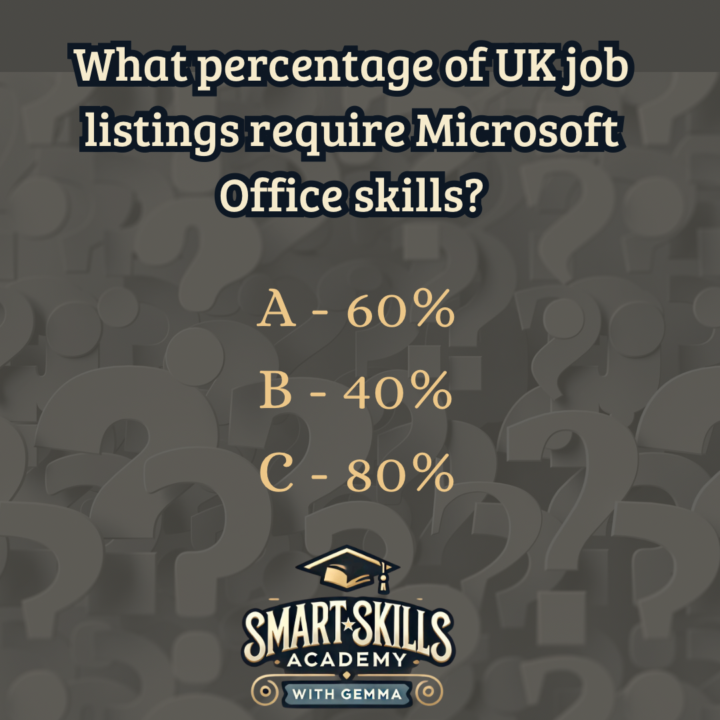
Thursday Quick Quiz
What percentage of UK job listings require Microsoft Office skills? (Cast your vote first – answer is revealed in the comments).
Poll
4 members have voted
3 likes • 11d
@Gemma Coles Look at schools in Ireland doing transition year - they are doing nothing anyway.
1 like • 11d
@Ivan Vazquez yes BUT not bY warehouse staff - not by till clerks / check out staff in a supermarket and not by the ship captain - first mate or anyone cleaning washing and maintaining the ship Not by anyone in McDonald below management - not by anyone in any shop, sports - retail - sweet - shop - not by any cinema employee or any coffee shop or anyone below management roles - not by anyone in carpet repair, window installation - painting and decorating - below management - essentially Only management - or office workers will require skills in office applications
🔥
17d •
Let’s celebrate our wins!
Big or small, it doesn’t matter. Tell me something you have achieved this week. I’ll go first - I managed to get all my ‘to-do’ list ticked before I packed my bag and came on holiday! Cheers to that!

2 likes • 16d
I managed to get First lot of content uploaded - Small win, but onwards and upwards
🔥
18d •
THURSDAY QUICK QUIZ!
What percentage of UK labour force cannot perform all 20 'Essential Digital Skills'? (Cast your vote first – answer is revealed in the comments).
Poll
3 members have voted

3 likes • 18d
Has to be high, we are talking about everyone over the age of 50, and everyone in every industry.
1-8 of 8

@john-toland-3130
Making AI and Microsoft Copilot simple, practical, and valuable, 16 yrs, Thousands of people trained. AI is here. Learn Copilot now with us. Thanks
Active 38m ago
Joined Jan 16, 2026
Ireland