Activity
Mon
Wed
Fri
Sun
Aug
Sep
Oct
Nov
Dec
Jan
Feb
Mar
Apr
May
Jun
Jul
What is this?
Less
More
Memberships
AI Money Lab
85.4k members • Free
Chase AI Community
72.2k members • Free
AI Automation Society
424.8k members • Free
12 contributions to AI Automation Society

24d •
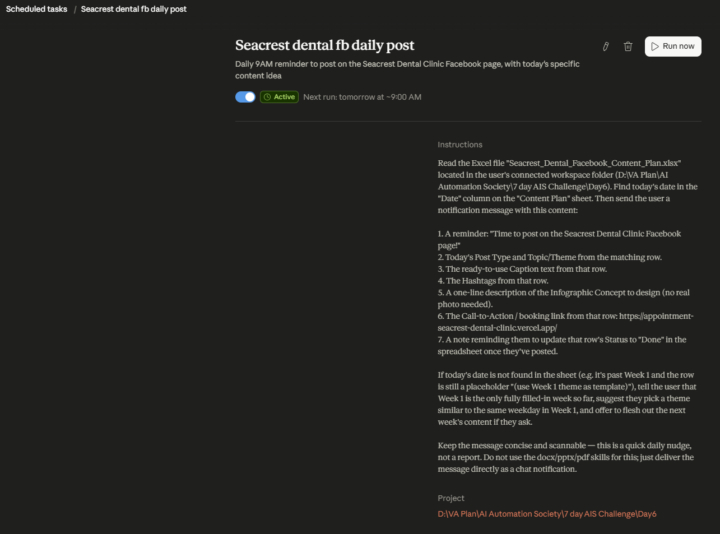
Day 6 of 7 - AI Automation Society Challenge
Never miss a post again. Today I built a scheduled AI agent that reads my client's Facebook content calendar every morning at 9AM and sends me a ready-to-post reminder — complete with the caption, hashtags, infographic concept, and booking link. No more opening spreadsheets. No more forgetting what to post. The AI does the prep, I just hit publish. This is what social media management looks like when you hand the repetitive parts to automation. 6 days in. 1 to go. #AIAutomationSociety #7DayChallenge #Day6 #AIAutomation #VirtualAssistant #SocialMediaAutomation #ClaudeAI #WorkSmarter
Jun 9 •
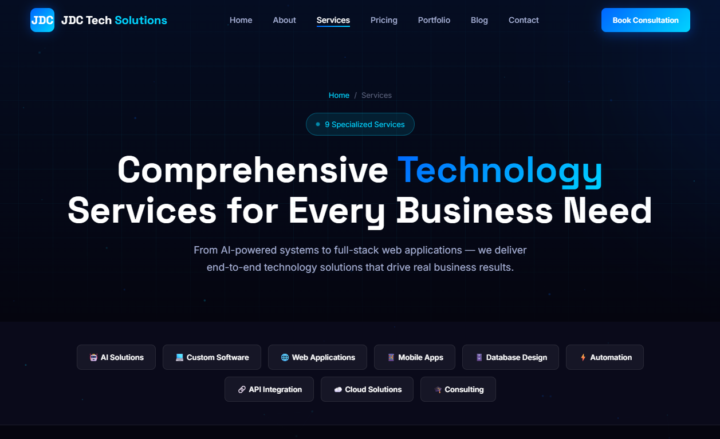
Day 5 Done! My site is live for the #AISChallenge!
jdctechsolutions.com Building Intelligent Digital Solutions for the Future — that's the headline, and the site delivers on it. What's inside: - AI Solutions, Custom Software, Web Apps, Mobile Apps, Automation, API Integration, Cloud, Database Design, and Technical Consulting — all under one roof - A full portfolio, blog, and pricing page - Particle animations, animated counters, mobile-responsive design The hack that made the biggest difference: using AI to move from blank page to a fully structured, professional multi-page site with real content — services, testimonials, FAQ, everything — in a fraction of the time it would've taken manually. Go check it out and book a free consultation if you need any of these services! #AISChallenge
0 likes • Jun 11
@KeCho Cho thank you!! Really appreciate the love! 🔥🙌
0 likes • Jun 11
@Donte Harris thank you so much!! 🔥 That means a lot - put a lot of work into it so hearing that hits different! Glad you like it! 🙌

💎
⭐
Jun 10 •
Two paths into AI work (which one is yours?)
Most YouTubers show you a single path into AI work: start an automation agency → take clients → sell automations. It works. I know because I built an AI automation agency and sold it. But it's not the only way in, and for a lot of you it's not even the best one. I made this video to break down the two real paths: The AI Career Opportunity Nobody is Talking About in 2026 Here's the quick version: Path A is the agency play. You go independent, take clients, build your own practice. Path B is the employment play. You become the most AI-fluent person in the room, and that's who companies want to hire or promote for AI work. If you're already employed, you become the obvious pick when an AI role opens. If you're looking to get hired, or move somewhere better, you walk in with real work instead of just claims. It's the less obvious path, but it's actually the more common one. The employment numbers (see the video) are shocking actually. Watch the full breakdown in the video. Then do one thing for me in the comments because I'm super curious: Tell me which path you are on. A, B, or both. And one line or so on why. I'll be reading these. Nate
Poll
1095 members have voted
3 likes • Jun 11
Going the independent route myself - building solutions for clients rather than locking into employment. The agency path has more risk but the freedom and upside are worth it. Good breakdown, appreciate you @Nate Herk for showing both sides instead of just pushing one angle like most do.
Jun 6 •
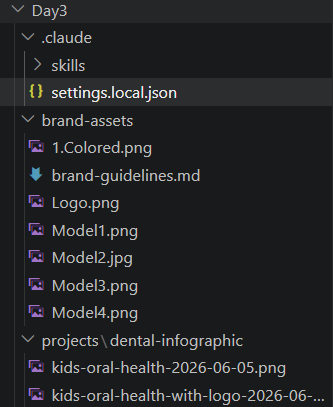
Day 3 Done! Built an AI Infographic Generator for My Dental Client
Just finished Day 3 of the 7-Day AI Automation Society Challenge and honestly this one blew my mind a little. I built a custom Claude Code skill that generates branded dental infographics automatically — my client just types a topic, and it: - Reads their brand guidelines (colors, fonts, tone) - Writes the educational content - Calls an AI image API to generate the actual graphic with their logo - Outputs a ready-to-post Facebook caption with hashtags No Canva. No manual design. No copy-writing back and forth. The whole thing runs in seconds and the output looks professional enough to post immediately. I tested it with "Kids Oral Health" and got two polished infographics on the first run. As a VA, this is the kind of tool that turns a 2-hour content task into a 30-second one — and I can replicate it for any clinic, any niche. 3 days in and I'm already shipping real deliverables for a real client. Let's go! #AIAutomationSociety #7DayChallenge #Day3 #VirtualAssistant #AITools #ClaudeCode #Automation
0 likes • Jun 9
@Julius Waggoner Thank you!
0 likes • Jun 9
@Jesse Gaskins Thank you!
💎
⭐
Jun 9 •
🚀New Video: How to Build Claude Subagents Better Than 99% of People
Subagents are one of the most powerful features in Claude Code, and most people barely scratch the surface. In this video I break down exactly what a subagent is, how it keeps your main context clean, when you actually need one versus when you don't, and how to build your own custom agents that get invoked automatically. By the end you'll know how to delegate work to a team of cheap specialist agents while one smart model runs the show, saving you money and getting better results.
3 likes • Jun 9
This is exactly the content I needed. The idea of keeping the main context clean while delegating to specialist agents is a game-changer — I've been overloading my main context with everything and wondering why results weren't consistent. The breakdown of when to use a subagent vs. when not to is what most tutorials skip. Looking forward to building custom agents after watching this!
1-10 of 12

@jeremiah-dela-cruz-3717
A visiting instructor of a State University in PH (IT) who want to master AI automation.
Active 8d ago
Joined May 21, 2026
Powered by