Activity
Mon
Wed
Fri
Sun
Aug
Sep
Oct
Nov
Dec
Jan
Feb
Mar
Apr
May
Jun
Jul
What is this?
Less
More
Memberships
Canadian Tax Enthusiasts
1.2k members • Free
For Creators Like You
65 members • $69/month
The Jupiter Career Community
675 members • Free
Don't Go Broke Collective
203 members • $44/m
Creators Hub
1.3k members • Free
Busy Mamas Money Club
350 members • Free
26 contributions to Busy Mamas Money Club

Mar 31 •
🔥We have a WINNER for the FREE website! 🤩
We have a winner for our website offer! 🤩 Congratulations to @Oluwapelumi Oyegbami of Eat Pray Love Yeg LTD 🎉 She shared her plans and her business and showed out to claim a free website for her business. A website is a necessary resource for every business. It makes you easier to find online, puts your business in front of people who are already searching for what you offer, and gives your brand the credibility it deserves. It's one of those things that works for you even when you're not actively selling. Eat Pray Love Yeg LTD serves both events and personal clients and I am so excited to be building her website and helping her show up online the way her business deserves 😀 This is what happens when you show up and take your shot ❤️ Your website is on the way 🤩 I'm rooting for you every step of the way!


3 likes • Mar 31
congratulations @Oluwapelumi Oyegbami .. when is the next one

Mar 14 •
Introduction
Hi everyone! I’m Angela Ehimi, a proud mum of 4, living in beautiful Niagara Falls, Ontario. I work 9–5 in healthcare, and I’m also a passionate cuisine chef. I recently relaunched my food business, @drupefoods.ca, here in Canada in December 2025. I’m so excited to be part of this community! Can’t wait to connect, share, and learn from all of you.
0 likes • Mar 21
Glad to have you here Angela.
Mar 14 •
🚀 New Training Available | Recording of How to Build & Monetize Your Skool Community
I’ve just finished uploading the full recording of the live training on how to create your own Skool community and monetize your knowledge. This was originally a live session, and I’ve now chopped it up into structured lessons so it’s easier for you to watch and implement step by step inside the Classroom. In this training we cover: • How to set up your Skool community • Examples of different types of communities you can build • How communities generate revenue • How to structure your classroom and content • Strategies for growth, engagement, and monetization I also shared some AI tools you can use to create things like your community branding. If you’ve ever thought about building a community around your knowledge, experience, or niche, this training will give you a very clear starting point. 👉 The training is now available inside the Classroom for Premium members, you can tap here to access it directly! If you watch it, feel free to drop any questions under this post and we can discuss them together. Enjoy the training and let me know what ideas it sparks for you 💡
1 like • Mar 14
Thank you for sharing this. Its how you give your all for me. More blessings ❤️
Mar 9 •
🤯 Some CRAZY AI Discoveries | Training Coming Soon 🚀
Ladies… I have been doing some deep exploration with AI tools for content creation and website building, and honestly… my mind is blown 🤯🤯 The things I’ve been able to create in a short time are actually wild. This could potentially solve one of the biggest challenges many of you have mentioned in the club: • Content creation • Video creation • Marketing materials • Even building simple websites And the speed at which this can be done is honestly shocking 😳 See attached a few sample videos, I created using AI so you can see what I’m talking about. I also used AI to create this website and I don't pay a dime for hosting: www.nvmbrmedia.com Once I fully master the process and refine it, I’ll be doing a training inside the club to show you how you can use these tools for your own businesses. I genuinely think this could become a very powerful leverage tool for many of you. Stay tuned… 🚀 Also coming soon I’ll also be announcing the schedule for the Skool Community Setup Training soon. Many of you have asked about creating your own communities and digital spaces, so we’ll break down: • How to set up your own Skool community • How to structure it • How to monetize it I just need to finalize my schedule and I’ll share the date shortly. Exciting things coming for the club 🔥

2 likes • Mar 9
Cant wait. Thanks for always exploring way to better the community .
Mar 9 •
🔥Win Spotlight of the Week 🎉
Can we take a moment for @Fatimat Ademo please!! 🤩 After a series of applications with no response, she didn't sit back and wait. She walked into the store in person, asked why she hadn't heard back, and that one decision changed everything. That takes boldness. That takes a certain kind of determination that you just can't teach. And she went out there and did it. She did the "leg work", showed up in real life, and made it impossible to be ignored.👏🏾 This is exactly what this community is about. Not just learning and consuming but actually going out there and doing the thing even when it feels uncomfortable. So proud of you @Fatimat Ademo and thank you for sharing this with us because someone in this community needed to see this today ♥️. Go show her some love on the post below, she deserves every single celebration coming her way 🙌🏽🎉 Tap here to view

2 likes • Mar 9
Congratulations Lumie.. More blessings upon you IJN
1-10 of 26
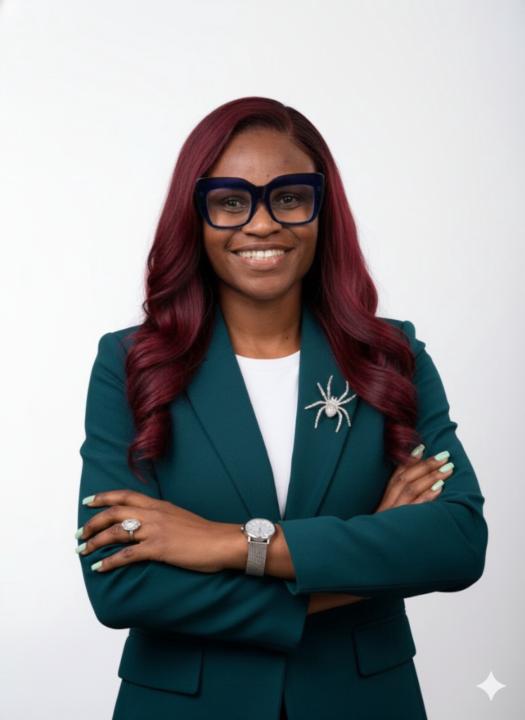
@funke-omoruyi-5001
Cybersecurity Pro + Financial Educator helping you build wealth safely.Passionate about income streams without burnout! IG| Funkefinancials
Active 1d ago
Joined Nov 26, 2025
Alberta
Powered by