Activity
Mon
Wed
Fri
Sun
Aug
Sep
Oct
Nov
Dec
Jan
Feb
Mar
Apr
May
Jun
What is this?
Less
More
Owned by Franny
Your KC home buying and seller hub: expert advice, vendor access & community to make owning and sellinga home simple & fun by the Urban Cool KC Team
AI Marketing & Social Media Club: A place to learn and improve for your job, business, side hustle: Creatives, Entrepreneurs & Realtors.
Memberships
Book More Showings Private
576 members • Free
Prompt-Shop-in-a-Box
1.5k members • $99
Your First $5k Club w/ARLAN
32.3k members • Free
Synthesizer: Free Skool Growth
44.4k members • Free
Skoolers
167.4k members • Free
On-Screen Authority
1k members • Free
Passive Prospecting Community
1.8k members • $197
ChatGPT Users
12.8k members • Free
Passive Prospecting Backstage
455 members • Free
9 contributions to Shenanigans: AI Marketing Club

Dec '25 •
Postpone First Online Happy Hour
Going to have first workshop happy hour next Tuesday the 6th.
0
0
Dec '25 •
Common Social Media Terms
Ultimate List of Social Media Content Terms 1. Algorithm - A computer program that decides what posts people see on social media based on their interests. 2. Analytics - Tools that show you numbers about how your posts are doing, like views, likes, and shares. 3. Audience - The group of people who see your content and follow your account. 4. Bio - A short description about you or your business at the top of your profile. 5. Call to Action (CTA) - Words that tell people what to do next, like “Click the link” or “Follow for more.” 6. Caption - The words you write under your photo or video to explain or add context. 7. Content - Anything you post on social media, like pictures, videos, or stories. 8. Engagement - How much people interact with your posts, like liking, commenting, sharing, or saving. 9. Feed - The main page where people scroll through posts from accounts they follow. 10. Hashtag - A word or phrase with a “#” in front of it (like #funnyvideos) to help people find your posts. 11. Impressions - The number of times your post is seen, even if someone doesn’t interact with it. 12. Insights - A deeper look at how your posts are performing, showing stats like reach, engagement, and more. 13. Link in Bio - A clickable link in your profile where you can send people to your website or products. 14. Niche - A specific topic or audience you focus on, like cooking, fitness, or pet care. 15. Organic Reach - How many people see your post without paying for ads. 16. Platform - The app or website you’re using, like Instagram, TikTok, or Facebook. 17. Post - A picture, video, or text you share on your profile. 18. Profile Picture - The small photo or logo that represents your account. 19. Reel - A short, fun video format on Instagram for showing off your creativity. 20. Share - When someone sends your post to others or shares it on their profile. 21. Stories - Short posts (photos or videos) that disappear after 24 hours. 22. Tag - To mention another account in your post by typing “@” and their username. 23. Trending - Popular topics, songs, or challenges that many people are talking about or doing. 24. Viral - A post that becomes very popular and gets shared by lots of people quickly. 25. Engagement Rate - A percentage that shows how much people are interacting with your content compared to how many followers you have. 26. Follower - Someone who chooses to see your posts on their feed. 27. Content Calendar - A plan for what and when you’ll post on social media. 28. Thumbnail - The small preview image for a video or post. 29. Reach - The number of unique people who see your post. 30. Aesthetic - The overall style and look of your content, like colors, fonts, or vibe. 31. Collaboration (Collab) - Working with another person or brand to create content together. 32. Influencer - A person with a lot of followers who can influence what people buy or think. 33. Engagement Bait - Posts that ask for likes, comments, or shares to get more interaction. 34. Pinned Post - A post you keep at the top of your profile so everyone sees it first. 35. Carousel - A post with multiple photos or videos that people can swipe through. 36. User-Generated Content (UGC) - Content made by your followers or customers about your brand. 37. DM (Direct Message) - A private message sent to someone on social media. 38. Trending Audio - A popular sound or song that people use in their videos to get more views. 39. Highlight - Stories you save on your profile so they don’t disappear. 40. Hashtag Strategy - Choosing hashtags to help the right people find your post. 41. Scroll-Stopping - Content so interesting that people stop scrolling to watch it. 42. Hook - The first part of your video or caption that grabs attention. 43. B-roll - Extra video clips that make your content more interesting. 44. CTA Button - A clickable button, like “Shop Now” or “Learn More.” 45. Editing Software - Apps or programs that help you fix or improve your photos and videos. 46. Livestream - A video you broadcast live to your followers in real time. 47. Content Pillar - Main topics you post about regularly, like tips, tutorials, or behind-the-scenes. 48. Monetize - Making money from your social media content. 49. Boosted Post - A post you pay to show to more people. 50. Sponsored Post - A post where a brand pays you to talk about their product or service.
0
0
Dec '25 •
Vibe Coding Using GenSpark
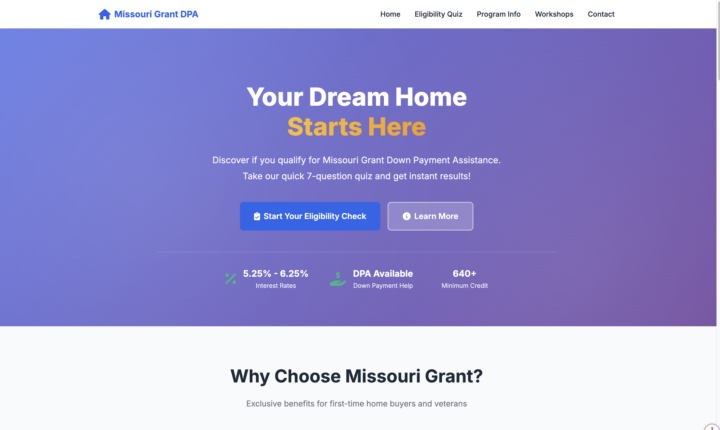
I created a Quiz and a Website out of a Slide Deck used for our MHDC or Missouri Down Payment Workshop using GenSpark AI https://urbancoolkchomes.com/MissouriGrantQuizbyUCKC. Check out the Classroom Module Vibe Coding to learn how to do this.
0
0
Dec '25 •
Vibe Coding
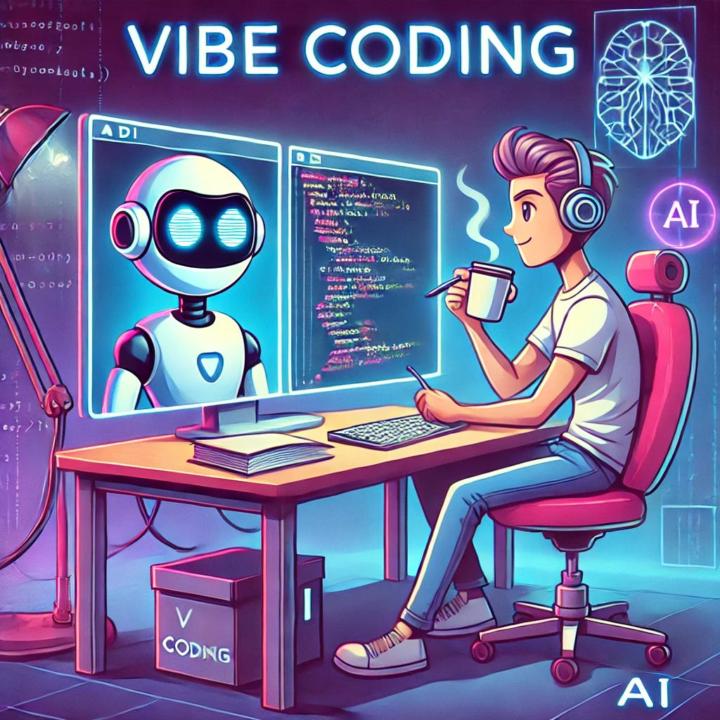
When I use GenSpark or Loveable to make quizes it is considered Vibe Coding. I write a simple prompt what I want and attach a file for extra information and then it is essentially programing a web or landing page. From ChatGPT on Vibe coding Vibe coding is when you build software, automations, websites, or content systems by describing the outcome, feeling, or flow you want—and letting AI handle most of the actual code. You’re not obsessing over syntax.You’re saying things like: - “I want this to feel calm, modern, and a little bold.” - “Make this workflow simple, fast, and not annoying.” - “This should feel like Urban Cool KC, not corporate beige.” The vibe = the goal, mood, user experienceThe coding = mostly handled by AI tools (ChatGPT, Claude, Cursor, Replit, Lovable, etc.) Think of it as: Directing the movie, not operating the camera. Why people love it - Designers can build without being hardcore devs - Marketers can ship tools instead of just ideas - Founders can prototype FAST - Perfectionists are forced to chill (this is a feature, not a bug) Here is an example of a website/quiz I did in GenSpark Ai https://urbancoolkchomes.com/MissouriGrantQuizbyUCKC
0
0
1-9 of 9
@franny-knighy-6064
Historic Homes & Urban Realtor for 19 years in KC. Transitioning my knowledge & experience to online courses so I can travel more.
Active 3d ago
Joined Nov 11, 2025
ENFP
Kansas City, Missouri