Activity
Mon
Wed
Fri
Sun
Jan
Feb
Mar
Apr
May
Jun
Jul
Aug
Sep
Oct
Nov
Dec
What is this?
Less
More
Memberships
Learn Power Apps
2.5k members • Free
University of Code
5.3k members • Free
16 contributions to Learn Power Apps

Aug '24 •
💡App for automate flow expressions and settings ideas? like a config file?💡
I am looking for a solution or ideas to monitor display and if possible, edit power automate flow details, settings and display them. Using power apps as a front-end if you will. I don't know where to begin with this. But i am open to ideas 💡. Almost like a config file where you update the variables one place then it should take effect where the variables have been deployed and being used. Are there other apps that can do this. I am looking at writing flow settings and are you able to get flow expressions and conditions into json using flow and write it to SharePoint list. Then read the settings from there. 🤷♂️ Currently i am using our business platform and environment so no Dataverse regrettably.😓
0 likes • Aug '24
@Savage Babajide yes exactly you can do that one of my colleagues is using the UIPATH platform like that so i was wondering for a same solution on power automate, even if you have to do part in flow and part in power apps for visibility. I read somehwhere on linkedin someone posted about this but i am searching for that post now
Jan '24 •
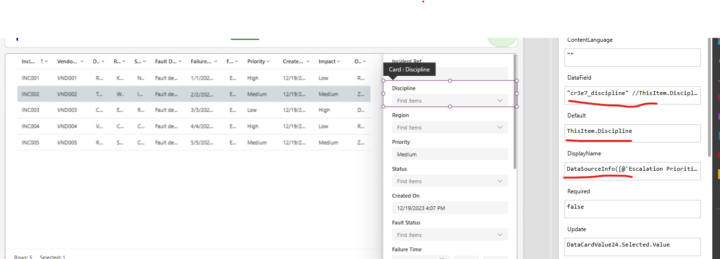
Data table data with dataverse table not displaying on modern form control
I have a dataverse table with choice columns connected to a modern data table control and Data values not being displayed in a modern form control. Properties attached on screenshot what should be changed to see the choice column data. Also the items property of the datacardvalue i updated to see if change but nothing
1 like • Jan '24
got it working, updated the DefaultSelectedItems property of combox to [Parent.Default]
Jan '24 •
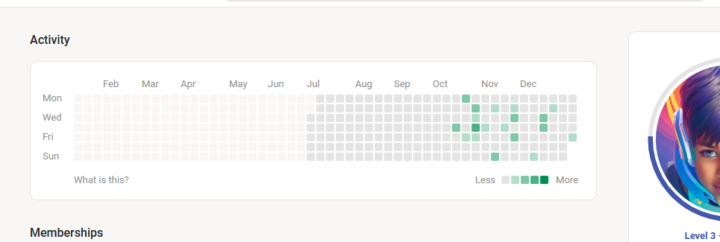
Activity table-widget👌👌
I really like this, its like the one in github and if you setup wakatime within your vs code IDE and connect it with github profile, it gives you a nice summary as well. Ps - mostly using power apps studio nowadays thats why my numbers so low in vs code lol 🫣 Or even have a bit of fun😁, it would be cool to get something like this or even build something like this, like a component you can add to every app admin screen or so and it updates a master list/table and you can then build a master app from that list/table. what you guys think. whats your ideas regarding this
Dec '23 •
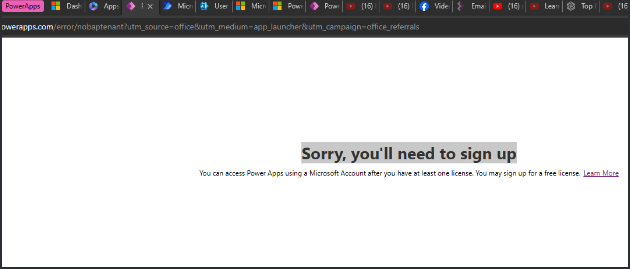
Need help with M365 Dev program to access Power Apps
Hi devs, I created M365 dev program and E5 subscription to get access to power platform tools but when i click on Power Apps is gives me the below error. “you’ll need to sign up. you may sign up for a free license “ I checked M365 admin center and my admin does only have the license for power automate and E5 M365. How do i get the license for power apps? Please help to setup my power apps Also i tried from the powerplatform dev plan screen by selecting existing user then login with the M365 account i created then it gives me a screen to request a license , but then i get an error like below. " problem sending the request "
1 like • Dec '23
got it working, created new developer environment from admin powerapps and logged back in
0 likes • Jan '24
thanks for the info bro.
Dec '23 •
Tools for beginners to use for designing the app ?
Just a general question what do you guys use to design the app before starting the dev, like for wireframing. do you use tools like figma, canva etc? What is an easy way for beginners to do this without much difficulty ?
1 like • Dec '23
@Elvis Eyobor thanks 👌
1-10 of 16

@fabian-van-wyk-6974
Technology enthusiast, love outdoorsy things, sport (soccer, cricket rugby)
Active 150d ago
Joined Jun 29, 2023
Powered by