Activity
Mon
Wed
Fri
Sun
Jun
Jul
Aug
Sep
Oct
Nov
Dec
Jan
Feb
Mar
Apr
What is this?
Less
More
Memberships
AI for Life
28 members • $297
Claude Code Kickstart
537 members • Free
KVK Automates AI
611 members • Free
AI Automation Society Plus
3.5k members • $99/month
AI Automation Society
345.9k members • Free
AI Automation Agency Hub
313.3k members • Free
Chase AI Community
58.9k members • Free
KI Agenten Campus
2.6k members • Free
IA Mastery
10.6k members • Free
6 contributions to AI for Life

🔥
13d •
Claude Code Features You're Probably Not Using Yet
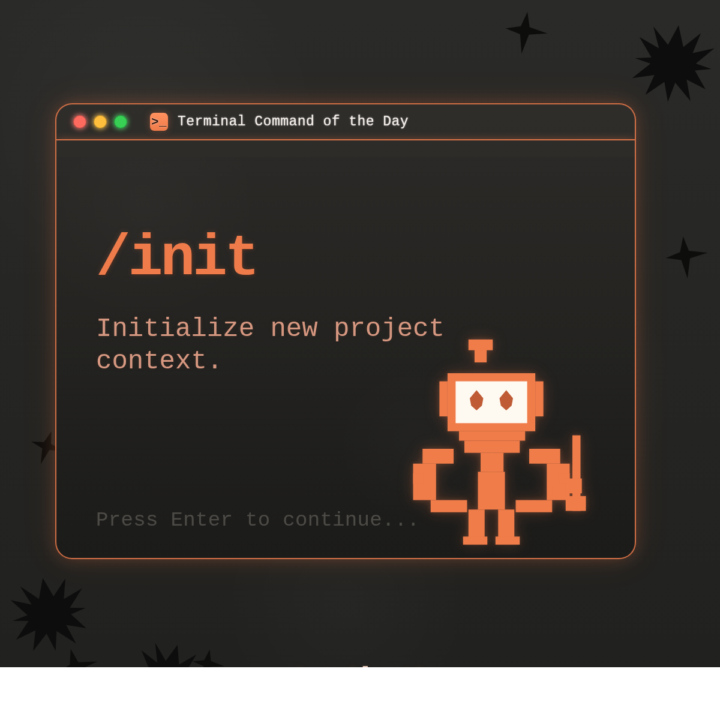
Claude Code ships updates almost weekly. If you installed it even a month ago, there's a good chance several features dropped after your setup. Two minutes of catching up will change how you use it. WHAT THIS IS: A walkthrough of built-in Claude Code features that don't show up in any onboarding flow. They're live right now. You just have to know they exist. WHY IT MATTERS: Each of these saves real time on real work. CLAUDE.md alone changed how I start every project. Hooks automate things I used to do manually every single time. These aren't nice-to-haves. They're the gap between using Claude Code and actually getting results from it. HOW TO USE IT: 1. CLAUDE.md Create a file called CLAUDE.md in your project root. Put your preferences, coding standards, and project context in it. Claude reads this automatically at the start of every conversation. You teach it once, it remembers every session. Or run /init and let Claude generate one for you by analyzing your codebase. 2. /cost Type /cost to see exactly what you've spent in the current session. Tokens in, tokens out, running total. No surprises. 3. Plan Mode Press Shift+Tab before a big task. Claude will think through the approach and show you a structured plan before writing any code. Review it, adjust it, then let it execute. This prevents the "it built the wrong thing for 20 minutes" problem. You can also type /plan to enter it directly. 4. Hooks Shell commands that fire automatically when Claude does something. Want to auto-format every file after an edit? Run tests after every code change? Block dangerous commands before they execute? Hooks handle all of it. Configure them in .claude/settings.json. They're deterministic. They fire every time, regardless of what the model decides to do. 5. Memory Claude Code persists notes across sessions in ~/.claude/ and loads them automatically. When you correct it or state a preference, it saves that and applies it in every future conversation. I told mine once to never use em dashes in my writing. It hasn't used one since. Type /memory to view or edit what it has stored.

🔥
1 like • 7d
Absolutetly gold here @Matthew Sutherland 🔥
🔥
7d •
Claude Code just shipped /ultrareview. Here is the practitioner breakdown.
Anthropic dropped a new slash command called /ultrareview in Claude Code v2.1.111, and it quietly changes how I review my own code before I ship it. Here is what it does, when to use it, when to hold back, and the catch most people are glossing over. What it actually is /ultrareview runs a full code review in the cloud using parallel reviewer agents while you keep working locally. - Type /ultrareview with no arguments. It reviews your current branch. - Type /ultrareview 123. It pulls PR #123 from GitHub and reviews that. By default it fires up 5 reviewer agents in parallel. Configurable up to 20. Each agent independently scans your diff for real bugs, and the command only surfaces a finding after it has been reproduced and verified. No "you might want to use const" noise. No lint-style nagging. Verified findings only. When to pull the trigger Spend a run when the cost of a missed bug is real: - Payment code - Auth changes - Database migrations - Large refactors touching many files - Any pre-merge review on a business-critical branch Do not burn a run on a one-line typo fix. The value lives in wide, high-stakes diffs where a human reviewer would take an hour and still miss something. The catch Users are reporting three free runs total on Pro and Max plans. Not three per month. Three, period. After that it meters against your plan. Treat them like good steakhouse reservations. You do not book one to show up and order a side salad. How I am using it 1. Finish a feature branch. 2. Run my own tests locally. 3. Fire /ultrareview before I open the PR. 4. Read the findings. Fix what matters. Push. 5. Only then ask a human to review. It does not replace a human reviewer. It does catch the things your eyes stopped seeing three hours ago. Try it Update Claude Code to 2.1.113 or later. Inside a git repo with real changes, type /ultrareview. Watch the fleet spin up. Come back in a few minutes. Feel free to share your initial result in the comments. I’m curious to see what it revealed about the code you deemed clean.

🔥
1 like • 7d
Massive share @Matthew Sutherland ! The part that really impressed me is the bug reproduction layer before any finding reaches you. That's the real shift for me. 5 agents in parallel is already a big architectural jump. But what sets ultrareview apart is the order of operations: AI spots something -> a separate AI reproduces it -> only what survives hits your screen. Completely different philosophy from CodeRabbit, Greptile, or plain /review. Huge fan of this approach. Strong release by Anthropic. Thanks again Matt 👊🏻
🔥
1 like • 7d
@Matthew Sutherland a pleasure! It's always great reading and going through your posts. thanks for sharing! 🙌
🔥
Mar 11 •
I've got a question for you, and your answer is going to shape what we build next.
If you could wave a magic wand and have one thing in your life or business just handle itself, what would it be? Not the flashy stuff. The thing that eats your time every week and you know could be automated but you haven't gotten to it yet. I want to create a step-by-step guide that walks you through building it, even if you've never automated anything before. But I need to know what matters most to you. Here are some ideas members have mentioned before: 1. Follow-up messages that send themselves after someone reaches out 2. A weekly report that pulls your numbers and lands in your inbox 3. Taking one piece of content and turning it into posts for every platform 4. New client onboarding that runs without you babysitting it 5. Something totally different (tell me in the comments) Most votes wins. And if your idea isn't on the list, drop it below. That's the whole point of this.

🔥
1 like • Mar 13
@Matthew Sutherland A good idea for the list is to autodetect the processes you can optimize and suggests every week which implementations can be done on that direction, what do you think? 🤟🏻
🔥
Mar 12 •
Anthropic Just Put $100M Behind People Who Build With Claude. Here's What That Means for You.
Two big announcements from Anthropic this week that are worth your attention. 1. The Claude Partner Network ($100M) Anthropic launched a partner program for organizations helping businesses adopt Claude. They're backing it with $100 million in training, technical support, and go-to-market resources. The part that caught my eye: membership is free. Any organization bringing Claude to market can join. They're also rolling out a technical certification called "Claude Certified Architect, Foundations" for people building production applications with Claude. Why this matters to you: the barrier between "person who uses AI" and "person who builds with AI professionally" just got lower. Anthropic is actively investing in creating a certified workforce around their tools. That's not a hiring trend. That's infrastructure. If you've been building skills with Claude (which, if you're here, you probably are), you're not just learning a tool. You're building toward something with a credible ecosystem behind it. 2. The Anthropic Institute Anthropic also launched a dedicated research unit called the Anthropic Institute. About 30 people, led by co-founder Jack Clark, focused on studying AI risks, societal impacts, and how people actually interact with Claude. Three teams merged into one: cybersecurity risk research, societal impact analysis, and economic research. They're also opening a policy office in Washington, D.C. What I take from this: the company building the tool we use every day is putting serious resources into understanding what happens when millions of people use it. That's the kind of investment that builds long-term trust in the platform. The takeaway Two signals pointing the same direction. Anthropic is building an ecosystem, not just a product. The partner network creates economic opportunity for builders. The Institute creates accountability for how the technology evolves. Both of those are good for us. If you're in Premium or VIP and want to dig into the Claude certification when details drop, I'll break it down as soon as it's available. That could be a real credential worth having.

🔥
2 likes • Mar 13
Damn this is amazing @Matthew Sutherland !! Thanks a lot for posting It 🤟🏻 Will definitely give it a try 👊🏻👊🏻
🔥
Mar 4 •
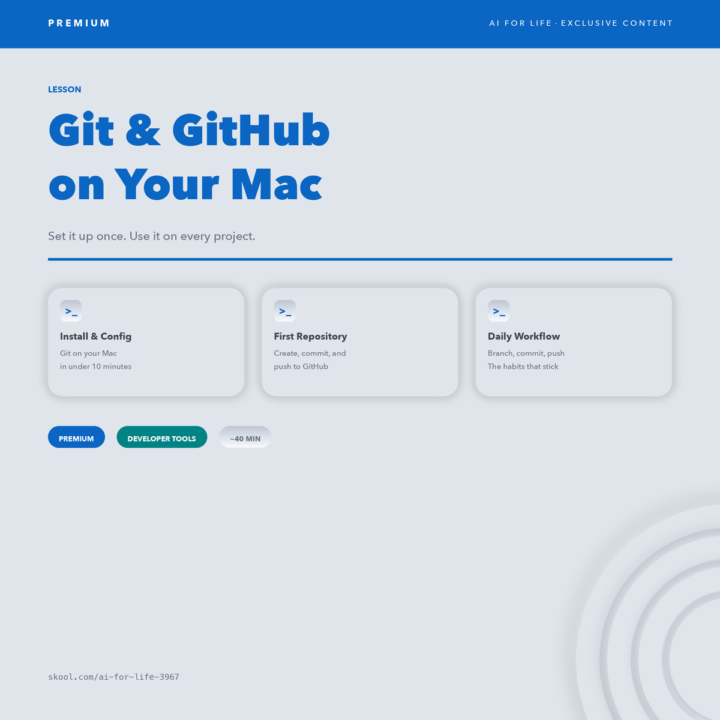
New Lesson — Git & GitHub on Your Mac
If you're using Claude Code or building projects with AI — you're going to hit a wall without version control. Git tracks every change you make. GitHub backs it up and lets you share it. Together, they're the safety net that lets you experiment without fear. This new PREMIUM lesson walks you through it from scratch: - Install and configure Git on your Mac - Create your first repository and make real commits - Push your work to GitHub so it's backed up and shareable - Build the 5 daily habits that keep every project clean ~40 minutes. One setup. Every project from here uses this. If you already know Git — drop your best tip below. If you're new — this is the one that unblocks everything else.
🔥
4 likes • Mar 5
This is such an important foundation! Thanks for sharing @Matthew Sutherland Is honestly one of those things that seems optional until the day you desperately wish you'd set it up from the start. 😅 For anyone new to this: don't let the terminal scare you. Once it clicks, you'll wonder how you ever built anything without it. This lesson is the one. I'd like to share a tip, as Matt suggested: Get into the habit of writing meaningful commit messages. Something meaningful and clear, like "add error handling for empty API responses". Why? Because when we are building with AI and iterating super fast, we're making dozens of changes rapidly. A clear commit history lets you (or Claude) look back and understand the evolution of the project, roll back to a working state, or pick up where we left off without confusion. The commits are like the "project's diary". Write them like someone else will need to read them, because that someone is often future you....😅 The commit history = project memory. Great addition to the curriculum Matt!
1-6 of 6

🔥
@mike-ai
AI Consultant & Specialist
Have helped clients cut 500+ hours/year and generate $50k+ in additional revenue.
DM me: let's see what AI can do for yours
Active 10h ago
Joined Mar 4, 2026