Activity
Mon
Wed
Fri
Sun
Aug
Sep
Oct
Nov
Dec
Jan
Feb
Mar
Apr
May
Jun
Jul
What is this?
Less
More
Memberships
Self-Care Skool
51 members • Free
Coaching Resource Room
1.4k members • Free
Write Your Wellness Book
20 members • Free
AI Automation Club
866 members • Free
Building in public by Daniel
16.1k members • Free
AI HUSTLE SIDE
1.3k members • Free
AI Automation Skool
2.4k members • Free
AI Automation Society
425.5k members • Free
13 contributions to AI Automation Society

25d •
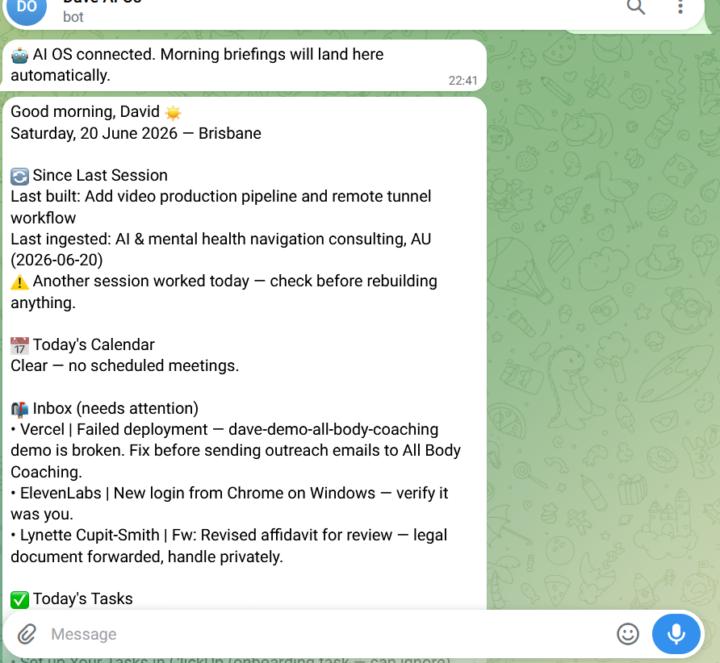
#AIOS Completed
All working nicely with access to Google Workspace and a morning message to Telegram after running /morning
0 likes • 23d
@Heru Pangestu What tools do you have in your stack Claude Google Workspace N8N and the like ? Have you completed any of the 7 Day Challenge?
0 likes • 22d
@Marwane Ecom If you get stuck ask Claude Code 😀you will be amazed how well that works just don't let it burn up your tokens wastefully trying to fix something that you can fix in two minutes, as I made that mistake.

💎
⭐
24d •
Happy Father’s Day AIS 👏
Whether you’re building automations between diaper changes or sneaking in a YouTube tutorial after bedtime, we see you. Hope you get a little time to relax today and enjoy some time with the family!! Take the day off from the agents. They’ll still be running tomorrow. - Nate
3 likes • 24d
Every Day is Fathers Day :-) You may be interested to know it is celebrated at different times around the Globe
27d •
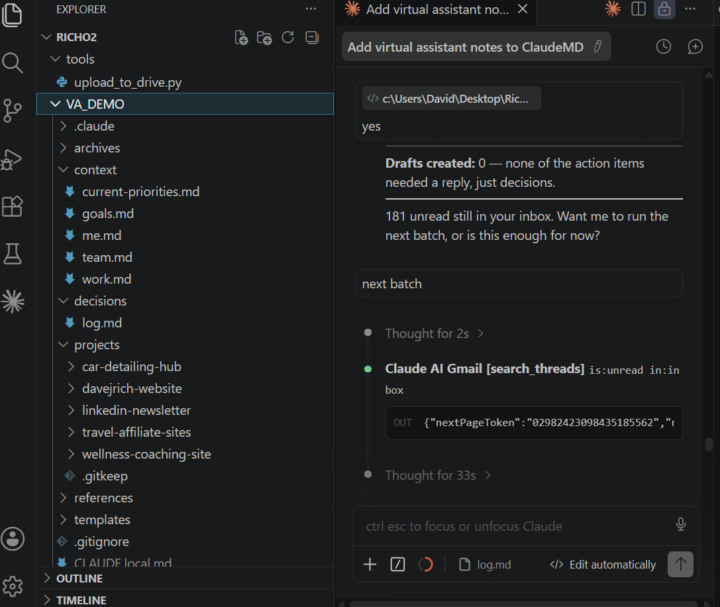
Day 7 #AIS Challenge
This is very powerful tool. I burnt through some extra credit and decided to turn off the automatic topping up my account. Paid $30 AU more than I expected and this was before they pulled Fable 5. Ran it again without Fable 5 no problems. My next challenge will be to set this up so I can use from my phone. I was thinking of setting up as VPN for it any Ideas?
1 like • 26d
Thanks @Julius Waggoner working through AI OS now I went through it quickly and had it on a different device previously. I hope to get it setup and use Tailscale (For Full Remote Access). If it works I will make a video of the whole setup including other options and why I choose Tailscale :-)
Jun 13 •
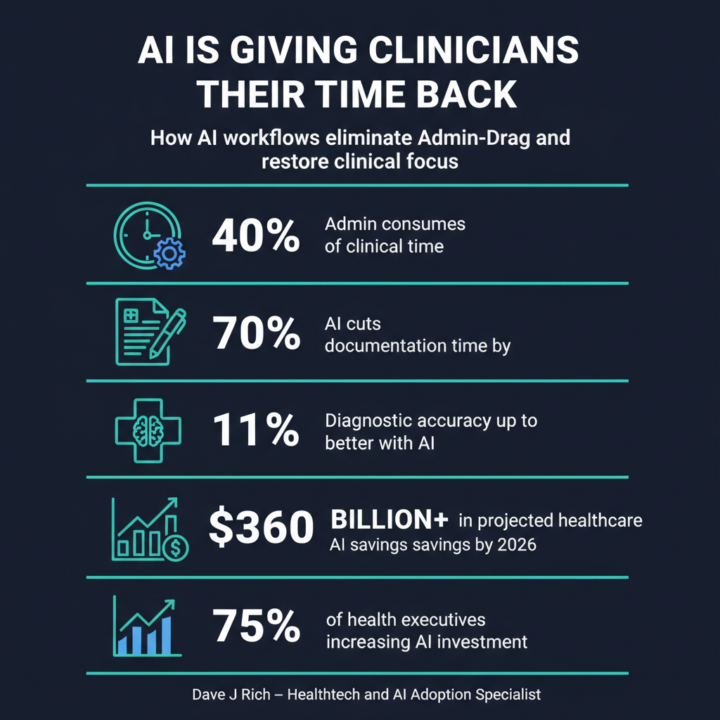
Day3
#AIS Challenge. I just went with the Infographic Creation similar to @Nate Herk did in the video. After the first run I tried to get it to improve the text as it didn't match up well with the images. You can see that each iteration improved but the end result is still not suitable to post but I am sure there is a way to produce as an editable file so it can be checked. Comment bellow if you can see the errors. I may have missed some.
0 likes • 28d
Hi q@Harits Zamrin I used Nano Banana however in a previous video I used CANVA through NCP which would be better to generate editable assets.
Jun 14 •
Day 6 Scheduled Automation
I created a Schedule to check for a specific email form the form from Hoeys Excavations I used Scheduled task however this is changed a little in the interface for Claude desktop it is under Routines My surprise was it all ran fairly easily. #AISChallenge
0 likes • Jun 14
Thanks @Yashraj Mahedu I am not sure what you mean :-)
1-10 of 13

@david-r-1919
I am Learning AI so that I can add AI Automation to my Consulting Services. I have over 40 years working in IT and Health Care and I love learning.
Active 5d ago
Joined Apr 8, 2025
Brisbane
Powered by