Activity
Mon
Wed
Fri
Sun
Oct
Nov
Dec
Jan
Feb
Mar
Apr
May
Jun
Jul
Aug
Sep
What is this?
Less
More
Owned by Darren
A community of people who are enthusiastic about and trying to learn about Microsoft's Power Apps!
Build Market Close
600 members • Free
AI Edge HQ
1.3k members • Free
AI Workshop Lite
60.7k members • Free
The Agentic Lab
2.4k members • Free
Early AI-dopters
1.2k members • $43/month
Chase AI Community
78.5k members • Free
AI Automation Society
458.9k members • Free
AI Automation Vault
37.7k members • Free
businessXP
423 members • Free
743 contributions to Learn Power Apps

Jun 9 •
Move data from sharepoint to on prem sql server
so we have a power app that collect user data, we use sharepoint online as datasource. I want to know if we don't have on prem gateway, what is the best way to move data from sharepoint item list to on premium sql server?

0 likes • Jun 9
A Power Automate flow would work great for this!
May 4 •
I've never felt this much behind as a programmer...
If someone like Andrj Karpathy feels behind, imagine where us mere mortals find ourselves?

0 likes • May 5
@Ben Linford
0 likes • Jun 2
@Mike Gillis
May 4 •
Meeting Every Monday Evening at 5pm EST
🧑💻 You or cordially invited to our *reoccurring* Monday night virtual meetup at 5pm EST. - https://www.skool.com/learn-power-apps-9036/calendar ❎ You voted, I'm listening! This is the direction you guys want! - The new site (up to date content: I'll be automating the uploading of the group calls and other video content so no waiting for content needed) 🙋♂️ If there is something specific you'd like to hear about or get a answer to, please comment below!
0 likes • May 4
This is what we will jump into tonight!
0 likes • May 25
No meeting tonight. Happy Veteran's Day!

May 23 •
Power Automate Out of Memory Errors
Is anyone else running into these out of memory errors when editing or testing complex workflows in Power Automate? It seems like something changed in the last month or two and now editing and testing are slower and I keep getting the popup with the Wait and Exit Page icons. I try to wait, but at some point, it either pulls its head out of its butt and works, or the whole screen goes black with an OOM error and a pretty blue refresh button. I have at least one other coworker who is seeing similar things but wanted to see if it was happening outside our work tenant.
0 likes • May 25
No, it's not just your tenant. Microsoft has officially acknowledged on Microsoft Learn (page last updated April 10, 2026) that "the new designer can consume more browser memory on complex flows," and there is a clear wave of independent reports from Feb–April 2026 on the Power Platform Community forums and on Microsoft Q&A describing exactly the symptoms Dustin is seeing, the "Page Unresponsive / Wait / Exit page" dialog, the gray "Aw, Snap!" OOM crash with the blue Reload button, and slow editing and testing, especially on flows that still contain the now-deprecated "Post a message as the Flow bot" Teams action that Microsoft is retiring April 30, 2026 with hard-disable rollout May 18–22, 2026. Microsoft Learn ================== It's a stack of three things piling up at the same time: 1. the new v3 cloud-flow designer holds/leaks memory on complex flows, 2. Chromium tabs have a per-renderer memory ceiling, and 3. the in-flight Office 365 Connectors / Flow Bot retirement is producing "invalid parameter" floods on load that push memory over the cliff on legacy flows. It is a real, broad, Microsoft-side regression made worse by an unrelated deprecation in the same window. ================== Fastest fixes right now: flip the designer to classic (toggle off "New designer" or append ?v3=false to the URL), open the flow in an Edge InPrivate window with no other tabs and no extensions, confirm you're on 64-bit Edge/Chrome, "Save As" the flow without opening the original and edit the copy, and break large flows into child flows. If the offending step is the Flow Bot / Office 365 Connectors action, delete it on the Save-As copy before the page finishes loading.
May 11 •
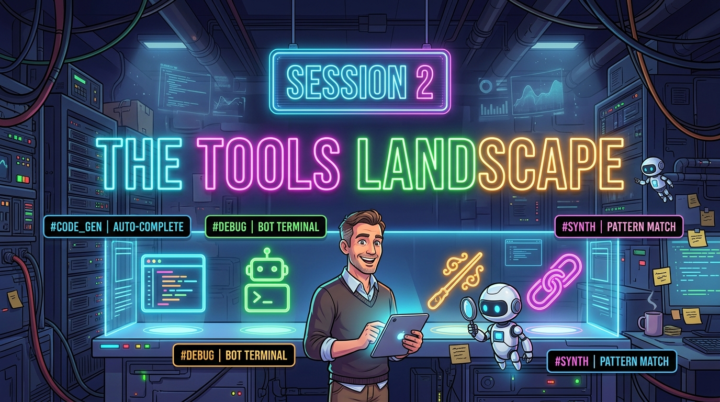
Session 02 of the AI + VS Code Application Development Course
Yes, you are welcome to join tonight! 5pm EST. - https://www.skool.com/learn-power-apps-9036/calendar - https://teams.microsoft.com/meet/235519031250369?p=zHeqlPwS8vGk6GmNPs - Meeting ID: 235 519 031 250 369 - Passcode: bw3dd6r2 Tonight's Topic: Exploring our toolkit!
0 likes • May 13
@Dustin Rocksvold it would have been nice to have you there, Dustin! :) Yeah, I'm actually working on the video now. Cleaning it up, etc.
1-10 of 743

@darren-neese-7615
I teach Software Development using Microsoft Power Apps!
https://linktr.ee/developermct
Active 1d ago
Joined Apr 25, 2023
INFP
Orlando, FL