Activity
Mon
Wed
Fri
Sun
May
Jun
Jul
Aug
Sep
Oct
Nov
Dec
Jan
Feb
Mar
Apr
What is this?
Less
More
Memberships
AI-Smart CEOs with Wendy
2.5k members • Free
Skill & Soul Studio
113 members • Free
AI Automation (A-Z)
152.3k members • Free
Cre(AI)tive Freedom x DCT
4.2k members • Free
AI Money Lab
68.9k members • Free
AI Artist Lab
535 members • Free
Just Create It With AI
326 members • Free
Skool Scale Camp
4.9k members • Free
The AI-Driven Business Summit
7.6k members • Free
1 contribution to Skill & Soul Studio

🔥
15d •
Claude Skills
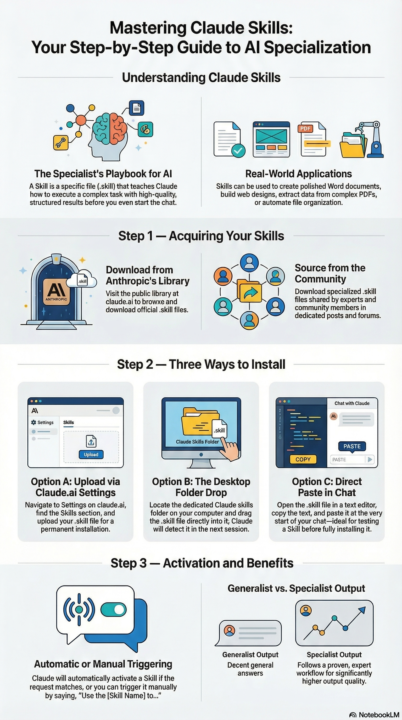
What They Are, How to Install & Use Them Most people use Claude out of the box. But there's a layer most users never unlock: Skills. Here's everything you need to know. What is a Skill? A Skill is a file that teaches Claude how to do a specific task really well — before it even starts helping you. Think of it like giving Claude a specialist's playbook. Instead of a generic answer, you get a structured, high-quality result every time. Examples: 📄 Create polished Word docs 🎨 Build beautiful web designs 📊 Extract data from PDFs 🗂️ Automate file organization Step 1 — Get a Skill You have two sources: From Anthropic's public library → Browse available Skills at claude.ai → Download the .skill file you want From this community → I share Skills in the classroom Step 2 — Install It Pick whichever method works for you: Option A — Upload via Claude.ai settings Go to claude.ai → Settings Find the Skills section Upload your .skill file Done ✅ Option B — Drop it into a folder Locate your Claude skills folder on your computer Drag and drop the .skill file in Claude picks it up automatically next session ✅ Option C — Paste it directly in chat Open the .skill file in any text editor Copy the contents Paste it at the start of your Claude conversation Claude will use it for that session ✅ (Option C is great for testing a Skill before committing to installing it) Step 3 — Use It Once installed, Claude activates the Skill automatically when your request matches. You can also trigger it manually: "Use the PDF skill to extract the table from this file." That's it. Claude reads the Skill, follows the workflow, and delivers a much better result than it would without it. Why bother? Without a Skill → Claude gives you a decent general answer With a Skill → Claude follows a proven, expert workflow The output quality difference is real. 💬 Questions about any of these steps? Drop them below and I'll help you get set up.

1 like • 14d
Thanks for sharing .
1-1 of 1
@dianna-dance-lewis-3026
Glad to learn something new.
Virginia
Entrepreneur, Educator , Mom
Active 1d ago
Joined Mar 29, 2026
Richmond, VA