Activity
Mon
Wed
Fri
Sun
Jul
Aug
Sep
Oct
Nov
Dec
Jan
Feb
Mar
Apr
May
Jun
What is this?
Less
More
Memberships
AI Bits and Pieces
768 members • Free
AI Automation Club
434 members • Free
AI Automation Society
401.4k members • Free
Publish & Profit Challenge
4.8k members • Free
Hustlers Headquarters
59 members • Free
3 contributions to AI Bits and Pieces

🔥
4d •
Quick Quip Part 1: Why Humanoid Robots Feel Like Form Over Function
Okay, I am going to say something I may be completely alone in thinking. I keep coming back to the same question. Why are we so obsessed with making robots look like us? I understand the argument. The world was built for humans. Doors. Stairs. Tools. Handles. Factories. Warehouses. Kitchens. Vehicles. So the logic makes sense on the surface. Build a robot shaped like a human and it can operate inside the world humans already built. Fair point. But then I look at a humanoid robot pushing a lawn mower (illustrative) through tall grass, and I cannot help but ask: Is that really the best solution? A purpose-built mowing machine seems far more logical than a human-shaped machine using a human-designed tool to perform a machine-friendly job. A humanoid robot mowing the lawn looks futuristic. But the boring machine built specifically to cut grass may actually be the better answer. And that just makes me pause and shake my head. Because this is where humanoid robots start to feel more like form over function. They look impressive. They photograph well. They feel like the future we were promised in movies, cartoons, and science fiction. But impressive is not the same as useful. And familiar is not the same as optimal. Maybe humanoid robots are necessary because we are trying to automate environments that were designed around people. Maybe they are a bridge technology. A way to bring robotics into homes, businesses, factories, and job sites without rebuilding the world around the robot. That is possible. But I still wonder if we are making a deeper mistake. Maybe we are not just designing robots to solve problems. Maybe we are designing robots in our own image because we still struggle to imagine intelligence, labor, and usefulness without putting ourselves at the center. That is the tension. We say we want machines to do the work better. But then we keep making the machine look like the worker. That is a very human thing to do. And maybe that is exactly the problem.


1 like • 3d
Is there a deeper ethical reasoning behind this question?
🔥
9d •
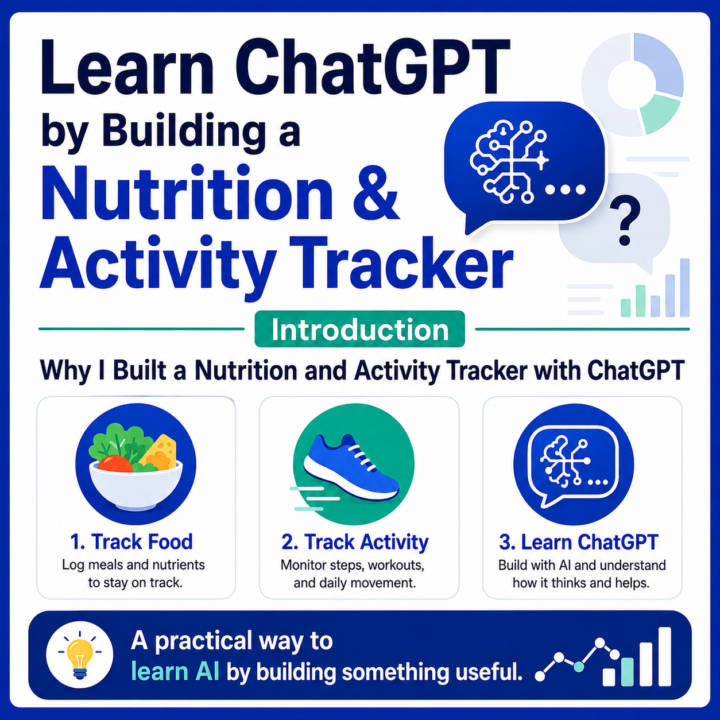
🍽️ Learn ChatGPT by Building a Nutrition and Activity Tracker
Most people think AI needs to solve massive problems to matter. Sometimes the best AI systems are simply the ones that help you understand yourself better every day. Several months ago, I set out to see whether ChatGPT could replace my nutrition and activity tracking app. At first, the goal was simple: 🍽️ Track what I eat. 🚶 Track what I do. 📈 Understand whether I am making progress toward my health goals. What I did not expect was that the project would become one of the best examples of how to get more value from AI. Today, the system tracks food, activity, workouts, steps, calorie burn, bodyweight, and long-term trends. It generates dashboards, calculates custom metrics, analyzes patterns, helps interpret nutrition labels and food photos, and provides feedback tailored to my goals. But what interests me most is not just the nutrition tracking. It is what the project teaches about AI. Over the next several posts, I’ll use this project as a real-world case study to explain some of the more useful features and nuances of ChatGPT and large language models, including: - 📁 Projects - 🧭 Project Instructions - 🧠 Context accumulation - ✍️ Structured prompting - 📸 Vision and image analysis - 🎨 Image creation - 💾 Memory vs. context - 🧮 AI reasoning versus calculation - 📊 Custom metrics - 🔁 Iterative system design - 🛠️ Building useful AI workflows without writing code - 🤖 How LLMs work, in plain English You do not need to understand every technical layer of a large language model to use one well. But it helps to understand the basics. LLMs predict, associate, reason across context, follow patterns, and generate outputs based on the information available to them. That is why context matters. That is why instructions matter. That is why the same prompt can produce a generic answer in one chat and a highly personalized answer inside a well-structured project. The interesting part is that none of these features are especially impressive on their own.
2 likes • 6d
This is interesting. 🤔
🔥
11d •
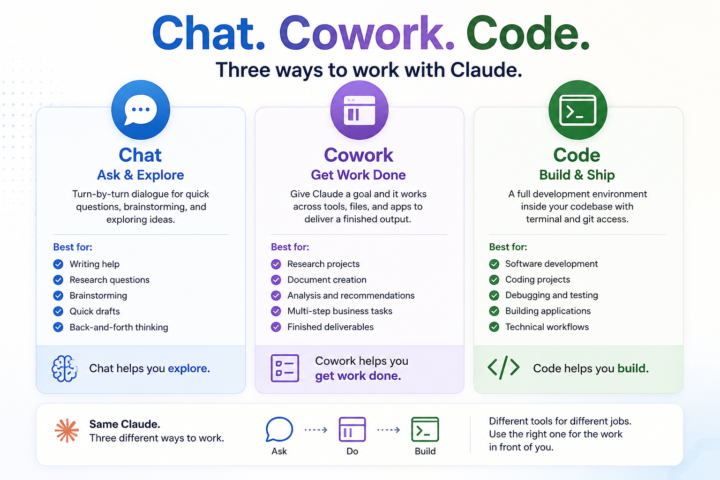
Claude Flagship Products in a Nutshell - Chat. Cowork. Code.
Most people first meet Claude through Chat. That makes sense. But Claude is starting to show up in different ways, and each one fits a different shape of work. Chat. Cowork. Code. Same Claude family. Different ways to use AI depending on what you’re trying to do. 💬 Chat — Ask & Explore Chat is turn-by-turn dialogue. You ask a question, see what comes back, ask a follow-up, and keep iterating. It’s great for quick exchanges, brainstorming, exploratory thinking, writing help, and one-off tasks where you want to stay in the driver’s seat. Best for: - Writing assistance - Research and learning - Brainstorming - Quick drafts - Exploring ideas through conversation 🖥️ Cowork — Get Work Done Cowork requires a different mindset. Most people’s first instinct is to use it like Chat: ask a question, review the answer, then ask another question. That works. But you’ll get the most value from Cowork when you use it for the work you would normally do yourself, not just the work you would normally ask about. Instead of asking Claude a question, you give it a goal. - Research this topic. - Create this document. - Analyze these files. - Pull together a recommendation. Cowork is designed to work across tools, files, and applications, handle multiple steps, and return something much closer to a finished deliverable. The shift is subtle but important: You’re spending less time directing every step and more time defining the outcome. Best for: - Research projects - Document creation - Analysis and recommendations - Multi-step business tasks - Workflow execution - Finished deliverables ⚙️ Code — Build & Ship Code is built for both citizen (front office professional) and professional developers. It runs inside your codebase with terminal and git access. Instead of simply talking about code, Claude can help write, test, debug, and ship software. The experience is less about asking for advice and more about collaborating inside a real development environment.
2 likes • 11d
It’s good to understand better ways to work with cowork and accomplish more…
1 like • 11d
@Michael Wacht how do you catch up with the different updates?
1-3 of 3

@christine-global-4820
Focused on building income and growth. Love connecting with like-minded people—let’s learn, share, and grow together.
Active 10h ago
Joined Jun 2, 2026
Powered by