Activity
Mon
Wed
Fri
Sun
May
Jun
Jul
Aug
Sep
Oct
Nov
Dec
Jan
Feb
Mar
Apr
What is this?
Less
More
Memberships
Mystic POD
1.8k members • Free
2 contributions to Mystic POD

Nov '25 •
🧠 WE TALK FOR REAL
What is your biggest challenge right now and how would your progress look this month?
0 likes • Nov '25
@Patricia Wells Wow, I really respect that juggling your store, content, and kids is no small task. Showing up consistently sounds simple, but it’s seriously powerful. I used to struggle with the same balance, and what helped me most was finding small ways to take some of the pressure off, especially around the tech and marketing side. Out of curiosity, have you had any support with your store setup or marketing strategy, or have you been doing everything solo?
0 likes • Nov '25
@Patricia Wells How are you getting prepared are you working with a coach or following a course?

Jun '25 •
👚✨ Bring Your Designs to Life: Mystic Mockups Made Easy!
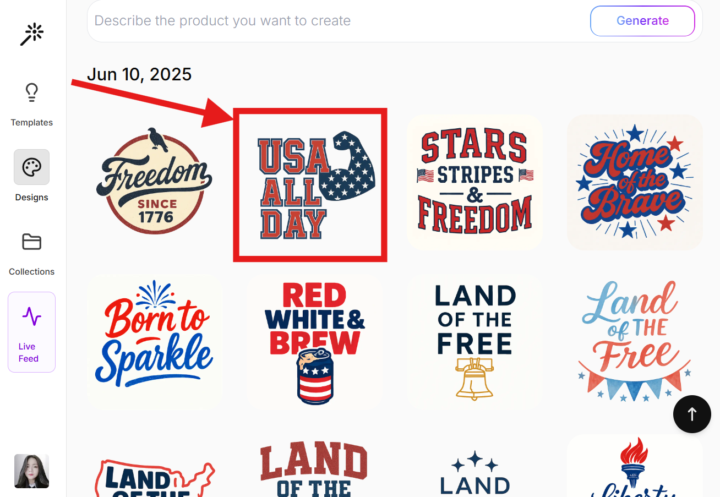
Did you know you can easily integrate your Mystic designs directly into mockups, all within Mystic POD itself? ✨ Here's how: 1. Click on the design you want to put on a mockup. 2. In the Remix prompt box, simply tell Mystic what you envision! Try something like: "put this design in a t-shirt mockup" "show this design on a coffee mug" "place this design on a tote bag in a minimalist setting" 3. Hit 'Remix', and watch your design appear on your chosen product! Spark your creativity and see your designs in a whole new light. It's a super fast way to visualize your POD products! 🤩 Check out how I did mine 👇🏻
4 likes • Nov '25
Hello
1-2 of 2