
Write something

💎
Jun '25 •
🔮 Mystic V2 (How I'm Personally Using It)
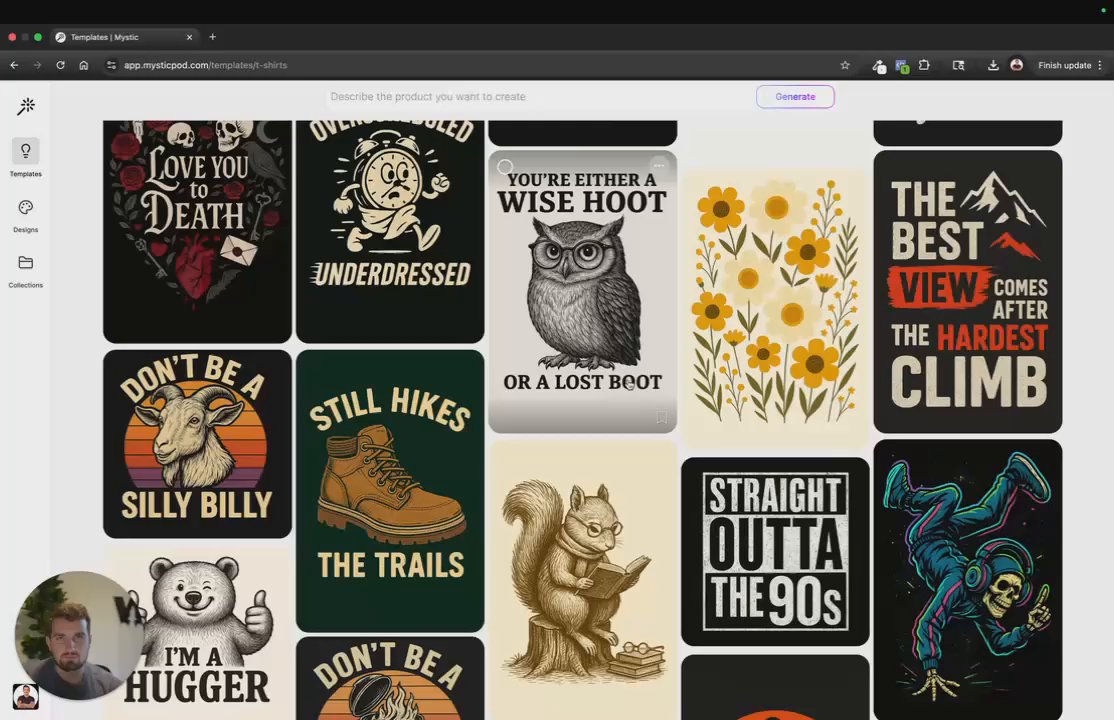
Hey everyone! 👋 I just recorded a quick demo walking through how my team and I are using some of the latest features we’ve built into Mystic. (You’ll find it attached below.) Huge thanks to all of you who’ve shared feedback on the recent updates — it means a lot to our team and plays a big role in helping us shape Mystic into the best possible tool for POD sellers. I’d love to hear from you: What features are you using most in V2? What still needs work? -Chris P.S. - We have a really exciting roadmap of new features to be released over the coming months. 100% thanks to all of your feedback. 🙏

Oct '25 •
🚀 Support Alert: Our 24/7 Support is still here
Hey Mysties! 👋 We're leveling up our support game to ensure you get the fastest help possible, anytime you need it! 1. The Classroom! 📚 For instant help with prompting, upscaling, or product settings, please check the FAQs in the Mystic POD Classroom. 90% of questions are answered right there! 2. Need 1-on-1 Help? 📧 We've streamlined our system to a direct email channel by sending us a message through support@mysticpod.com . We are still offering 24/7 support with a commitment to respond in minutes. 😉 We're always here to keep your creative flow going! Happy prompting!
Jun '25 •
✨ Mystic POD V2 is HERE! Major Upgrade on Credits & Plans! ✨
Hey Fam! 🎉 We're glad to announce the launch of Mystic POD V2, featuring significant updates to our credit system and plans based on your valuable feedback. This means more designs, more experiments, and more winning products for your store! Get ready for: - Massive Credit Savings: Designs that used to cost 6 credits now only cost 1 credit! Square generations are 1 credit, and Portrait/Landscape are just 1.5 credits. - FREE Background Removal & Upscaling: Yes, you read that right! Get your designs print-ready with zero credit cost for background removal and upscaling if your account is under a paid plan! - Simplified, More Affordable Plans: Check out our new 'Start,' 'Build,' and 'Scale' plans designed to fit every creator's needs. - Remix Feature upgrade: new and improved! All users with an existing plan have been automatically mapped, and all credit balances have been adjusted to reflect these new, lower costs (don't worry, your creative output capacity remains the same!). Head over to your 'Plans & Billing' tab to see the exciting changes in action! Let us know what you think in the comments below! 👇

Aug '25 •
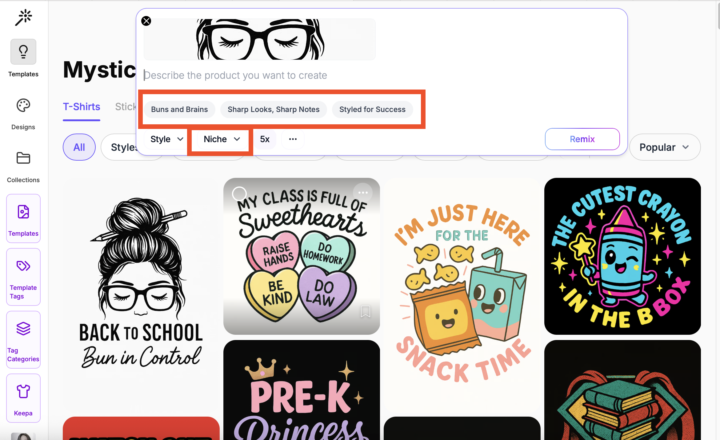
Remix Just Got a Massive Upgrade! 🤯
Hey Mysties! Our Remix tool has been completely upgraded to give you a serious creative boost. Now, you can jumpstart your designs with: ✨ AI Idea Generation – Get three instant design concepts right in the remix tool. ⚡ Auto-Filled Prompts – No more writer's block! Your prompt bar fills in with a ready-to-use idea. 🎯 Niche-Focused Results – Choose your niche, and the AI will tailor every suggestion just for you. This is a total game-changer for finding ideas and getting laser-focused designs that are perfect for your store. Go give it a try and watch your creative workflow get a serious speed boost!
Jul '25 •
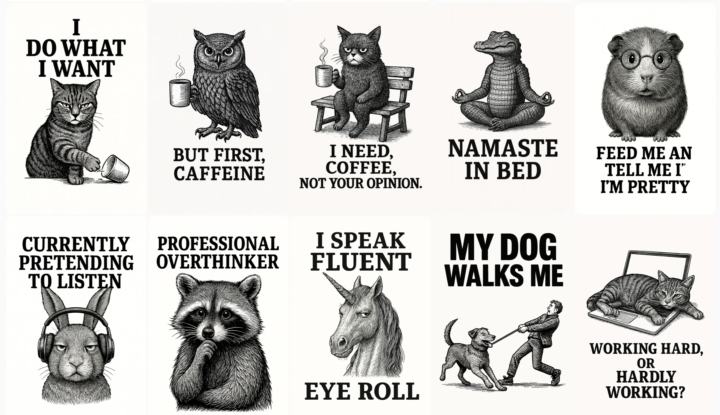
🖤🤍 The Timeless Appeal: Dive into Black & White Designs!
Sometimes, less is truly more! Have you seen the 🖤 The Beauty In Black & White Designs article in the Classroom? Exploring why monochrome designs are a powerhouse for POD sellers. Discover their versatility, timeless appeal, and how they can make texts on your designs (especially funny, trending quotes!) truly pop. Plus, they often save on printing costs! Ready to master the art of contrast? Head to the Classroom now! Feel free to also import these 15 Funny B&W Vintage Art designs here. 👈
1-21 of 21
skool.com/mysticpod
Join the Mystic POD fam! Meet other sellers, share tips, get ideas, and be creative!
Leaderboard (30-day)
1

+4
2

+3
3
+3
4

+2
5

🔥
+2
Powered by