Activity
Mon
Wed
Fri
Sun
Jul
Aug
Sep
Oct
Nov
Dec
Jan
Feb
Mar
Apr
May
Jun
What is this?
Less
More
Memberships
Claude Code Kickstart
519 members • Free
AI Automation Society Plus
3.8k members • $99/month
AI Automation Society
400.3k members • Free
AI for Life
34 members • $297
AI Automation First Client
1.8k members • Free
AI Bits and Pieces
765 members • Free
AI Automation Circle
11.5k members • Free
AI Automation Skool
2.3k members • Free
Applied AI Academy
3.6k members • Free
10 contributions to AI Bits and Pieces

🔥
6d •
Nutrition Tracker Part 1: Understanding LLM Generic Answers
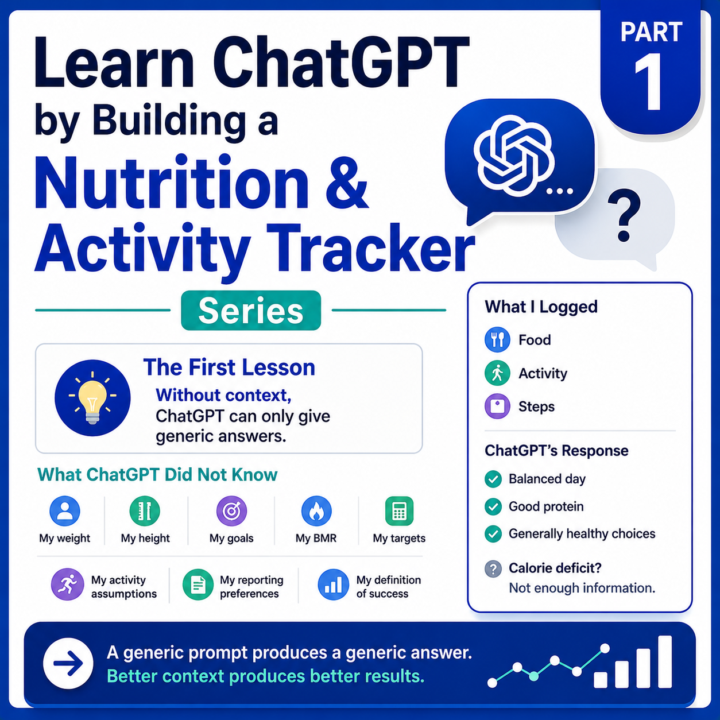
Series: Learn ChatGPT by Building a Nutrition and Activity Tracker In the introduction to this series, I shared how I started using ChatGPT to build a personalized nutrition and activity tracking system. Today, it tracks food, activity, workouts, steps, estimated calorie burn, bodyweight, and trends. It also helps generate dashboards, calculate custom metrics, analyze patterns, and provide feedback based on my goals. But it did not start there. It started with a simple food log. The Experiment: I opened a new ChatGPT conversation and entered something like, today I ate, and entered my food. Breakfast: - 2 scrambled eggs - 2 slices wheat toast Lunch: - Turkey sandwich - Small apple Dinner: - Grilled chicken breast - 1 cup white rice - Mixed vegetables Snacks: - Protein bar - Handful of potato chips Activity: - 7,500 steps - 30-minute walk Try it. Simply copy and paste the list above into a standard chat, and follow with the prompt, "How did I do today?" In my case, the response was reasonable. ChatGPT told me I had a fairly balanced day, included some protein, got in some movement, and made some generally healthy choices. That was fine. But it was also generic. So I asked a follow-up question. Was I in a calorie deficit? And ChatGPT essentially said, I do not have enough information to know. The model did not fail. It simply did not have enough information. At that point, ChatGPT had no context, and therefore did not know: - My weight - My height - My goals - My calorie target - My protein target - My BMR So the response was very general. It could comment on the food. It could estimate calories. It could provide broad health advice. But it could not tell me whether the day was successful against my actual goals. A generic prompt produces a generic answer. A personalized system produces a contextual answer. At this stage, I was NOT using: - Projects - Project Instructions - Memory I was simply chatting with ChatGPT.

1 like • 4d
@Michael Wacht Works for me. I've been developing an app using Claude Code and that's how it started. Looking forward to going on this journey as you unpack the project.
1 like • 4d
@Michael Wacht Just curious... why did you pick Codex over Claude Code?
🔥
16d •
📊 AI in Real Life: My Personal AI Health Dashboard
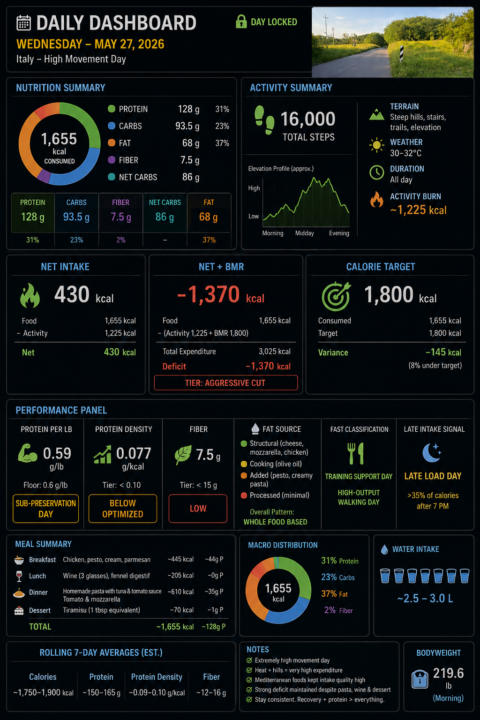
One of the most practical AI systems I use every single day has nothing to do with coding, agents, or automation workflows. It’s my personal nutrition and activity tracker and daily dashboard. I log the food. I log the activity. ChatGPT does the rest. Every day: I log food, activity, bodyweight, and water as it is happening. ChatGPT estimates activity burn, subtracts it from my food intake, and then factors in my BMR to show whether the day is trending toward maintenance, fat loss, or an aggressive calorie deficit. Then, at the end of the day, it turns the raw inputs into a dashboard showing calories, macros, activity burn, net calories, net + BMR, protein density, protein per pound, fiber tier, fat-source patterns, etc. Because I follow a higher-protein diet, I also created a metric I call Protein Density: Protein grams ÷ total calories consumed (by snack, meal, day). The metric is useful because I can monitor food quality as I eat throughout the day, not just total calories. A good Protein Density score is: 0.10 or higher That generally means the day is optimized for muscle preservation and fat-loss efficiency. A lower score around: 0.05 That usually signals a less efficient nutrition day where calories are climbing faster than protein intake. For example: Chicken Breast (100g cooked, skinless): - ~165 calories - ~31g protein 31 ÷ 165 = 0.19 Protein Density Compare that to potato chips: Potato Chips (100g): - ~536 calories - ~7g protein 7 ÷ 536 = 0.01 Protein Density Both are food. But one is highly protein-efficient, while the other is primarily calorie-dense with minimal protein value. That simple ratio gives me immediate feedback on whether my meals are supporting my goals before the day is even over. The key for me is context. A 1,600-calorie day means one thing if I barely moved. It means something very different after 16,000 steps, hills, heat, and a high-output activity day. That is where AI becomes useful. Not just tracking data.
0 likes • 5d
Hey @Michael Wacht , just curious how you decided to use ChatGPT rather than Claude Code? What do you like more/less than CC?
🔥
8d •
🍽️ Learn ChatGPT by Building a Nutrition and Activity Tracker
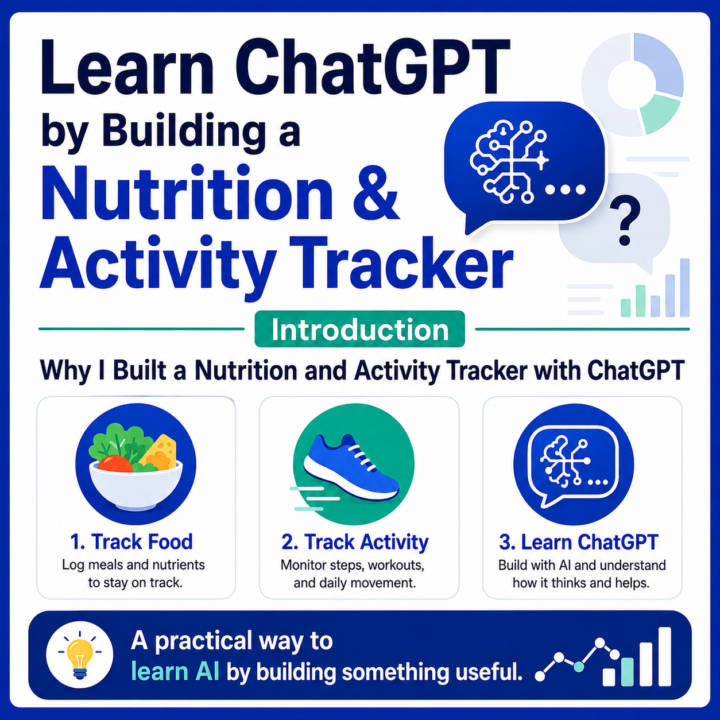
Most people think AI needs to solve massive problems to matter. Sometimes the best AI systems are simply the ones that help you understand yourself better every day. Several months ago, I set out to see whether ChatGPT could replace my nutrition and activity tracking app. At first, the goal was simple: 🍽️ Track what I eat. 🚶 Track what I do. 📈 Understand whether I am making progress toward my health goals. What I did not expect was that the project would become one of the best examples of how to get more value from AI. Today, the system tracks food, activity, workouts, steps, calorie burn, bodyweight, and long-term trends. It generates dashboards, calculates custom metrics, analyzes patterns, helps interpret nutrition labels and food photos, and provides feedback tailored to my goals. But what interests me most is not just the nutrition tracking. It is what the project teaches about AI. Over the next several posts, I’ll use this project as a real-world case study to explain some of the more useful features and nuances of ChatGPT and large language models, including: - 📁 Projects - 🧭 Project Instructions - 🧠 Context accumulation - ✍️ Structured prompting - 📸 Vision and image analysis - 🎨 Image creation - 💾 Memory vs. context - 🧮 AI reasoning versus calculation - 📊 Custom metrics - 🔁 Iterative system design - 🛠️ Building useful AI workflows without writing code - 🤖 How LLMs work, in plain English You do not need to understand every technical layer of a large language model to use one well. But it helps to understand the basics. LLMs predict, associate, reason across context, follow patterns, and generate outputs based on the information available to them. That is why context matters. That is why instructions matter. That is why the same prompt can produce a generic answer in one chat and a highly personalized answer inside a well-structured project. The interesting part is that none of these features are especially impressive on their own.
2 likes • 6d
This sounds super interesting! When do we start?
🔥
Apr 29 •
🩺 AI in Real Life: Proud Parent Edition
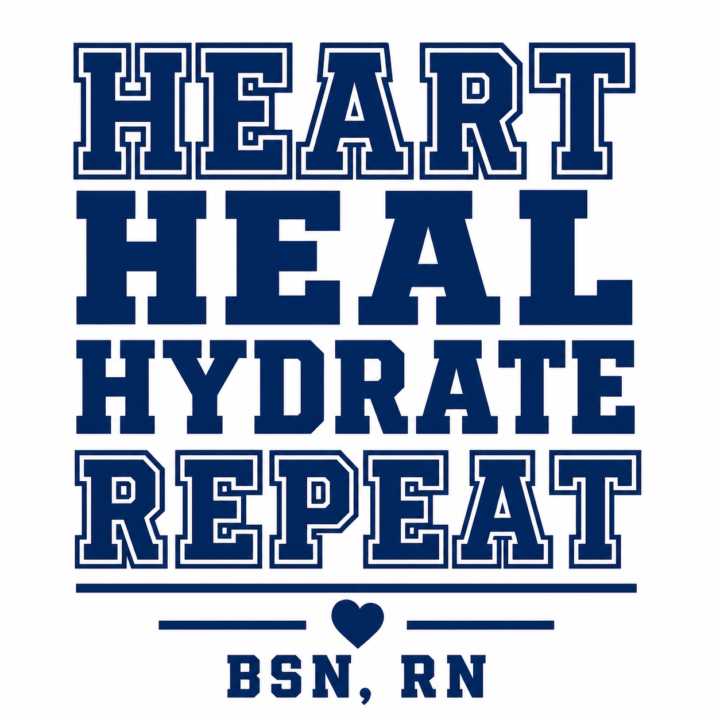
Sometimes AI helps with productivity. Sometimes it helps with workflows. And sometimes… it helps two very proud parents create the perfect swag gift for their daughter’s first job as a nurse. In this case, Mommy was the art director — with the vision, the eye, and the “nope, that’s not quite right” authority. ❤️ And Daddy was prompting his heart out, trying to get every detail just right for a one-of-a-kind gift to celebrate a huge milestone. Not just any gift. A first job gift. A you worked for this gift. A we are so incredibly proud of you gift. That’s one of the things I love about AI. It is not always about big business use cases or fancy automation. Sometimes it is simply about helping you bring an idea to life faster… more creatively… and with a little more heart. A custom gift. A meaningful moment. A daughter stepping into her calling. And two parents smiling behind the scenes, trying to make it special. Here is the full prompt trail — images, typos, revisions, “almost there” moments, and all: https://chatgpt.com/share/69f202f5-7a30-83ea-a591-cb97fd8246b2 That is AI in real life. Because sometimes the best use of AI is not just getting something done. It is helping you show someone you love just how much they mean to you.
1 like • Apr 30
@Michael Wacht Nice! And congrats to your daughter on her first job (we need more nurses)!
🔥
Apr 9 •
🪄 Magically Edit NotebookLM Infographics with Canva
Edit NotebookLM infographics in Canva! One of the nice things about NotebookLM is how quickly it can turn source material into a useful infographic. The challenge is that the finished infographic is a static image, so if you want to make small visual changes, adjust wording, or move elements around, you cannot really edit it directly. A simple - yet powerful trick - is to take that infographic into Canva and break it into editable pieces. ▶️ I put together a short video showing exactly how this works, or you can follow the process below. Here’s the basic flow: 1. Import your source document into NotebookLM Start by bringing your source document into NotebookLM and shaping the content until it says what you want it to say. 2. Create the infographic Once the content is where you want it, generate the infographic inside NotebookLM. 3. Copy and paste the infographic into Canva When the infographic looks close to right, move it into Canva by copying and pasting it. 4. Select Edit, then Magic Layers 🪄 Inside Canva, choose Edit and then Magic Layers. 5. Break the infographic into editable elements Canva will separate the infographic into individual parts so you can edit text, move sections around, adjust spacing, and refine the design. 6. Polish the final version Instead of starting from scratch, you are starting with structure already in place and then improving it into something more usable and presentable. This is one of those practical little moves that makes AI output easier to turn into something polished and usable.
1 like • Apr 14
@Michael Wacht Very helpful! I like that it was short and to the point.
1-10 of 10

Active 60m ago
Joined Jan 19, 2026
Powered by