Activity
Mon
Wed
Fri
Sun
Aug
Sep
Oct
Nov
Dec
Jan
Feb
Mar
Apr
May
Jun
Jul
What is this?
Less
More
Memberships
AI Creator Bootcamp
2.5k members • $9/month
2DAnimation101
695 members • $9/month
The AI Report — B2B Launchpad
9.8k members • Free
26 contributions to 2DAnimation101

May 14 •
Daria Leaves Home
I started writing a novel long ago and enjoyed it, but didn't finish it - yet-. Let's see what happens when it becomes a video. I started with this scene because I could figure out how to do it :)


2 likes • May 16
That’s a great tip! @Timothy Masters

Apr 14 •
What do you think of this? New channel with 2.0M views
@Rina Waithera share this short with me. From some quick research with Gemini, apparently they are most likely using AI since they are producing videos Weekly (too fast if they where doing everything manually). Their channel has only - 6 videos And they already have: - 11.2K Subscribers - 2.0 Million total views - The first video was posted on February 2026 I found it super interesting and also very inspiring. Any guesses of why they are most likely getting such traction? Why this channel is getting so many views and why is the YouTube algorithm sharing it like crazy? ---------- (The answers are in the book YouTube Formula by Derral Eves, and I am happy to provide answers here)
1 like • Apr 16
If I'm looking for instructional videos on YouTube I do tend to pick the shortest first to get a solution to my problem!(I'm 71 years old!🤣)
Apr 11 •
HOLY SMOKES! Anyone using AI for Education?
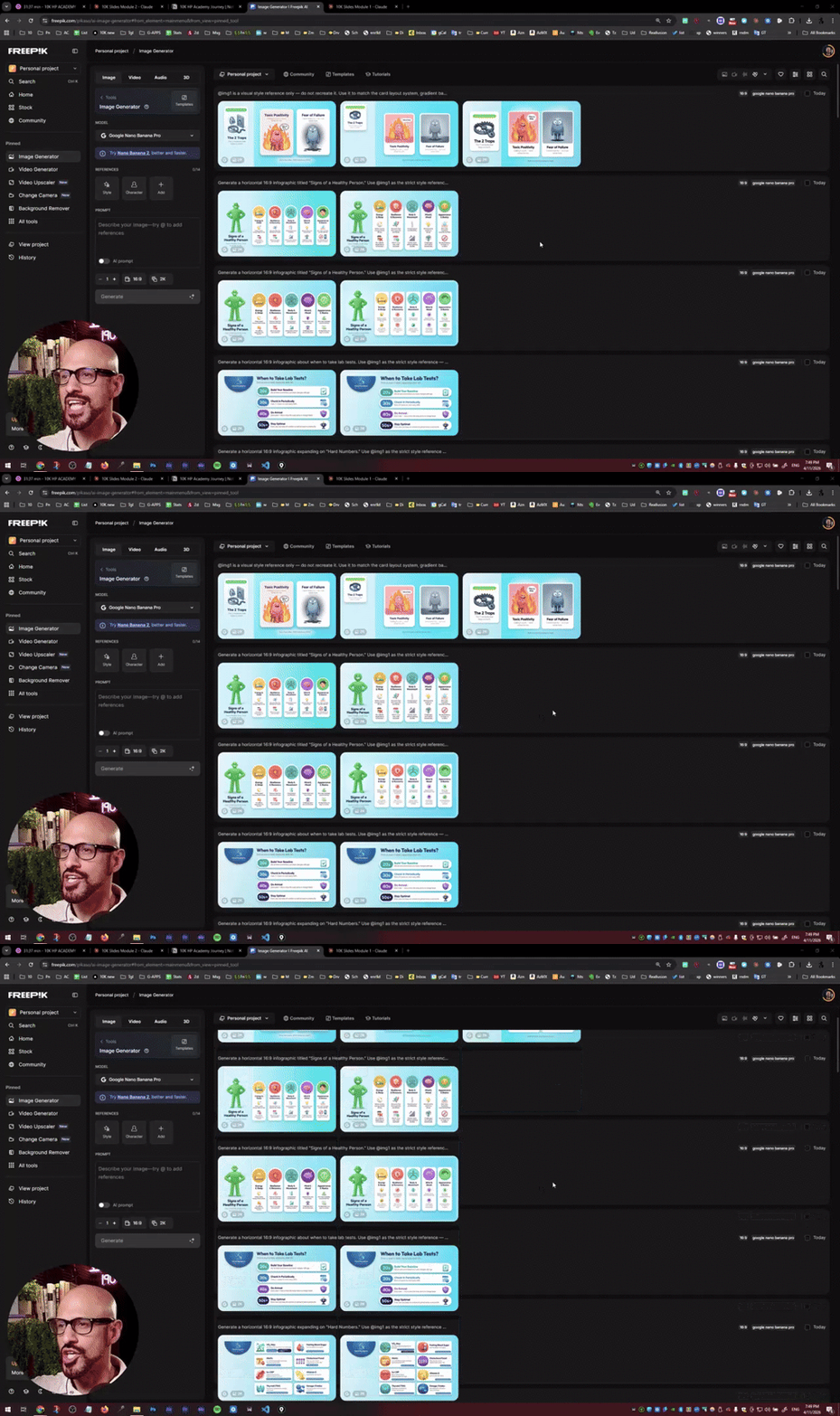
In the past, creating all these infographics for the slides of a training I'm doing for the 10K HP Academy. Normally, this would take me a whole week, and thanks to Nano Banana and Claude, it took me 2 and a half hours! A total of 19 slides!
0 likes • Apr 11
Nice work! Yes, I reckon it would take me about a week to do a set of illustrations like that. Impressive!
Mar 21 •
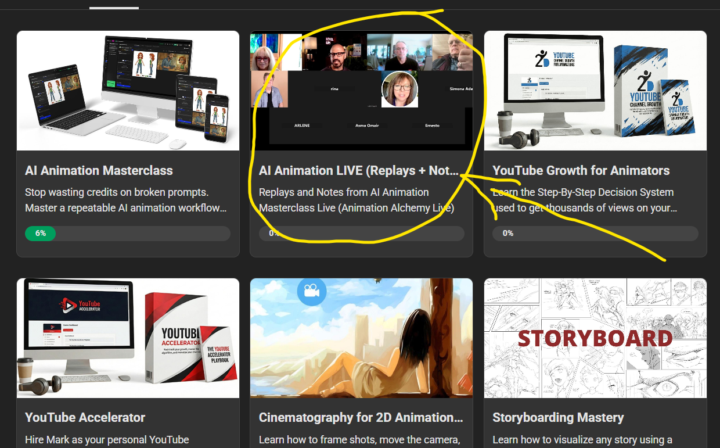
NEW UPDATE for AI Animation Masterclass - Live Replays + Notes
Ok guys, this one I am really excited about. Live replays just got a serious upgrade available for VIP users in the AI Animation Masterclass. From now on, every live class gets uploaded into its own dedicated section inside the Classroom, with a proper title based on what we actually covered in that session. No more hunting around trying to figure out which replay is which! But here is the part I am most excited about. Each replay now comes with notes. I recently signed up for Rev.com, which uses AI to transcribe sessions and generate notes automatically. I have to be upfront with you: I will not be personally reviewing every set of notes before they go up. I will copy and paste what Rev produces. BUT, I reviewed the first one and honestly? I was impressed. The quality was good enough that I felt confident this is going to be genuinely useful for you. Here is what you get with every session: - Key Points so you can see the big takeaways at a glance - Notable Quotes with timestamps so you can jump straight to the good stuff - Detailed Insights with timestamps so you can dig deeper into the parts that matter most to you And here is a bonus I love → Because the notes live right below the video inside Skool, you can use the Skool search bar to find specific content across all the lessons. Looking for that thing I said about character consistency three sessions ago? Just search for it. Done. All of it is waiting for you right now in the Classroom. Check the screenshot below to see exactly where to find it! See you inside! 🎬
2 likes • Mar 23
Extremely helpful, every time I want to join a session life gets in the way and I miss them! Now I'll be able to tune in at my leisure!
1 like • Apr 8
@Mark Burrows I had the same problem. Gave up in the end. Which was a shame.

Mar 24 •
Adobe PS beta has tilt and rotation
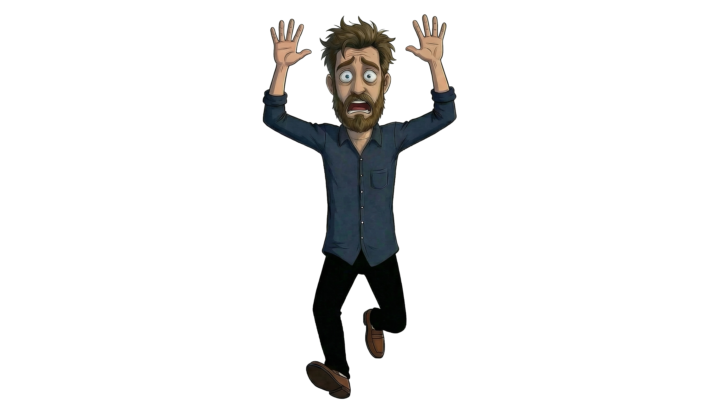
I ran a test on one of my characters using the new rotation function in PS beta. I used 20 credits out of the 4000 I get monthly, to create the hi, low, 30 left, and 30 right views of the character. You can create any rotation/tilt view, quick export as a png, and it charges the credits. But when you go back and edit the rotation, you can change to another rotation/tilt view, and it doesn't cost any additional credits.
2 likes • Mar 26
Here's one of my cartoon characters Buster Blundazz. I couldn't get the Rotate Object to start with, then I realised it works with a .png file(With a transparent background.) Thank you @Michel Diamantis again. This is the good part about this community - you learn a lot from others!😃
2 likes • Mar 26
Sorry, I must thank @Thomas Jennings for the original post!!!!
1-10 of 26

@richard-duszczak-5986
Freelance cartoonist of over 43 years. I started out with a dip pen and Indian ink and watercolour for colour cartoons. Now AI is drawing them for me!
Active 6d ago
Joined Dec 1, 2025
Chesterfield UK
Powered by