
Write something
Pinned

May 3 •
🎙️ Claude + Higgsfield MCP Workflow
In this walkthrough, you’ll see how Claude MCP seamlessly connects with Higgsfield MCP to unlock true end-to-end AI creation. From generating content to editing and shipping—everything happens in a single flow. We break down: - The exact setup inside Claude - How the MCP connector actually works - How tools like OpenClaw and Hermes plug into the same endpoint All of it powers:→ AI video generation→ AI content creation→ Scalable “vibe marketing” workflows This isn’t theory—this is agentic AI in action.A real faceless-channel system built on automation, speed, and creative leverage.
10
0
Pinned
Feb 22 •
Create UGC & AI Influencer Videos That Make Money
New Lesson Released: Create UGC & AI Influencer Videos That Make Money The new video is now live! 👉 Free access: Workflow, Kling, Veo 3, and Sora 2: Click here In this lesson, you’ll learn how to build professional UGC videos and your own AI influencer using simple workflows — the same style businesses are using right now to promote products and generate affiliate income. Here’s what you’ll learn inside this video: • Turn product images into high-quality UGC videos • Create one-shot and multi-shot product videos • Animate images using Veo 3, Kling, or other models • Combine multiple scenes into a full professional video • Add background audio automatically • Build your own reusable AI influencer for unlimited content These workflows can be used for: Amazon Affiliate TikTok Shop Shopify UGC creator platforms And this is just the beginning. In the upcoming lessons, we’ll show you how to automate everything and generate videos in batch — so you can scale your content and production 1000x faster.
Pinned
Jan 28 •
🎙️ One-Shot, Long-Form Podcast Videos
Hey everyone — the new video is out 🎉 In this lesson, I show you how to turn one simple sentence into a long, one-shot AI podcast video using Veo 3, with no paid AI tools and no complex workflows. This is the same podcast-style format that’s blowing up on YouTube right now, but broken down into a prompt-first system that’s easy to follow and repeat. You’ll learn the full workflow step-by-step: generate a consistent podcast host, chain scenes into a true one-shot video, extend into long-form content inside https://labs.google/fx/tools/flow — and also how to automate everything inside the app so you don’t have to repeat manual steps. 🎬 Premium Community: private tutorials, exclusive tools, apps, APIs, and automation resources: Click here 🚀 Make Money With Skool: Click here 🎯 Get your Google AI Ultra $30 plan here: Click here
7
0

29d •
Looking for American Partners
Hi Everyone. I am looking for American friends who can work with me. If you are native American, feel free to leave comment or dm me. It would be big plus if you have development experience. Feel free to contact me anytime. Tele: https://t.me//t... WhatsApp: +1 9296128484 Gmail: miltonsanders1234@gmail.com Thanks.
0
0

Mar 5 •
What Happens When Sales Tracking Runs Itself?
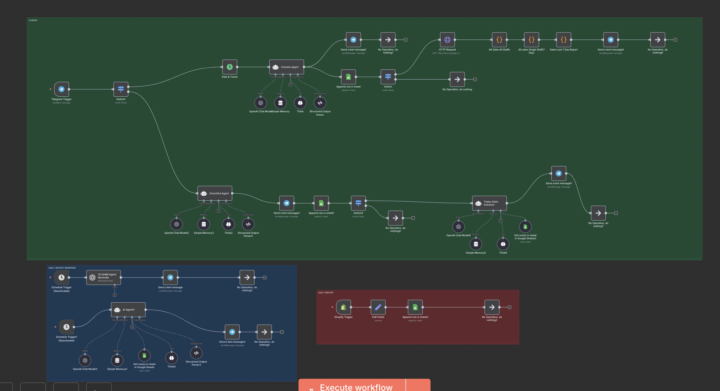
Ever noticed how much time businesses lose just tracking what already happened? Sales come in, someone exports data, another person updates a sheet, someone else prepares a report, and by the time the numbers are ready they are already outdated. I was looking at this workflow earlier and it’s a good example of how a few connected automations can remove most of that manual work. The flow captures events like new sales, processes the information, stores it in a sheet, and then automatically generates summaries and notifications. Instead of someone manually checking dashboards or compiling daily reports, the system simply pushes the information where it needs to go. What I find interesting is how this kind of setup isn’t limited to one type of company. Ecommerce stores could use something similar to track daily revenue. Agencies could automate client performance updates. Consultants or SaaS teams could automatically summarize activity and send internal reports without touching spreadsheets. The biggest lesson I keep seeing with automation is that the real value often comes from small things. Automating a simple reporting process or notification can easily save hours every week and also remove the risk of human error. Curious to hear from others here. What is the most repetitive task in your business that you wish could just run automatically in the background? 🤔 Do you like this personality?
1-30 of 507
powered by

skool.com/zero2launch-ai-automation-5951
We simplify advanced AI automation. "Explain like I'm five" - this is the place.
Suggested communities
Powered by