
Write something

Apr 13 •
Why Most Faceless Channels Fail in the First 90 Days (And How to Avoid It)
I've looked at hundreds of faceless channels over the past year. Most fail for the same three reasons — and none of them are what you'd expect. It's not the niche. It's not the voice. It's not even the video quality. Here's what actually kills channels before they have a chance to grow: 1. They publish 3 videos and stop. The algorithm doesn't care about you yet. At 3 videos, you have no data, no track record, and no reason for YouTube to push your content. Most channels that quit do so right before things would have started moving. The rule of thumb is 30 videos minimum before you have enough signal to know what's working. 2. They copy thumbnails and titles without understanding why they work. You can't just screenshot a top performer's thumbnail and mimic it. You need to understand the psychological hook — what's creating curiosity, what's promising a transformation, what's creating a pattern interrupt. Copy the strategy, not the surface. 3. They switch niches before letting one work. Niche-hopping is the silent killer. Each time you switch, you reset your authority, your SEO, and your audience trust. Pick a niche that has search volume, monetization potential, and that you can produce 50+ video ideas for. Then stay. The good news: all three of these are process problems, not talent problems. And process can be fixed. With VideoAIStudio, you can batch-produce content fast enough that you don't burn out waiting for results. Scripts, voice, images, motion, captions — all automated. Your only job is to keep going. What's the biggest challenge you've hit in your first 90 days? Drop it below.
0
0
Apr 8 •
The Real Cost of Making AI Videos in 2026 (Full Breakdown)
I get asked this a lot: "How much does it actually cost to make an AI video?" Here is the real breakdown. Not what subscription tools charge. What the AI models actually cost when you call them directly. Budget video (daily content):Script (Gemini 2.5 Flash): $0.001Voice (Kokoro TTS): $0.016Images, 6 scenes (Flux Schnell): $0.018Motion (Ken Burns, built in): $0.000Captions (local processing): $0.000Total: $0.035 Premium video (important content):Script (Gemini 2.5 Flash): $0.001Voice (ElevenLabs): $0.040Images, 6 scenes (Recraft V3): $0.240Motion (Grok Video, 3 clips): $0.150Total: $0.431 So your per video cost ranges from about $0.04 to $0.43 depending on which models you pick. Compare that to subscription tools charging $20 to $50 per month. The key is BYOK (Bring Your Own Keys). You sign up with AI providers like FAL.ai directly and use your own API key. VideoAIStudio calls the APIs on your behalf. You pay provider prices. No markup. The Faceless Studio is free. All five studios unlock for a $199 one time payment. Your only ongoing cost is whatever you spend on AI API calls. Questions about model selection or cost optimization? Drop them below.
0
0
Apr 6 •
Welcome to Video AI Studio! Here's What You Just Unlocked
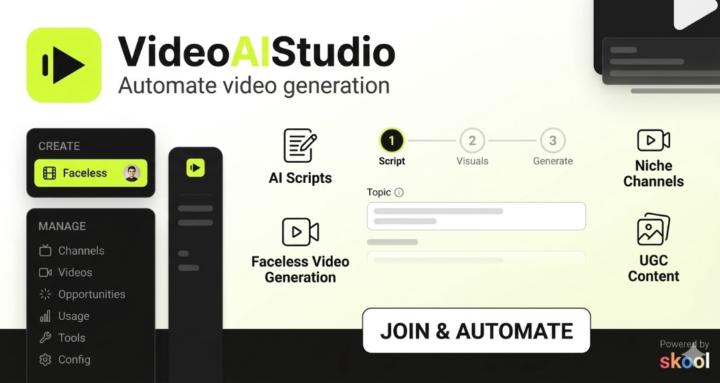
Hey, welcome to the community! We're Edmon and Carlos, the creators of Video AI Studio. If you're here, you probably already know the pain: creating and publishing video content consistently is a grind. Writing scripts, generating voiceovers, creating visuals, editing, adding captions, exporting in the right format, uploading, scheduling. Every single video is a production pipeline, and most creators either burn out or hire a team they can't afford. We're building a tool that eliminates that entire pipeline. What is Video AI Studio? Video AI Studio is an AI powered automation tool that turns ideas into fully produced, ready to publish videos. Not just editing. Not just captions. The full pipeline: script, voice, visuals, captions, transitions, rendering, and publishing. All automated. You give it a topic, a script, or just a direction. The AI writes the content, generates a natural sounding voiceover, creates matching visuals, adds animated captions, renders the final video, and pushes it to your channels. YouTube, TikTok, Instagram, Shorts, Reels. One input. Multiple platforms. Zero manual editing. What can you automate? This is not a one trick tool. We're building automation for every major content format: 📚 Faceless channels: Topic to finished video with AI narration, generated visuals, and animated captions. Scale to multiple videos per day without touching an editor. 🎬 UGC style content: AI generated talking head videos with voice cloning, lip sync, and motion. Product reviews, testimonials, and hooks that look like real creator content. 🎥 Cinematic and documentary: Scene based storytelling with cinematic transitions and professional narration. Built for longer form YouTube content. 🎮 Gameplay and montage: Auto cut highlights with commentary, music sync, and captions. Drop your footage in and the AI handles the rest. 📦 Product and marketing videos: Feature callouts, animated text, testimonials, and CTAs. Built for ecommerce and SaaS teams who need volume.
0
0

1-3 of 3
powered by
skool.com/video-ai-studio-community-9911
Community for faceless channel creators using AI to automate video production. Free guides, feature requests, and direct access to the founders.
Suggested communities
Powered by