
Write something
Aug 1 •
CHALLENGE: build an app that passes the refresh test):
Here's the test that separates a page from an app: 1. Build the habit tracker from lesson 2.4 (the exact prompt is on the page — copy, paste, done in minutes). 2. Check off a habit. 3. Refresh the browser. Hard refresh. Close the tab and come back. If your streak is still there — you didn't build a page. You built an APP. No database, no login, no code. Then make it yours: track gym days, pages read, no-sugar days. Change the habits, change the colors. 👇 Post a screenshot of your tracker with ONE real streak on it. Come back tomorrow and check in — it'll remember you.
0
0

🔥
Jun 11 •
Hey Ajay Gupta, vibethecoder 🚀
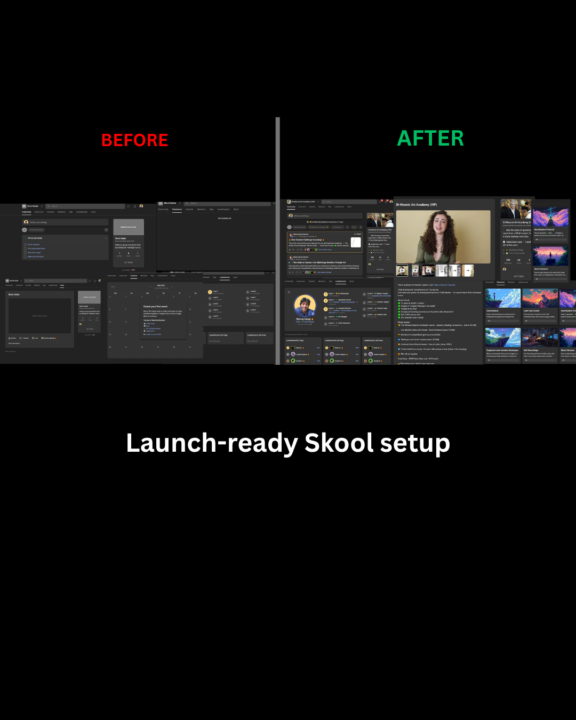
Hey Ajay Gupta 👋 Just checked out vibethecoder. You're still early enough to structure the community properly before growth starts kicking in — which honestly is the best possible timing. We're currently helping new Skool owners turn empty/basic communities into launch-ready ecosystems completely free. Examples + full breakdown here: 👉 Community Launch Before vs after examples below 👇
Jun 9 •
Lesson 2 — Build Your Own Creator Site using Claude Code
Build a small multi-page marketing website for a brand called "vibethecoder". vibethecoder is a YouTube series + free community that teaches non-technical founders how to build and ship real products with AI coding tools — calm and intentional, no hype. Tagline: "Ship real products without writing code." Create FOUR pages that share one stylesheet and one JS file: 1. index.html (Home) 2. lessons.html (Lessons) 3. community.html (Community) 4. about.html (About) Plus: styles.css (shared design system) and app.js (shared behavior). DESIGN LANGUAGE — bold and colorful, on a clean white / soft off-white base: - Brand gradient used for accents, buttons, icon tiles, and headline highlights: linear-gradient(100deg, #ff7a18 0%, #ff2e92 35%, #8b2fc9 68%, #2d6cff 100%) - Ink/text color #16121f, body text #4a4358, hairline borders #ece8f3. - Headings: "Plus Jakarta Sans" (700-800, tight). Body: "Inter". - Big confident headlines with one phrase in gradient-filled text. - Rounded "pill" buttons (border-radius 999px): gradient primary, dark, and white ghost. - Generous whitespace, soft shadows, cards that lift on hover. SHARED COMPONENTS on every page: - Sticky, blurred top nav: left = brand wordmark, right = links (Home, Lessons, Community, About) + a gradient "Join free" button. Hamburger menu on mobile. - Dark footer: brand, tagline, an "Explore" column, a "Connect" column (Skool, YouTube, Email), and a bottom copyright row. - A reusable full-width gradient "call to action" band. PAGE CONTENT: - HOME: hero "Ship real products without writing code" (last phrase in gradient), subtext, two buttons (Join free / Get the Lesson 1 prompt), hero image placeholder with a soft colored glow. Then: a 3-card "who it's for" section; a "promise" section linking to a live demo; a "free prompt" section showing a prompt in a dark terminal box with a working "Copy" button; a gradient CTA band; a community CTA. - LESSONS: hero, the Lesson 1 prompt in the terminal box with copy button, a 4-card
0
0
Jun 4 •
🎁 Welcome! Grab the Lesson 1 prompt and build your first site
👋 Welcome to vibethecoder — start here If you've ever had an idea for an app, a tool, or a small product, and the only thing stopping you was "but I can't code" — you're in the right place. This community is for non-technical founders learning to build and ship real products with AI coding tools like Claude Code. No jargon. No "I made $10K" hype. Just honest, founder-to-founder lessons that take you from idea → a live URL. 🎁 Your first win (Lesson 1 prompt) In Lesson 1 we build BrewLog — a real café landing page — and deploy it live in under 10 minutes. Here's the exact prompt I paste on camera. Copy it, drop it into Claude Code, and watch it build: Build a single-page landing site for a product called BrewLog. BrewLog is an app for small cafés to track repeat customer orders. The page should have: - A hero with the product name, a one-line value prop, and an email signup. - Three feature cards with short descriptions and simple icons. - A testimonial from a fictional café owner. - A footer with a fake email and social links. Style: warm, friendly, café-inspired. Use a cream background, deep brown for accents, and a serif heading font with sans-serif body text. Mobile responsive. Use plain HTML, CSS, and a single index.html file — no framework. When done, tell me the command to preview it locally. 👉 Here's one I built with this exact prompt, live right now: https://reference-orcin.vercel.app Why this prompt works: it states the outcome first, lists the sections concretely, locks the style (vague style = vague results), constrains the tech to one file, and ends by asking for the next step. Steal that structure for everything you build. 🗣️ Your turn — introduce yourself Drop a comment with: what's the one product you'd build if you knew you could? I read every reply, and I'll pick a few to build in upcoming lessons. New lesson every week. Glad you're here.
1
0
1-4 of 4
powered by

skool.com/vibethecoder-6869
Ship real products without code. Non-technical founders learn to build & launch with AI like Claude Code. New lesson every Tuesday.
Suggested communities
Powered by