
Write something

Feb 23 •
Voice Tweaks in #heygen
This is a little bit of a peek "under the hood again" (so to speak). One of the things I've always been apprehensive about is how my avatar sounds in HeyGen, and the tweak on audio is always my pet peeve. One of the things that I've noticed in the last couple of videos I have done is the communication from the avatars' voices tends to be a bit more fluid and natural-sounding. Even when it seems a little bit too rapid, I'm finding that simply adding a pause in strategic locations makes the speech sound a bit more natural. Of course, having the #voicemirroring function in my back pocket is always the Ace in the Hole, but when the name of the game is moving with speed, the less you have to do to get in front of your audience, the better. The actual Video is on my LinkedIn, so you tell me...what you think Regular Hacks: 1- Preview your audio before you take the extra time to tweak; it may be to your satisfaction with the already improved audio functionality that HeyGen offers, 2) In some cases, the audio of the avatar can be adjusted to sound more natural with an inserted Pause. 3) When in doubt, capture the tone and emotion for the script using the uploaded audio of you reading the script using the #VoiceMirroring function
0
0
Jan 31 •
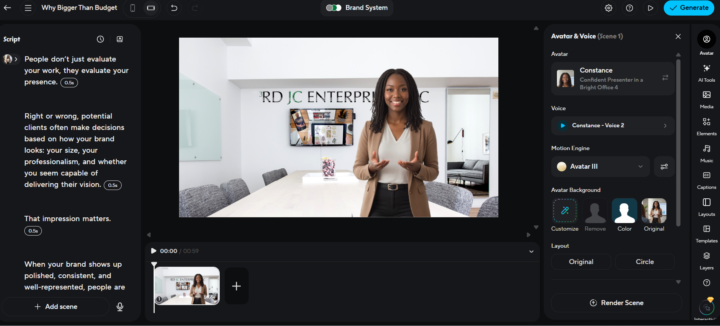
Scripting in HeyGen Video Agent
So I can get as much mileage as possible out of the HeyGen video agent, I went into ChatGPT and created a GPT that would assist me in composing a script based on the guidelines of an LinkedIn article recently published by Bin Liu.... Try it out and share your Feedback: https://chatgpt.com/g/g-697e3151c2308191ace49dc31c1d7f7e-heygen-video-agent-prompt-builder
0
0
Jan 30 •
Glimpse of the New Video Agent
Just spent a few minutes test-driving HeyGen’s updated Video Agent — and I’m honestly impressed. I didn’t overthink the prompt at all (I tossed something together with ChatGPT on the fly), but the output came back surprisingly strong: a full, presentation-style video with solid structure and the kind of controls I care about most — meaning I can fine-tune it at just about every level without starting from scratch. If you’ve been curious about what the new Video Agent can do, this is your sign to try it. 🎥 Video link: https://app.heygen.com/videos/ddf4ad20bfa641f9bfb53de0fecf416c
0
0

Jan 23 •
HeyGen Academy is Now Live
Hey family — quick resource drop for anyone using (or curious about) HeyGen. Just went Live on HeyGen’s website: https://www.heygen.com/academy #NoGatekeepers
0
0

Jul '25 •
The #HeyGen Post
So that I can continue to make things Practical for you all, I am doing Posts that are focused solely on all things related to a specific App That I like or use regularly: This Post is all about #HeyGen So when you jump in and start talking about #HeyGen start here.
1-23 of 23
powered by

skool.com/third-level-learning-lab-5528
This community is built for creators, coaches, and consultants who want to turn their skills into standout AI-powered brands — this is your launchpad.
Suggested communities
Powered by