

8d •
CLEARED UP PERSONAL INFORMATION !!
Listen -- PICK UP THE PHONE. My Same Day Deletion Method Works -- IF YOU WORK IT !! Just assisted our Mentee @Cindy Lowe with updating her report & same day we got employers removed, names removed & corrected, inquiries not associated with open account GONE !!! INSTANT INCREASE 🔥 🔥 🔥


Apr 20 •
🤯 10 steps EXPERIAN accounts removal🔥HACK! 🚀
This method can help you removed accounts attached to your address. If done properly, you should have no problem removing any negative accounts from Experian! 😃No GateKeeper here so here we Go!🚀 ✔️1.Log in to Experian. ✔️2.Click on the “Credit” tab in the top bar. Select “Credit Report.” ✔️3.Scroll to the “Quick Actions” section and click “File Dispute.” ✔️4.Proceed to the Dispute Center. If you encounter issues, repeat steps 2 through 5. ✔️5. In the Dispute Center, locate your Report Number (a 10-digit number formatted as xxx-xxx-xx) and write it down. HERE’s where the magic 🪄💥 happens! 👇🏾 ✅6.Open a new browser window and go to http://Experian.com/ncaconline/dispute. ✅7.Enter your Report Number, SSN, and Email, then click “Submit.” ✅8.Find your address under “Personal Information.” Note the last 4 digits of the Identification Number associated with that address. ✅9.Scroll to “Potential Negative Items,” click on any negative account, and check if the last four ID# matches the last 4 digits ID number from your address. If it does, remove the address as it is linked to the account. ✅10.After removing the address, dispute the accounts. *By removing the address, the account is unlikely to be verified due to the missing address, increasing the chances of account deletion.🏆📈🏆🔥🚀 Like this post and comment “done” once you’ve completed the steps. Good LUCK! 🔥🚀🏆💯

28d •
LVNV FUNDING DELETED 🔥 TRANSUNION
The Methods work when you WORK THEM .. 7 day deletion method !!! Remember if you send out a dispute and you don’t respond in 30 to 45 days and you are on dispute two or three you have to go back to dispute one which would be an inaccuracy You have to be consistent to get results, set your calendar if you have to — FUNDING CLIENT LOADING
2
0


May 21 •
BIG WIN THIS WEEK‼️
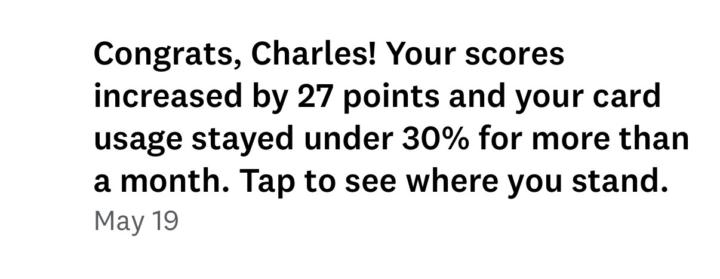
I been gone for a minute but it’s still pristine.🫡 Just got a notification may 19th with a 27 points increase. Let go mane all is beyond our control not there’s.
1-16 of 16

skool.com/thewealthblueprintacademy
Get Funded 💰, Rebuild Mindset & Health 🧠 Eliminate Poor Money Habits💰, LLC Structure.
Learn to Automate Your Income ⚖️, & Master Trusts Structure
Leaderboard (30-day)
1
+5
2

+1
3

+1
Powered by