
Write something

3h •
The Camera Detail Blew My Mind!
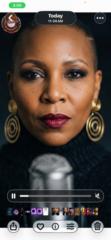
This is another cinematic video I worked on today, and I’m amazed at the quality. The crazy part is there was a podcast camera sitting on the table in the scene, and I had no idea the video was going to actually capture me walking across the shot inside that camera view too. It looked like that podcast camera was really recording what was happening in the scene. That little detail made it feel so real. I can definitely see myself getting better with every video. The more I practice, the more I’m learning what these tools can actually do, and it’s only up from here. I’m loving the process. Keep going, keep practicing, and keep creating.

13d •
Newbie
Hi everyone I'm a newbie and excited to be present. I'm a a storyteller and I want to create commercials and AI movies. Presently I'm working on a project entitled "Have Mercy'". I was inspired by this reel I created and I really want to develop a movie. The caveat is an AI movie might be expensive so I might have to settle for a book and perhaps a book trailer. Anyway, happy to be here, one of my goals is to learn the art of developing commercials.

6d •
🏆 LET’S CELEBRATE OUR WINS! 🏆
🎬 Directors, it’s time for a WIN CHECK! 🙌🏽✨ What’s something you accomplished this week that you’re proud of? Maybe you: ✨ Finished a project ✨ Landed a new client ✨ Learned a new AI tool or skill ✨ Posted your content consistently ✨ Made a sale 💰 ✨ Finally started something you’ve been putting off ✨ Or simply kept going when you felt like giving up! Big or small A WIN IS A WIN! 💪🏽 Drop your win in the comments so we can celebrate each other! 👇🏽🎉 Let’s fill this post with GOOD NEWS & GOOD ENERGY! 🔥

2d •
🎬 PUT US ON WEDNESDAY 👀
Directors, what are you using, doing or experimenting with right now that the rest of us need to know about? Maybe it’s... 👀 An AI tool you discovered 🎥 A generator that’s been giving you GREAT results 🎬 A camera or prompting technique ✂️ An editing trick 🔊 A sound or voice tool 💡 A workflow that’s saving you time 🔥 A feature everybody is sleeping on PUT 👏🏾 US 👏🏾 ON! Drop ONE thing below and tell us why you like it. And don't just drop yours and run. 😂 Check the comments and see what your fellow Directors are sharing too. We have too much knowledge in this room not to learn from each other. 🎬 I’m dropping mine in the comments too. 👀

1d •
I Turned a Whataburger Comeback Into an AI Commercial
I just want to give a big thank you to Toy for her guidance. I learned how to put together a cinematic AI video, and I can already tell this is only the beginning for me. I wanted to practice with something that felt like a real brand opportunity, so I started researching companies that had customer demand around a product coming back. That’s when I came across Whataburger bringing back one of their sandwiches. So I took that idea and created a cinematic commercial around the return. This was really about taking what I learned and actually applying it instead of just watching tutorials. I still have a lot more I want to learn, but I’m excited to keep building, experimenting, and getting better with every video. Thank you again, Toy, for helping me get started. This is definitely only the beginning.

1-30 of 493
skool.com/thedigicollective
Inside The Digi Collective, creators develop AI powered commercials and cinematic visuals through intentional storytelling and structure.
Leaderboard (30-day)
1

+154
2
+135
3

+46
4
🔥
+33
5
+30
Powered by