
Write something

Mar 3 •
Sr. Vice President of Financial Pro Network
Hello my name is Adrian Baker-Johnson, Sr Vice President of Financial Pro Network. I am excited to be a part of this community and very eager to learn
1
0
Jan 25 •
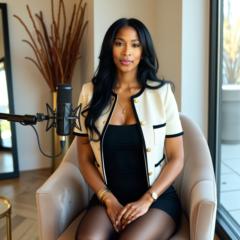
How to Build a Realistic AI Twin: A Step-by-Step Workflow
Wondering how to go from ‘AI experiment’ to ‘realistic content’ with your AI twin? Here’s a simple workflow inspired by the pros: 1. Find inspiration. Grab a clean, well-lit photo from a site like Pinterest. Look for natural lighting, good framing and an authentic vibe. 2. Write a prompt based on realism. Describe the lighting, camera angle, skin texture and mood you want. Less is more—stick to one idea at a time. 3. Generate your base image. Tools like Nano Banana Pro or Higgsfield can help you control lighting, camera angles and realism. Preserve the pose and framing to keep your character consistent. 4. Animate your image. For motion, use tools like Kling 2.6 for body movement or Google Veo 3.1 for talking characters and camera moves. Start with simple actions like eye contact or subtle head turns. 5. Upgrade quality. Upscale your video with Topaz or similar tools and add natural skin textures to avoid the “AI smoothness.” For voices, try ElevenLabs to clone your tone. 6. Stitch scenes & share. Combine short scenes into a cohesive clip and post it across your channels. Total time? Under 30 minutes once you have the hang of it! The key isn’t magic software—it’s a clear sequence and mindset. Focus on realism first, then build from there. Have fun experimenting and remember to share your workflow or questions in the comments!
0
0
1-2 of 2
powered by

skool.com/the-branding-bar-1662
Learn how to use AI + content tools to grow your brand, save time, and show up confidently in The Branding Bar AI Lab
Suggested communities
Powered by