Write something

2d •
DAY 2- FB Groups
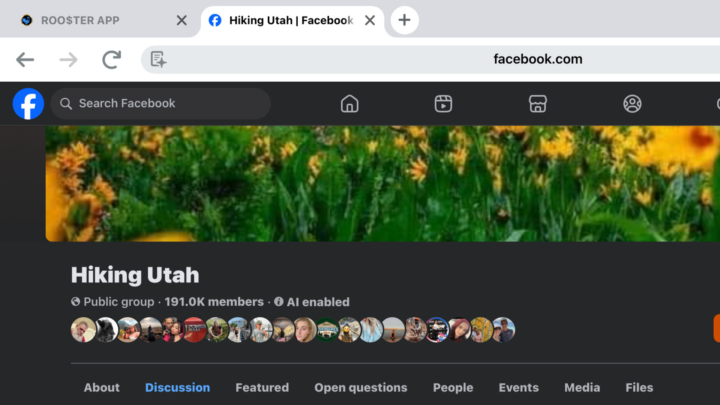
Tasks: -Join 5 FB groups in the niche/hobbies you are posting about getting paid: Hiking, Running, Baking, etc -Join 5 FB Groups that are relevant to your business demographic… mom bosses, entrepreneurs, network marketers, affiliate marketing, home jobs, content creators, influencers, etc * Make sure they’re public groups -Then once approved, which most public are near instant, ENGAGE… meaning comment on top posts, like other people’s comments, and send friend requests to groups admins and other top profiles in the groups. You could even send a DM to admin saying “thanks for adding me” -Post a question… **Without your code -Hiking Example: Has anyone hiked with their kids regularly? Curious… do you use a stroller? Wagon? Put em on your shoulders? Or one of those chest straps? -Content Creator Example: Newbie here… What’s everyone using to get more followers? Are you just sending mass friend requests or what?
0
0
3d •
DAY 1
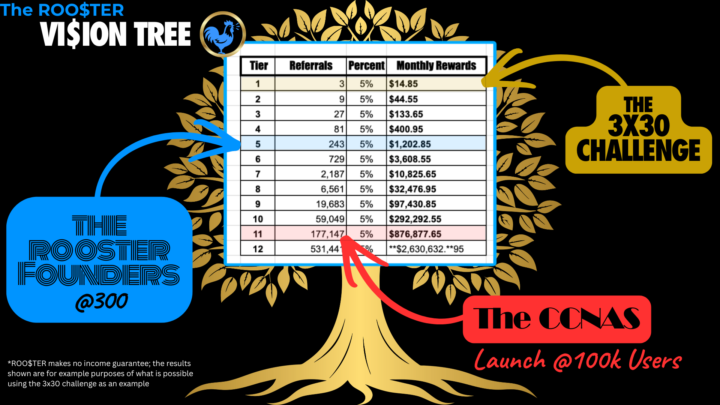
Before starting, make sure you have: gone through the founders training in the classroom and have a decent understanding of the vision tree, and overall goals, and stages of what we are doing here. -Your share link and your code https://get.roostermate.com/login -Decide on your topic/niche of what you want to do more of and get paid for...(ie hiking,painting, etc) -Social media accounts... You will want to have minimum of FB, IG, TT, and YT -If you don't want to use your personal accounts, thats fine, but feel free to create new accounts and label them in a way that reflects your niche or topic you've chosen to get paid to do (paid to hike) -take some time and play around with the app: https://millions.vegas/rooster --by play around here's what I mean, copy and paste your share link to the app, upload a picture, add a CTA "Get Paid to Post or Scan Here or even Screenshot This" ---Once you click preview, it will generate the image a QR code that when scanned will go to your link. ----You can adjust the size of the code ---- Once you are finished, download and save to your phone and then test it before posting -----To test the code, you can take a screenshot and then hold your finger over the code (I have an iphone, so my default window shows open in safari) or if you are on a desktop screen - use your phone to test the link. Make sure it opens your link. Then you're going to make your first post. -The easiest one without thinking much is "I'm testing a new way to get paid to post content to...(whatever platform you post to) will you screenshot this and tell me if code worked for you? " If its not working for you please message me here.
0
0

1-3 of 3