
Write something

🔥
2d •
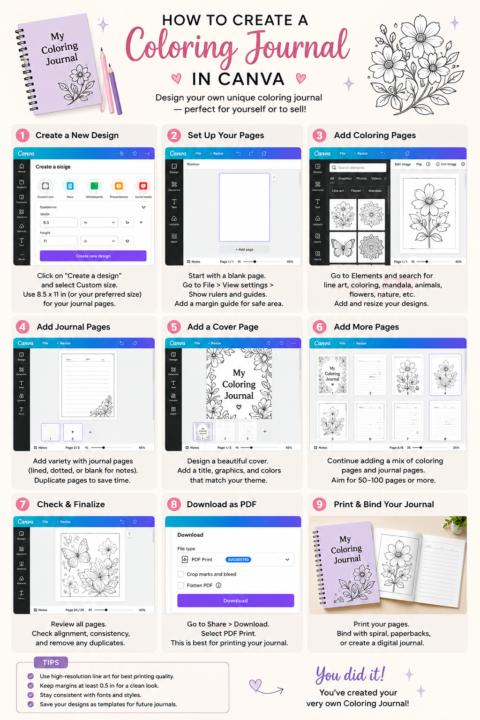
How To Create A Coloring Journal In Canva
Creating your own coloring journal in Canva is easier than you think! 🎨📖 You can design a beautiful journal for personal use, digital downloads, printables, gifts, or even a new product to sell. Start by choosing your page size, then add: ✨ Coloring pages ✨ Lined journal pages ✨ Reflection prompts ✨ Affirmations ✨ Inspirational quotes ✨ A beautiful cover ✨ Decorative borders and illustrations Once your pages are complete, review your layout, download the journal as a PDF Print file, and prepare it for printing or selling online. Your creativity can become something meaningful, useful, and profitable. Do not overthink the process. Start with one page, build one section, and keep going. You do not need to be a professional designer to create something amazing. You just need an idea, Canva, and the courage to begin. 💜
🔥
2d •
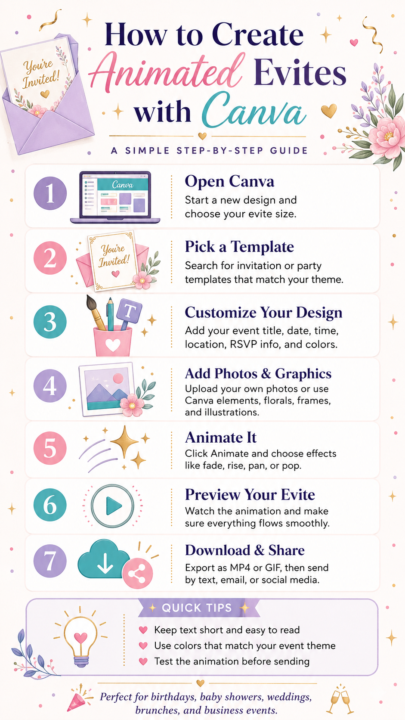
✨ CREATE BEAUTIFUL ANIMATED EVITES WITH CANVA ✨
Your invitations do not have to be boring. With Canva, you can turn a simple invitation into a polished animated evite that feels professional, creative, and exciting. Here is the simple process: 1. Open Canva 2. Choose an invitation template 3. Add your event details 4. Customize the colors, fonts, photos, and graphics 5. Add animation effects 6. Preview your design 7. Download it as an MP4 or GIF and share it Animated evites are perfect for birthdays, weddings, baby showers, brunches, business events, church programs, celebrations, and so much more. Keep your wording clear, make the design easy to read, and choose animation that enhances the invitation without distracting from the details. You do not need advanced design skills to create something beautiful. Start with a template, add your creativity, and let Canva help bring your vision to life.
🔥
Jun 9 •
🎨 Stop Guessing! 10 Ways to Find T-Shirt Ideas That Actually Sell
One of the biggest mistakes new creators make is designing what they like instead of creating what people are already searching for. The good news? You don't need to reinvent the wheel. Winning t-shirt ideas are everywhere if you know where to look. ✅ Listen to your audience ✅ Study bestselling designs ✅ Follow trends and add your own twist ✅ Focus on specific niches ✅ Create designs that solve a problem or spark emotion ✅ Use keyword research tools ✅ Watch seasonal and holiday trends ✅ Find gaps in the marketplace ✅ Turn your own experiences into relatable designs ✅ Test, learn, and improve Remember this simple formula: 💜 Passion + Audience + Problem = Products That Sell The creators making consistent sales aren't always the most talented. They're the ones paying attention to what their audience wants and creating with intention. Stop creating in the dark. Start creating with demand. What's your favorite niche to design for right now? 👇 Drop it in the comments and let's inspire each other!

🔥
Jun 7 •
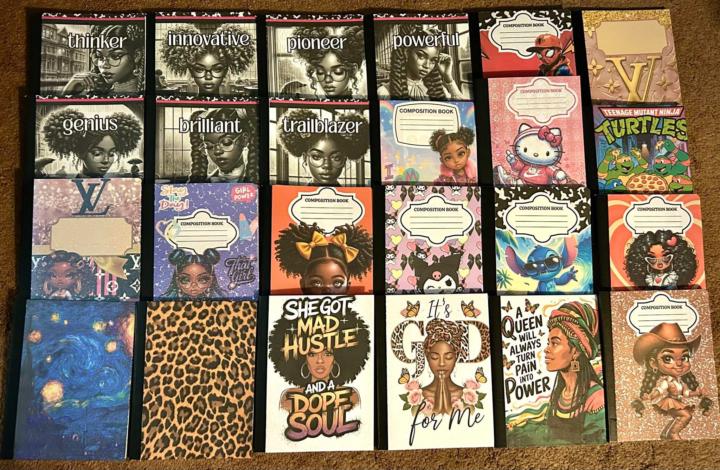
Composition Books I Made
Here are a few composition books that I made and sold for the Back-To-School season last year. These are a few ways you can use the images from The Vaults.
🔥
15d •
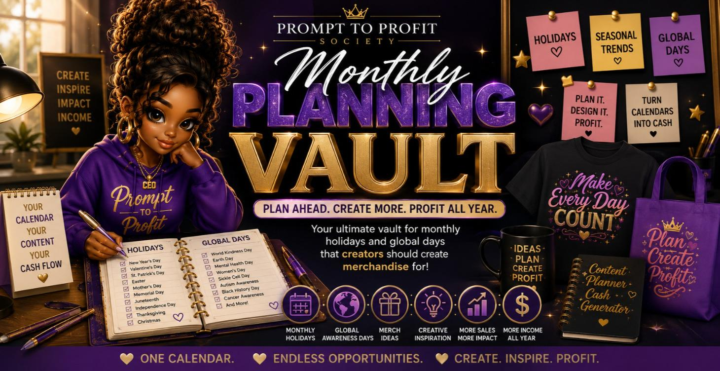
The Monthly Planning Vault is Now Live
The Monthly Planning Vault is your creator roadmap for the entire year. Discover U.S. holidays, global observances, awareness months, seasonal trends, and special celebration days that inspire profitable products and content. Plan ahead with confidence, stay consistent, and never miss a selling opportunity. Perfect for print on demand, digital products, social media, and creative businesses looking to turn every month into new income opportunities. *under construction more months will be added soon
1-24 of 24
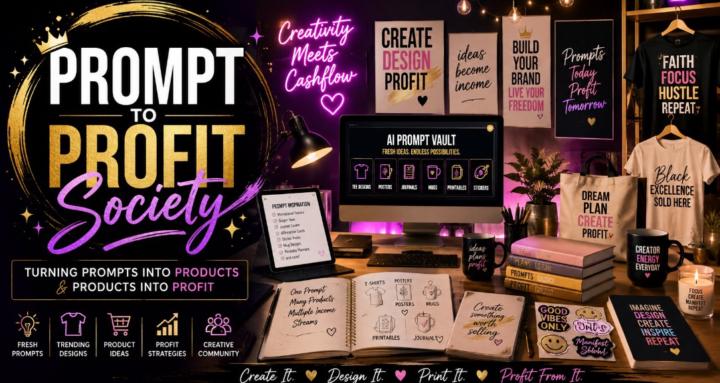
skool.com/prompt-to-profit-society-5367
Turn AI prompts into posters, tees, journals & digital products. Learn, create, monetize, and profit with a creative community.
Leaderboard (30-day)
1

🔥
+1586
2

+949
3

+748
4

+387
5

+336
Powered by