

5h •
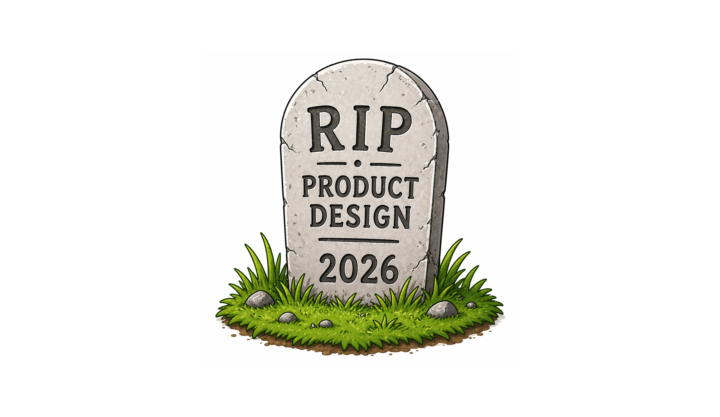
The death & rebirth of digital product design in AI era
AI era has caused significant disruption across many fields, but product design feels like one of its primary targets. The rapid improvement of AI tools, combined with constant competition among major tech players, has led to the release of AI tools that allow almost anyone to create their own products in no time. This shift has had a major (largely negative) impact on professionals who were responsible for digital product design in the pre-AI era: UX designers, UI designers, product designers, accessibility specialists, and others. A lot of people approached me asking how to adapt to this new reality, so I decided to craft a set of 5 rules I personally practice: 1️⃣ Invest in improving your critical thinking and taste Taste and critical thinking are what will separate average product creators from exceptional ones in the AI era. Your workflow will increasingly revolve around analyzing AI-generated output and aligning it with user needs and business goals. - Critical thinking helps you articulate what you want - Taste helps you recognize and avoid mediocre output. The goal of using AI isn’t to produce more design in less time; it’s to produce better design in less time. 2️⃣ Use AI tools as your companion in every step of the product design process Actual AI tools don’t really matter; what matters is the person who uses the tool and how they use the tool. AI shouldn’t be treated as a one-off tool; it should be integrated into every stage of your workflow because the tools are just multipliers of your skills and abilities. From early research and ideation to prototyping, testing, and implementation, AI can support and accelerate your work. The key is to shift your mindset: instead of “using AI when needed,” think of AI as a constant collaborator. 3️⃣ Forget about wireframing Time is your most valuable resource. Don’t waste it creating static design artifacts, especially wireframes. 4️⃣ Don’t be obsessed over crafting “perfect” prompts Focus on the task you’re trying to accomplish. One approach that helps me avoid overthinking prompts is using voice input. When I use voice in tools like Claude Code, I don’t worry about perfect phrasing; I focus on clearly expressing what I want to achieve. For me, voice is one of the most effective ways to interact with AI. It naturally shifts your attention away from wording and toward intent, which is what actually matters.
2
0
2d •
Claude Code best approach for complex projects: (Ultra)Plan first. (Ultra)Review Before Merge.
If you want real leverage when using Claude Code for complex product design tasks, do the following two things every time: 1. Plan your project → Ultraplan 2. Review your code before merging to master → Ultrareview 🧠 UltraPlan (plan before you build anything complex) Vague input leads to generic output. Thats why when using Claude Code, don’t jump straight into generation. Instead, start with a detailed and clear plan: Use Claude Code in Ultraplan mode to: ✅ break down features ✅ define architecture ✅ map UI → logic → data This helps reduce ambiguity before writing a single line of code 📕 Guide to UltraPlan mode: https://medium.com/ux-planet/the-best-way-to-plan-work-with-claude-code-58e336a3b0ba?sk=129d17578c8e71b0f8d76912719a13db 🔍 UltraReview (review like a team of senior engineers) In UltraReview mode, Claude runs a few AI agents in parallel to review source code and catch hidden bugs, poor structure, and weak solutions. In my experience, Ultrareview is vital for project milestones (i.e., when you release a new feature and want to make sure it doesn’t have bugs). 📕Guide to UltraReview: https://medium.com/ux-planet/how-to-improve-code-quality-with-claude-code-4e529ded8b4e?sk=b60321c0a810077851260f2ef9fe515e
1
0

7d •
Claude Design
https://medium.com/ux-planet/claude-design-figma-killer-or-just-another-design-tool-82f7726693ca?sk=5ff56983994561a73dc146dffa1fc62e Figma killer or just another AI design tool? What do you think?
8d •
AI Image Generation & Editing in Figma
Quick dive into image generation and editing using Nano Banana AI model. https://medium.com/ux-planet/nano-banana-in-figma-e9c7522ec7ec?sk=8cb1abce2b9c55f220c21adfe0ad736d
1
0

9d •
Figma Design System + Claude Code
How to improve the consistency of Claude Code output when using Figma design system https://medium.com/ux-planet/figma-design-system-claude-code-2907351c34c5?sk=a883e56718bfb4786b6b370f657b13ee
4
0
1-22 of 22
powered by

skool.com/product-design-7868
A great place to learn how to build digital products—from initial idea exploration and UI design to product testing and market release.
Suggested communities
Powered by