
Write something

Nov '25 •
💬 App Boy and the Quest for the Perfect Prompt
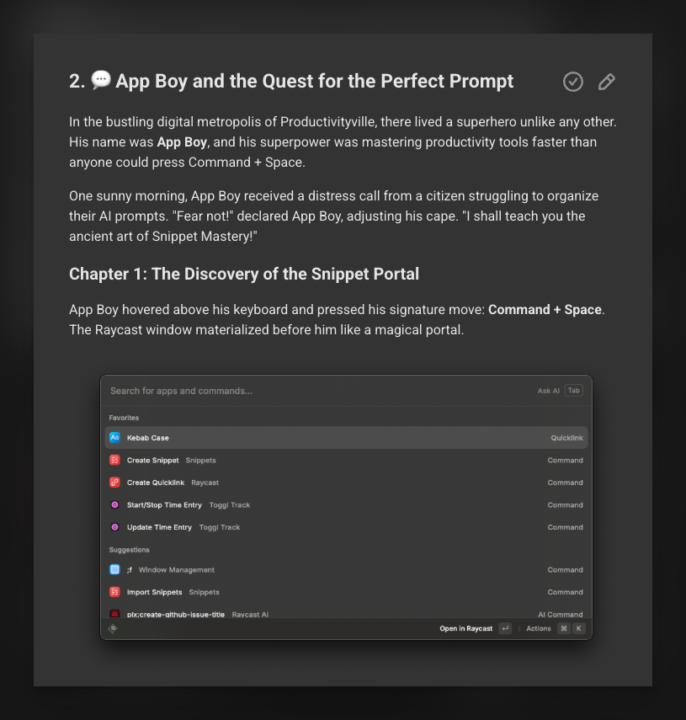
In the bustling digital metropolis of Productivityville, there lived a superhero unlike any other. His name was App Boy, and his superpower was mastering productivity tools faster than anyone could press Command + Space. One sunny morning, App Boy received a distress call from a citizen struggling to organize their AI prompts. "Fear not!" declared App Boy, adjusting his cape. "I shall teach you the ancient art of Snippet Mastery!" First Raycast Power Prompter lesson is online 😆. https://www.skool.com/pew-pew-professionals/classroom/9fe46946?md=b072a27c1606476cb374e05f81480d0d Enjoy!!
1
0
Nov '25 •
Raycast Power Prompter 🎓
I’ve started setting up the Raycast Power Promptor Course. In this course, I’ll show you how powerful Raycast is for working with AI—especially how to use AI across different types of apps as a professional. Check out the first lesson below, in it I give a quick overview of the benefits of using Raycast. You can download it now already and start playing/getting familiar with it. There are tons of features beyond what I’m going to cover, so it’s definitely a recommendation for anyone who uses a Mac daily. If there’s anything you want covered right away, let me know and I’ll prioritize it. Otherwise, I’ll post all the topics here one by one over time. https://www.skool.com/pew-pew-professionals/classroom/9fe46946?md=77994ddb740f4f778333ec18ab3da8e2
1
0

Nov '25 •
AI Timelapse (x2) Workflow 🎬 1h 30m Vibe Code Session 🏗️ 3 Projects ✌️ 2 Clients 🤡 1 Clown
A new timelapse vibe coding video has been added to the timelapse collection. If you see anything that you want me to explain in depth send me a message and I'll make a video about it.
1
0
Sep '25 •
💻 Open In App
A cool little party trick I like to use is my open in app snippets. These are handy when working in the terminal with apps like Claude Code. What it does is ask your AI to open whatever document they just created / updated, or any document for that matter, in your app of choice. As someone that uses several apps at once (IntelliJ, Cursor, Obsidian, RepoPrompt, Fork, and so on) it's super useful when you want to do a quick scan in your preferred app of choice. Check out the full snippet here
1
0
Sep '25 •
🚀 We Are Live!!
World's only community 🌍 where anything 🧚 is promptable ✨ 🤖💬: plx accept 📣 Profile check ✅ 📝 I know how to put 200+ prompts, templates & snippets to good use. ✅ 📖 I appreciate having full access to all premium courses and tutorials. ✅ 📲 I value that a single Skool subscription grants me premium access to all pew pew apps. 📜 Terms ✅ 🎓 I understand that making use of these benefits carries a high risk of becoming an AI expert in my field, thus joining the top 1% who know how to use AI. ✅ 💼 I accept that many people will ask me for advice, and I will need to keep my job. ✅ 🧘♀️ I will not complain about still having a job. ✅ 🙏 I will embrace many more benefits in the future, as outlined in the official roadmap. .. 🤖💭 *..thinking..* 🤖💭 *hmm.. user has accepted the terms.. naiz* 🤖💬 Welcome to Pew Pew Professionals! The place 2 abc for the prompting professional. This community comes with many benefits! Check out the roadmap & links in bio for more info. See you inside 👋👋
1
0
1-8 of 8
powered by

skool.com/pew-pew-professionals-5098
Monkey see 🙉 Monkey do 🤹 Prompts, templates, tools, tutorials & live work sessions.
Suggested communities
Powered by