
Write something

Mar 9 •
International Women's Day was EVERYTHING!!!
Y'ALL. Yesterday was INCREDIBLE. 🙌🏾✨ The Lovable SheBuilds event was everything and more — met my new AI Cuzzins @Natarsha Wright and @Nadeen Matthews Blair and learned SO much. And trust me — I will be sharing everything I learned. Stay close. 👀 Here's what I got done on March 8th: ✅ 1 website built & shipped ✅ 2 new apps built & shipped ✅ 1 app updated & shipped ✅ SerenAI™ — my app — is officially DONE thanks to my Beta testers @Christa Brutus @Sierra McCray @Teresa Coleman, @Colleen Wilson, @Danielle Shante’ Madlock, @Chizzy, and @Michelle Rose! Your feedback has helped move from MVP → Finished product. Next stop: App Stores! 🎉 OH — and SerenAI™ was one of 7 apps showcased to the software developers at Fonzi AI — an elite AI talent marketplace for top engineers and AI companies — and they LOVED it. Honorable mention energy! 😄 Sharing pics and vids below — this is what March 8th looked like for me. 💜🔥

Feb 22 •
Discover Google's Project Genie!
Hi Family!!! Hoping those of you who made it to this weekend's AI-Fueled Profits had an amazing weekend in the ATL! I wished I could have joined you all and seen all your beautiful faces, but I was BURIED in work that I could no longer avoid. I will be at the next one, TRUST! That aside... Any Google Ultra users out here in this Skool Community? Google launched something big that could very well be a game changer for some of us. It is called Project Genie! It's an early research prototype that lets users create and explore new worlds. Check out this YouTube video. https://youtu.be/YxkGdX4WIBE https://www.youtube.com/watch?v=dO0csRgxo_A This is 🔥!!! You can create a world by prompting (with images or text), build a character, and explore a landscape that literally builds itself around you in real time!!! You can even choose how you explore the world you built—by walking, riding a bike, driving a car, or even flying. Right now, it is only open to those with a Google Ultra subscription, but hoooWEEE baby, when you get your access, then go HAM!!!! xoxo, Pharah
0
0


Dec '25 •
Notebook LLM Walkthrough — Applied
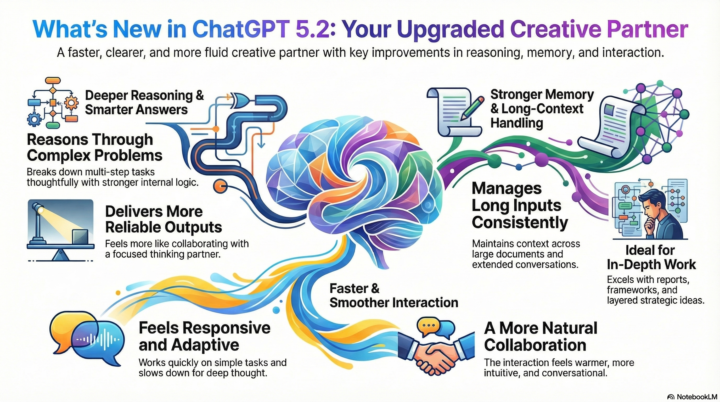
Quick thank you to @Pharah Jean-Philippe for today’s Notebook LLM session 🙏🏽. I applied the teaching and knowledge you shared to create my ChatGPT 5.2 update post for Linkedin and the workflow was incredibly clear and practical. What I appreciated most was how immediately actionable the walkthrough was—I was able to apply it right away and see a real difference in how I structured and communicated the update. Thank you for the clarity and value you shared today.🥰
Dec '25 •
Tech Stack Thursday
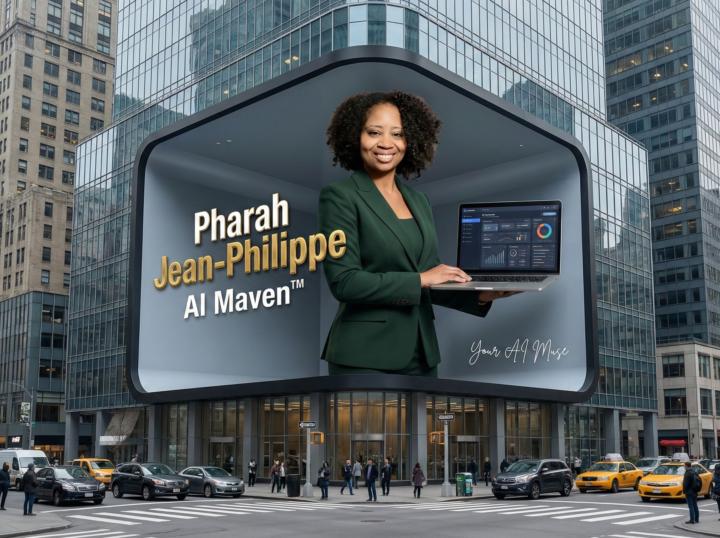
Family, let me ask you something. Have you ever posted an image prompt and stared at the result like… who is that supposed to be? Or maybe it worked that one magical time, then the next day your face came back looking “off,” like the AI forgot who you were overnight? Here’s the real tea. The problem isn’t just your prompt, just your photos, or just the tool. It’s the dance between all three. And if you want consistent, on-brand, “yes that’s me, thank you very much” results, you need a tech stack that works together, not against you. Here’s how I challenge you to level up today: 1. Start with your signature images Find three photos that actually look like you. Two clear, well-lit face shots and one full-body or 3/4 shot. No heavy filters, no shadows hiding your features. These become your “go-to” inputs. Once you find the combo that works, stick with it every single time. Consistency is everything. 2. Test your tools like a scientist Not every AI image generator understands your face, your angles, or your energy. That’s real. So experiment. Keep the tools that capture your likeness and ditch the ones that don’t. Then, train the winning tool. Generate and regenerate until it starts showing up for you with consistency. 3. Reverse engineer like a pro See an image you love on Pinterest or anywhere else? Drop it into ChatGPT and ask it to break down the style, lighting, framing, and aesthetic. Use that as your prompt base. Then tweak until it becomes yours. In short, you need your go-to images and your go-to tools. Together, they build a reliable personal brand pipeline. So tell me… What’s your AI image-generating tech stack? Mine right now: Google Whisk, Gemini, and Envato. Drop yours in the comments so we can all learn, refine, and glow up together. xoxo, Pharah
1-13 of 13

Powered by