
Pinned

18d •
Welcome to Project 66. I'm locking in, and I want you with me.
Welcome in. If you came from my video, you're in the right place. I want to be honest. Lately I've lost my focus. I've been anxious, picking up my phone and checking things for no reason. I've been trying to get monetized on YouTube for 10 to 12 years and I've never fully committed. I always want to do something, and then I don't put the action behind it. I'm sick and tired of that, so I'm starting this challenge, and I hope you join me. From today to January 1 is 66 days. That's about how long it takes a new habit to run on autopilot (a UCL study found the typical person hit 95% of full autopilot on Day 66). My goals: Get my focus back. Grow my AI business to $5,000 a month by the end of the year. Get monetized on YouTube before the end of the year. How I'll do it: Lock my phone down to only what I need. I'm building the Lock In app for exactly this, coming soon. Review my goals every day. Put out a long-form video every day. Do the work, and help people learn while I do it. How Project 66 works: Pick up to 3 goals, and one small thing you'll do every day for each. Tick one box a day. Miss one? Fine. Never miss twice. Post your numbers in the Project 66 section every week. Weekly call, Mondays at 8 PM Toronto time, right here on Skool. Free tools: Goal calculator: put in where you are and where you want to be, and it tells you what to do every day and every week. aidanholt.ca/lockin The 66-day guide is attached: printable tracker, phone lock-down setup, weekly check-ins. Your turn. Reply below with your goals and how you'll do it. I'll read every one. Let's lock in together. See you on Day 66.
Oct 15 •
Free: the guide + skill from my Claude Code editing video
If you came from my YouTube video, welcome. Here's the free guide and the starter skill I promised. Both are attached to this post. The guide (PDF, 10 pages): the 5 steps from the video. It listens, it cuts, visuals on your words, it builds the graphics, sound and music. Every step has a prompt you can copy straight into Claude Code, what you should see, and what to do if it goes wrong. The starter skill: a simple version of my editing setup. Give it a raw video and it transcribes it, cuts the pauses, ums and retakes, shows you the cut list before it touches anything, renders a rough cut, adds captions and a music bed, and exports at the right loudness for YouTube. Every note you give it gets saved, so it gets better at your style every edit. How to install it: install Claude Code, ffmpeg and Whisper (exact commands on page 2 of the guide, or ask Claude Code to install them). Unzip the skill and copy the video-editor folder into the skills folder inside .claude in your home folder. Restart Claude Code, type /video-editor and give it a one minute test video. Can't open the zip? Paste the ALL-IN-ONE text file into Claude Code and ask it to set up the skill. Start small. One minute of you talking, mess up a line on purpose, and see if it catches it. Then tell it what you don't like and tell it to save that. That's the whole secret. Post your first edit in the comments, I want to see it.
0
0
Oct 13 •
START HERE: the ArtCraft how-to PDF (free) + the AI skills
If you came from my YouTube video, welcome. Here's exactly where everything is: Free for everyone: the step by step how-to PDF is attached to this post. It shows you how to install ArtCraft in 2 minutes, check it's safe, and the first 5 prompts to give your AI. Premium: the full skills pack my AI used for all 13 apps (the exact skills from the video), plus every course in the Classroom and every new skill pack I make. Click Classroom at the top, open ArtCraft AI Skills, and upgrade to Premium to unlock it. Stuck on a step? Comment below with a screenshot and I'll help you myself.
0
0
Oct 12 •
Someone cloned Photoshop, Excel and AutoCAD for free. I tested all 13
New video. Me and my AI tested all 13 free ArtCraft apps on real business work: a lease redline, a locked deal package, a live lease calculator, a CAD floor plan and my own thumbnails. The 5 that are actually good, the 2 minute install, and what to skip. Free how-to PDF in the pinned START HERE post. The full skills pack my AI used for all 13 apps is in the Classroom for Premium members: ArtCraft AI Skills. Which app should I test next?
0
0
Sep 21 •
Professional headshots from one selfie, free, with ChatGPT
A headshot session runs a few hundred dollars. This is the same result from one phone selfie and ChatGPT on the free tier, in a couple of minutes. One well lit photo, the prompt, think harder mode on, upload, then a second prompt to fix the bad ones. The headshot I use for the channel was made this way. The full prompt set is free here: https://aidanholttech.com/headshots Post your before and after in Wins. I want to see them.
0
0
1-8 of 8
powered by
skool.com/elevated-agent-with-aidan-holt-2200
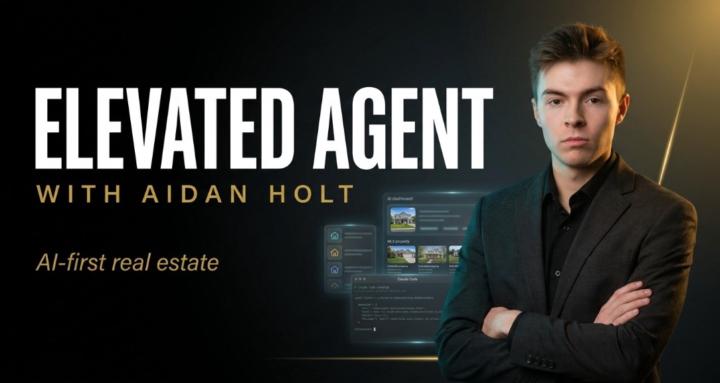
AI for real estate and business, taught by a 23 year old Toronto realtor. Free skills, step by step guides, real files, real numbers.
Suggested communities
Powered by