
Write something

Feb 11 •
Quick question for iPhone parents…
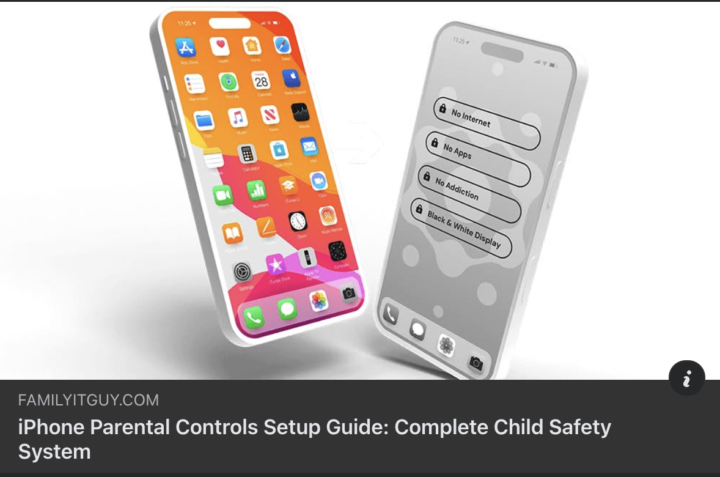
When’s the last time you checked your parental controls? I’m asking because most parents THINK they have their kid’s iPhone locked down. But here’s what I see all the time: One setting gets missed. One permission gets overlooked. And suddenly their kid has access to things you never intended. It’s not your fault. Apple hides some of the most important settings in weird places. I was recently on a podcast with Ben Gillenwater, the Family I.T. Guy Ben has put together a quick step-by-step guide that walks you through every single setting you need to check. No tech degree needed. Just clear screenshots and simple instructions. Check it out here: bit.ly/CSSITGUY You got this, Det Mike
Oct '25 •
Instagram Guide
Instagram isn't just photo sharing anymore. Over the past few months, Instagram has systematically copied every dangerous feature from Snapchat—and added some terrifying new ones of their own. The result? Officer Gomez just moved Instagram to the #2 most dangerous app for kids. Right behind Snapchat. Here's what most parents don't know: Your kid's Instagram account might look clean to you—but that's because you're only seeing one of their five accounts. Instagram lets kids have 5 separate accounts without logging out. One tap in the upper left corner, and they can switch from their "main" account (butterflies and rainbows for parents) to their "spam" accounts where the real activity happens. But that's just the beginning. Instagram's new Live Mapping feature shows your child's exact location 24/7—accurate to within 10 feet. Even when they're not using their phone. Think about that for a second. A predator can now know: - Where your child lives and sleeps - Their school schedule - What sports they play and when - Where they work - What bathroom they use Real example: Officer Gomez arrested a sex predator at a middle school volleyball game because he was using location tracking to follow a girl he'd been targeting. And the sextortion crisis is exploding. Reports jumped from 40,000 in 2021 to 500,000 last year. We're on pace for 1 million this year. Instagram plays a key role because predators use it to scout victims' friend lists, then threaten to share inappropriate images with everyone the child knows. The pressure is so intense that kids across America are taking their own lives rather than face the shame. Here's the truth most parents miss: Your child WILL be targeted. The question isn't if—it's when, and whether they'll have the skills to handle it safely. That's why we created the new Instagram Parent Safety Guide. Based on my latest interview with Officer Gomez, this guide reveals: ✓ The 5 hidden accounts your child probably has (and how to find them)
Nov '25 •
TikTok Masterclass [Video In Post]
Officer Gomez and myself to go behind the curtain of TikTok: - TikTok Challenges - Feet Picture Grooming method - Filters - Does parent monitoring work - Best Practices
![TikTok Masterclass [Video In Post]](https://assets.skool.com/f/a2eee0569a044549ab8a8a005192873f/e37a2d3578a64234954b06ea348a446aa8af3f0372e3419fa789518af993cf26-md.jpg)

Nov '25 •
Trouble with video
I’m trying to watch “3rd-5th Grade: Red Flag Safety System” but it won’t play. The other videos start up no problem.
Jun '25 •
Snapchat Masterclass [this is the one to watch 👇]
Officer Gomez and myself talk Snapchat: ✅ How it's perfect for predators tactics ✅ Where the pictures are hidden ✅ How find where they sell drugs on the platform ✅ How AI is changing sex exploitation forever... ...and not in a good way. Here's the link every parent needs: https://www.skool.com/csf/classroom/09c578cc?md=7656b976ab154c169f6fc7a47ae78ec9
2
0
![Snapchat Masterclass [this is the one to watch 👇]](https://assets.skool.com/f/0fb924da04e841eda9c239f67ee083c6/b2f4bb668e8c4ce0b105971705ae3d2d118be54723714ba08a0a556aa0e98b0e-md.png)
1-14 of 14

skool.com/csf
The Simple Step-By-Step System to a Safer Online Family and Tech Peaceful Home.
Powered by