
Write something

🔥
11h •
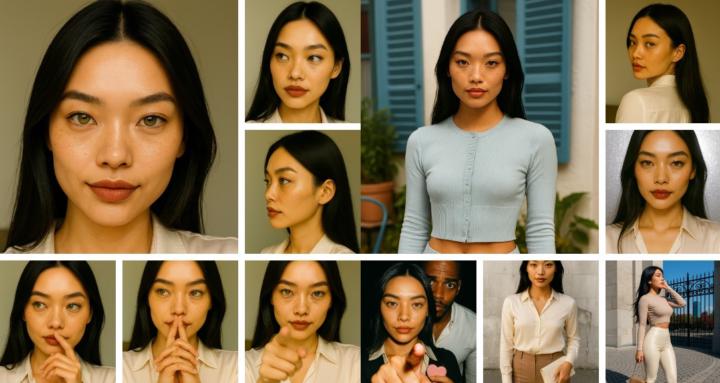
Tip: Use Character Reference Sheets
Hey Folks! I delivered the assets for a 32 page Storybook to a client today. The storybook has 4 characters, and I used Character Reference Sheets to aid me in the creation of the story scenes. One scene had all (4), and it was created using the sheets for each character. I didn't use character reference sheets in the past, but moving forward, I can imagine most of my projects will use them. Here are some benefits of their usage in projects: Consistency Across Images Keeps facial features, proportions, hairstyle, and clothing accurate in every scene, preventing drift over time. Faster Workflow Eliminates the need to rewrite detailed character descriptions for every prompt, speeding up creation. Better Storytelling Maintains visual continuity, helping audiences recognize and connect with characters across scenes. Easier Edits & Iterations Allows quick changes (outfits, poses, environments) while preserving the same core identity. Professional Quality Output Produces polished, cohesive visuals that look intentional and brand-ready for books, content, or products.
🔥
2d •
Tip: Storybook Page Count (LuLu Service)
Hey Folks! While working with a Consistent Character Storybook Project; I decided to educate myself on Print-On-Demand (POD) platform called Lulu. It's an alternative to Amazon KDP. Anywhoo... for my project, I created 12 image scenes and the client provided 12 (story text) snippets, which gives us 24 pages less the (title, copyright, dedication) pages. Now that I think about it, that gives me a total of 30 pages, because those three pages will have blank pages behind them. == On Lulu, Children's storybooks typically have 32 pages, which is the industry standard for picture books. However, for self-publishing, a total page count in multiples of 4 or 8 is recommended to avoid blank pages. While many children's books can be shorter, 24-32 pages is ideal for standard paperback, and saddle stitch binding allows for even shorter books. == Let's Go!

🔥
8d •
Tip: Using AI for Storytelling
Hey Folks! If you want to collaborate with AI to help write a story, check out this short video.
🔥
14d •
Tip: Google Flow (Projects vs. Collections)
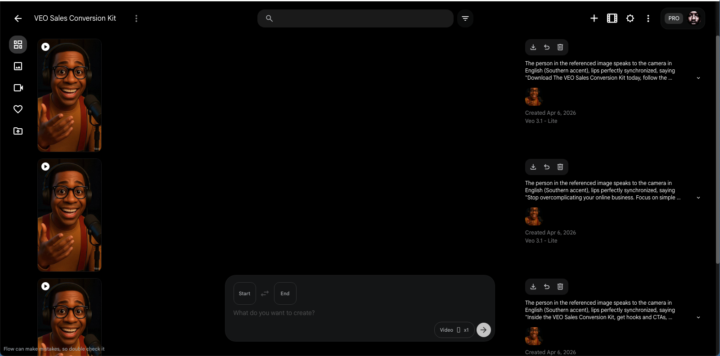
Hey Folks! [Projects] When you start working in Flow, you create a project. This is the "container" that hosts your AI-generated clips and scenes. The project acts as your central hub where you use tools like SceneBuilder and generate AI images and videos. [Collections] As you generate numerous assets within a project, they can become disorganized. Collections act like folders, allowing you to drag-and-drop or group these assets (e.g., grouping all "characters" or "backgrounds"). You can create a collection within a project, and you can even create sub-collections within collections to create a hierarchical structure.

🔥
14d •
Tip: Google Flow (Collections)
Hey Folks! Google Flow allows you to create Collections. In your Collection, you can sort the display by: - All Media - Images - Videos You can create collections: - by dragging an image on top of another one. - from a menu option You can add media to collections: - by a menu on the media (image, video) Note: Collections are NOT Projects in Google Flow.
2
0
1-30 of 57
powered by
skool.com/consistentcharacters-7595
Unlock the skill of creating consistent characters for storybooks, coloring books, comics, etc...
Learn this simple process - start creating today!
Suggested communities
Powered by