
Write something

🔥
24d •
Colors, Colors, Colors and more Colors!
Hey Folks! @Andreas Mayer suggested this website for the folks that need help with color palettes: "I can recommend this site for creating color palettes:" https://color.adobe.com/de/create/color-wheel

🔥
25d •
The Color Contrast Checker
Hey Folks! "When in doubt, this tool is my go to...." - @Mary Nunaley https://webaim.org/resources/contrastchecker/

🔥
Mar 19 •
The Prompt Wizard for Planner Stickers
Hey Folks! This is another handy tool to have for the toolbox, The Prompt Wizard for Planner Stickers. It is a 5-step Wizard that helps you create image prompts that generate PNG sticker images, using uploaded images as references. You can save the prompt in (raw text or json) format. Watch the demo video to see the tool in action. Note: I repeatedly state (3D) sticker images, but these images are not 3D. (maybe I should add that as a style option?)

🔥
Mar 11 •
Get Your Copy: VEO Text-to-Video Prompt Template Pack
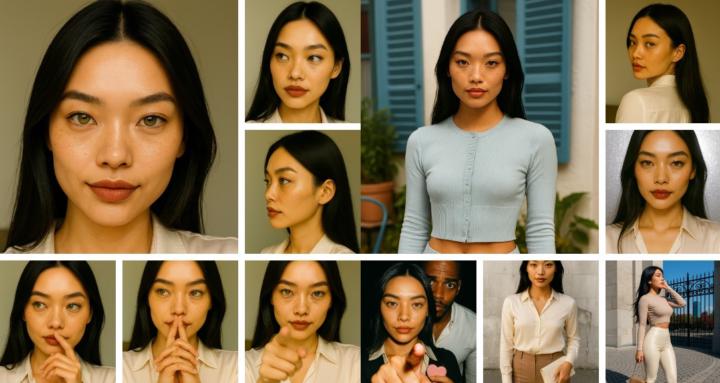
Hey Folks! Get Your Copy of the VEO (Text-to-Video) Prompt Template Pack. We don't have to struggle with (text-to-video) prompts, thanks to prompt templates that we can have AI fill-in and we tweak as needed. I created a VEO Prompt Template Pack for you, I use it too, that contains (8) prompt templates: 1. VEO Multi-Shot Cinematic Template (Structured Shot Format) 2. VEO Character Identity Lock Template (Consistency Template) 3. VEO Frame-to-Video Product Template 4. VEO Dialogue Micro-Scene Template (Short Speech) 5. VEO Action Sequence Template 6. VEO Dual Character Dialogue Template <--- I USED THIS ONE FOR THE VIDEO IN THE POST! 7. VEO Social Media Influencer Template (GRWM / Influencer) 8. BONUS: VEO Template (Influencer Walk-In Sequence) <-- Melanyah Walking How do you use them? 1. Decide what type of video scene do you want. (choose a template) 2. Goto ChatGPT or Gemeni, etc.. 3. Upload your (base image). 4. Instruct AI to generate a prompt using the prompt template (based on your criteria) 5. Review the generated prompt, make modifications. 6. Use the prompt in VEO 3.1 Fast Note: I'm going to test modified versions of the templates in Grok. 👉 DOWNLOAD YOUR PACK (IT'S ON SALE!) If you have any questions, let me know in the comments! 👍🏿

🔥
Mar 1 •
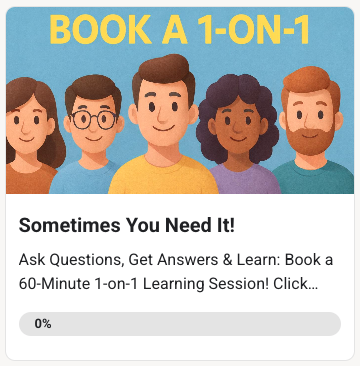
Book a 1-on-1 Private Session!
Hey Folks! Do you need a 1-on-1 session where you can learn and ask all the questions that you need at your own pace? If that is you, I'm here for you! Click the link below to learn about the specifics of what I can help you with, the session availability dates/times and how-to book your session today. BOOK A 1-ON-1 PRIVATE SESSION
1
0
1-21 of 21
powered by
skool.com/consistentcharacters-7595
Unlock the skill of creating consistent characters for storybooks, coloring books, comics, etc...
Learn this simple process - start creating today!
Suggested communities
Powered by