
Write something

3d •
Want to Make Your Own Coloring Book? Start Here
Creating your own coloring book might seem like a fairly simple project at first. You sit down thinking you’re just going to make a few quick pages, and before you know it, you’re overwhelmed with ideas, sketches, file formats, and questions you never anticipated. The good news is that the process becomes much easier and a lot more enjoyable... once you grasp a few guiding principles, that is! A great way to start is by picking a fun, tiny theme! Instead of building a whole universe, think about a specific idea like "garden gnomes," "cozy tea time," "forest fairy homes," or "faith and flowers." The more focused your theme is, the more your pages will connect with each other. When each page feels like it's part of a group or theme, your coloring book will have that special intentional vibe that draws people in! And try not to expand your theme until you’ve completed a small batch... finishing pages in sets keeps your project moving forward instead of spiraling into “endless ideas mode.” Another helpful tip is to work on coloring pages in pairs. Create two pages at a time that have matching levels of detail. Your future readers (along with your sanity) will appreciate consistency. This approach will make your coloring book feel cohesive and polished, while also preventing you from unintentionally making your coloring book feel messy and unprofessional. Here’s the part most new creators skip: clean-up you artwork. Raw AI line art is usually not ready to go from the moment it is generated. Custom drawn pages might not upload perfectly, or may have inconsistent line thickness. That 5 to 10 minute cleanup pass where you make crisper lines, remove stray marks, and balance the white space... that turns a “decent page” into a stunning page someone’s excited to color. Even adjusting the scale of the line art so the details feel neither too cramped nor too sparse matters more than people expect. By consistently following these essential steps, you can craft a great coloring book ready for sale. If you decide you want to go deeper, the premium membership gives you the full course… step-by-step walkthroughs, book templates, cleanup checklists, formatting guides, and real strategies for selling your work across multiple platforms. It’s a huge shortcut for anyone who wants to skip the guesswork and build their first book with confidence.
0
0
5d •
5 Tips for Creating Coloring Books to Sell in 2026
1. Choose Bold-Simple Designs with Strategic Detail The market is dominated by bold, simple designs that work well with markers and provide quick stress relief in short sessions, but there's growing demand for hybrid approaches. About 40% of bestsellers promote bold and easy styles, though more than half still don't use this branding, meaning there's room for both. Consider creating designs that are primarily simple but include optional detailed elements to appeal to different skill levels. 2. Optimize Format and Pricing 8.5 x 11 inches is the gold standard for both adult and children's coloring books. Other popular sizes include: 8 x 10 and the 8.5 x 8.5 inch square format, which is trending for mandalas and social media-friendly designs. 40 pages has become the standard for adult coloring books, with 21 of the top 50 bestsellers using 40 pages, previously 52 pages was the standard. $7.99 is currently the dominant price point on Amazon, with two-thirds of the top 50 coloring books priced at $7.99. Starting June 10, 2025, Amazon KDP began paying lower royalty rates for books priced under $9.99, dropping from 60% to 50%, this means that a book priced at $7.99 that previously earned $1.95 per sale now earns only $1.16. You can get around this by positioning yourself as a premium seller with a unique art style and charge $9.99 or more. Selling via Etsy or Gumroad will net much higher profit, and setting up your own website to sell from directly will offer the best potential income over time. 3. Target Wellness and Mindfulness Themes Coloring books focused on mindfulness and positivity have become popular choices, filled with calming designs and uplifting affirmations that inspire mental clarity and gratitude . The market is growing due to increasing awareness of coloring books' positive effects on mental health, with stress-relief themes particularly strong. Consider themes like anxiety relief, self-care, meditation, and positive affirmations to tap into the wellness movement.
12d •
How To Make the Most of AI Creation
When you’re creating coloring pages with AI, the magic really comes from treating it like a creative teammate rather than a machine that spits out a picture. Start by imagining the vibe of the page you want... cozy woodland? Elegant florals? Spooky-cute characters? Then feed the AI a clear prompt that describes the scene, the mood, the line style, and the level of detail. AI loves specifics, and the more direction you give it, the more the final design will look like something you would have drawn. Once you get your first output, don’t settle. Refining prompts is where the artistry shows up. A simple workflow usually looks like this: define your concept, write a tightly focused prompt, generate several variations, and choose the strongest one. From there, clean up the line art so it prints crisply, adjust line weight if needed, and format everything on an 8.5x11 canvas. You’ll be surprised how quickly your ideas come to life when you treat the AI as a sketching partner rather than a shortcut. Try things like “black outlines, no shading,” “center composition,” and “plenty of details to color,” and you’ll see your results jump in quality. To make the most of your AI creations, follow these steps: 1. Start with a clear theme and visual style. 2. Write a specific prompt with line weight, layout, and details. 3. Generate multiple variations and pick the strongest one. 4. Clean up and thicken lines in your editing software. 5. Export as high-res PNG and assemble it into a printable PDF. 6. Don't be afraid of trial-and-error testing with different ai engines. If you want deeper guidance, prompt templates, cleanup checklists, and my full workflow, the premium tier of the Coloring Course under the classroom really goes into more depth unlocks everything. Meanwhile, if you have any questions ask away!
1
0
17d •
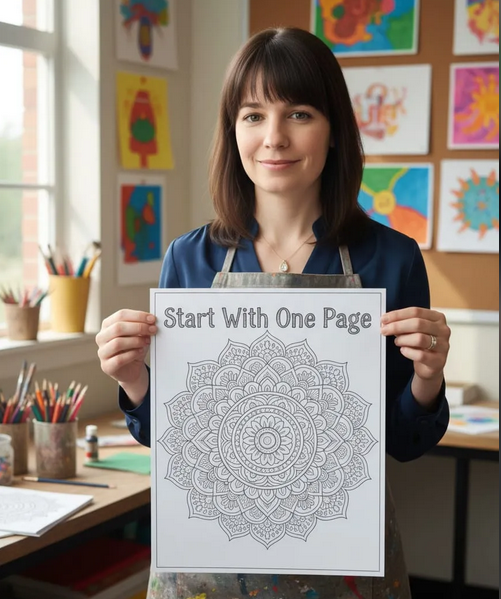
Start With One Strong Page - Not a Whole Book
✨ Quick Creator Tip! When you’re just beginning your coloring book journey, it can feel tempting to plan out an entire 30–50 page book right away… but you don’t need to. The magic starts with one really well-designed page. Choose a simple subject... like a cozy animal, a mandala, or a floral cluster and focus on making the lines clean, the shapes closed, and the layout centered. Once that one page feels right, you can build a whole bundle or book around it. Creativity grows page by page, not by trying to finish everything at once. Start small, start simple, and the rest will come naturally.
1
0
1-4 of 4
skool.com/coloring-book-creator-club
Coloring pages, creative lessons, and a cozy community for teachers, parents & creators who want to color, create, and even sell their coloring books.
Leaderboard (30-day)
1

🔥
+10
2

🔥
+6
3

🔥
+4
4

+3
5

+3
Powered by