
Write something

🔥
Jan 12 •
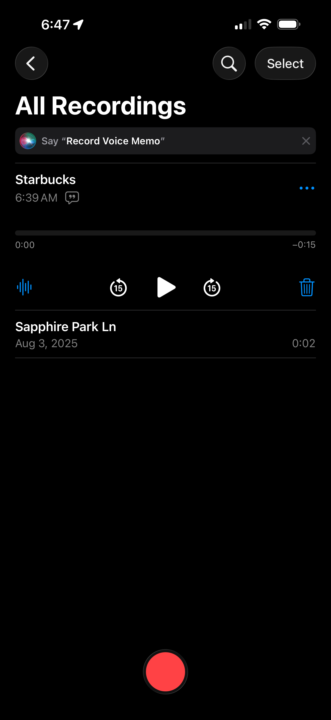
Using iPhone Voice Memos with NotebookLM
Hey All, Here’s one cool workflow I’ve tested and wanted to share regarding NotebookLM. I often find myself away from my computer and have an idea and don’t want to forget it. So, I was looking for a way to capture my thoughts on the go and add it to my NotebookLM sources. Here’s what I came up with on iPhone: 1. Download the NotebookLM app 2. Use the Voice Memos app to capture my thoughts 3. After saving the memo, click the … next to the memo, then copy transcript 4. Open the NotebookLM app and your notebook 5. Go to sources -> Add source 6. Select the Copied Text option 7. Paste in your voice memo transcript Viola! Unfortunately, the Studio feature on the app is nothing like in the browser… it would be cool if you could spin up some reports while on the go, but it’s not there yet. I’m sure in time they will have it. Can’t wait to be able to have an idea, capture it, generate some assets, and post them within a few minutes from your phone. I’d be surprised if Google isn’t working on this.

Feb 6 •
AI breakthrough: I cloned myself with avatar, voice and made 50 videos FAST
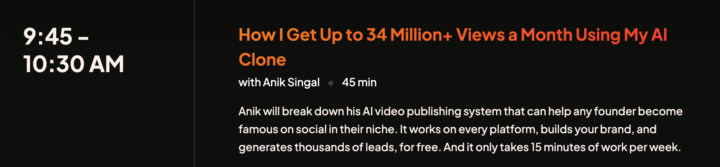
sharing my #win. i had an AI breakthrough last week where I cloned myself with an avatar, cloned my voice, created over 50 scripts with my GPT, uploaded the 50+ scripts and produced 50 talking head videos of me with lifelike quality in record time. Next will edit to add my own b-roll. I can use for YouTube shorts, long-form, Insta reels, clips on Linked, Substack and Pinterest and test messaging for offers and ads. My VA followed the workflow and we did it with ease! My next play is to translate the scripts into Spanish, clone my Spanish-speaking avatar and voice, and repeat the process so I can gain entry into a new global market who I can serve. It started with a constraint and a deadline where i knew I didn't have enough time nor the effort to record each video 1 by 1 on camera by the deadline. The constraint forced me to think differently and play bigger and the process felt rewarding with expansion into a bigger vision. plus check out this panel in my town of Austin in the next 2 wks...validation to keep going?

23d •
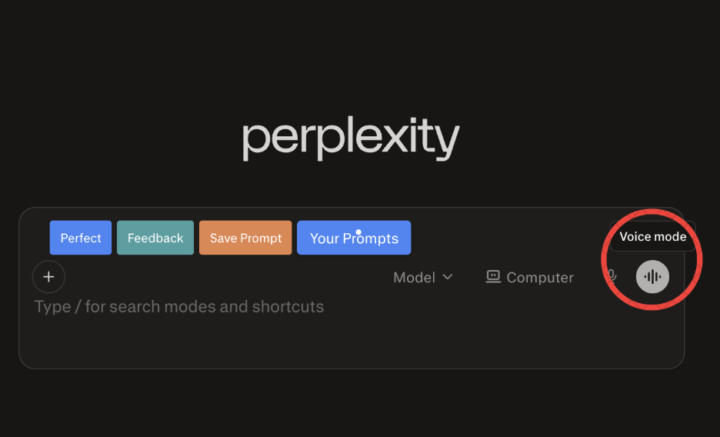
I just perplexity's voice feature for the first time and...
It is incredible for verbal processors like Evelyn and myself! I was absolutely tickled and wanted to come back and share. If you haven't tried it, I'm curious to know if you found it helpful or weird?!

🔥
Feb 12 •
Who is using NotebookLM for education in their community?
I just started using NotebookLM, and it completely blew my mind with how powerful it is I input four sources of information just to test it and see what it would come up with, and it genuinely left me stunned. Now, mind you, we’re building an AI tool ourselves, but watching it generate a video that clearly explained the core problem my niche faces and position my software as the solution in such a compelling and structured way left me speechless.


👑
⭐
🔥
Jan 12 •
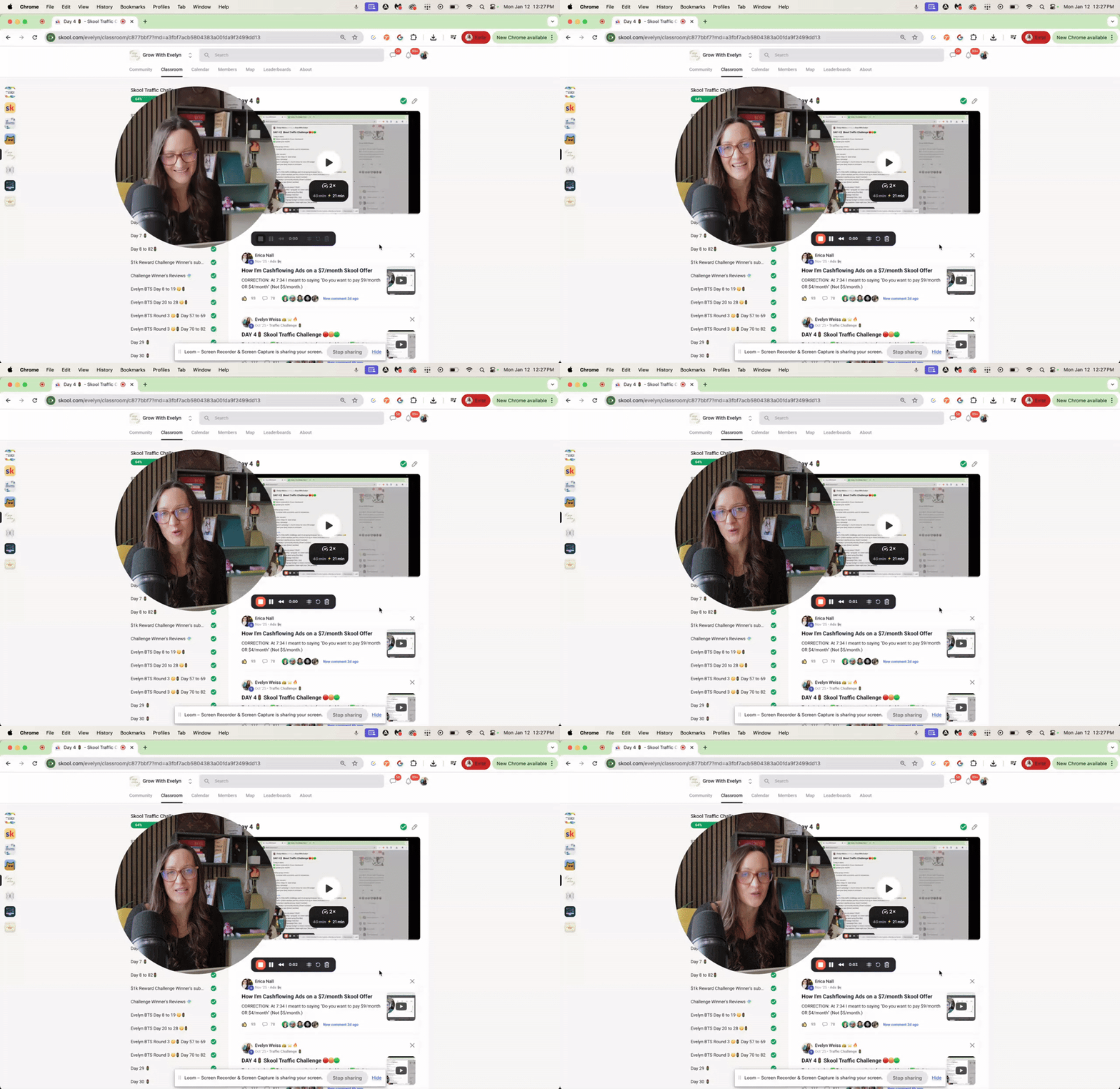
Loom Pro users: You might be missing this game-changing AI feature 👀
If you're paying for Loom and NOT using their AI-generated functions… this one's for you. I just recorded a quick walkthrough showing you how to: → Turn any long training video into a timestamped step-by-step guide (in seconds) → Help members who get overwhelmed stop getting lost in your content → Make your videos easier to listen to with one click This is going to be helpful for anyone creating tutorials or trainings for their community. Check it out ⬇️
1-5 of 5
skool.com/claudeai
For coaches & educators learning AI the right way. Ethics and skills first. No hype. New videos weekly.
Leaderboard (30-day)
1
+28
2
🔥
+18
3

🔥
+17
4
+14
5

🔥
+10
Powered by