
Write something
Pinned

May 10 •
Welcome to Claude Skool
Please introduce yourself. Not much, just name and interests. Remember, this is a community. :)
0
0

🔥
Jun 25 •
Hey Mike West, Claude Skool 🚀
Hey Mike West 👋 Just checked out Claude Skool. You're still early enough to structure the community properly before growth starts kicking in — which honestly is the best possible timing. We're currently helping new Skool owners turn empty/basic communities into launch-ready ecosystems completely free. Examples + full breakdown here: 👉 Community Launch Before vs after examples below 👇

May 12 •
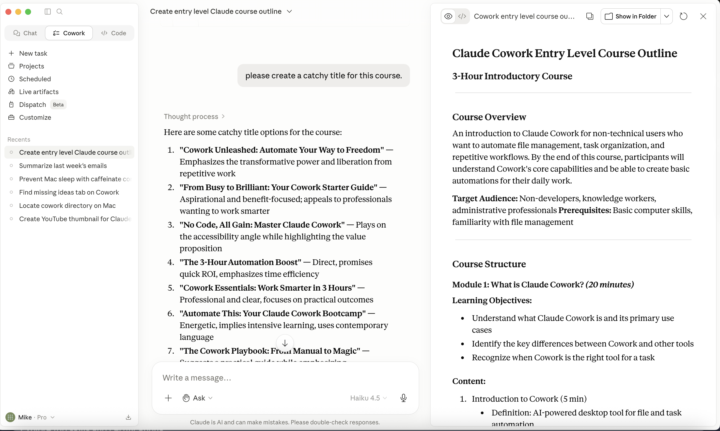
Cowork Creating a Course on Cowork
I'm using Cowork to create a course on Cowork that will be housed solely on skool. The use cases for this thing are insane. Please watch the course in its entirety. I'll be uploading it a section at a time. That's around 5-10 lessons. I'll be creating webinars to cover the projects so we can build it together.
0
0
May 11 •
Open an Account for Claude
At this juncture, Claude has 3 primary features. I call them the three Cs. (Chat, Cowork, Code) Easy to remember. This community will focus primarily on Chat and Cowork. *If you can, please use Chrome. You'll learn why later. • Go to the Claude website: Open your web browser (like Chrome or Safari) and type in "claude.ai" - this is where Claude lives online, just like how YouTube is where videos live. • Enter your email address: When you get to the website, you'll see a box asking for your email. This is how Claude will remember who you are - it's like writing your name on something so people know it's yours • Choose how to sign in: You have two choices: type "Continue with email" if you want to use your regular email, or "Continue with Google" if you already have a Google account (which is like using the same name everywhere instead of picking a new one) • Check your email: Claude will send you a special link in your email (it's called a "magic link" because it magically lets you in). Click that link to open Claude - it's like getting a special key to the door • Add your phone number: Claude will ask you to type in your phone number and confirm you're at least 18 years old by checking a box • Get a verification code: Claude will send a code through text to your phone - this is like a secret password that only you know. Type that code in when asked • Enter your name: Type in your name and click "Send" to finish - this is the last step • Agree to the rules: The website will ask you to accept the terms of service - this is just saying "yes, I promise to be nice and use Claude the right way" • You're done: Your account is now ready to use! You can start talking to Claude right away Link to visit: https://claude.ai
0
0
1-4 of 4

Suggested communities
Powered by