

Oct 19 •
Make a FREE & EASY Link Website Using Canva — Boss Style!
Why pay for fancy link tools when Canva’s got the juice?! 💅🏽 In this quick boss-level tutorial, I’ll show you how to design a sleek, clickable “link website” using Canva — totally FREE. You’ll learn how to build a mini-website that slays on your bio, sells your brand, and makes you look like the CEO you already are. Let’s link up and level up, Boss! 🚀✨ https://youtu.be/wUc8EwTHx6Q?si=e08G957Z86_M6KdP
Nov 26 •
I'm OBSESSED with Galaxy Ai for IG Reels
In this walkthrough, you’ll discover how easy it is to create an Instagram Reel using — all from start to finish, and all with a simple prompt. I’ll take you step-by-step through the app: showing you exactly how to set up your prompt, add music or a voice-over, choose visuals, and generate a fully rendered IG Reel in minutes. You’ll get to see the full process: from launching the IG-Reel tool inside to watching the final video — so you know exactly what to expect when you hit “generate.” This tutorial is focused entirely on creation: we’re not jumping into editing yet. That part comes in the next video. What you’ll learn: - How to access and use the IG Reel generator. - How to build a prompt that triggers visuals, music, or voice automatically. - What the finished Reel looks and feels like — straight from AI to shareable content. If you want fast, no-fuss social content that doesn’t require filming or complex editing — this is the tool to know and the tutorial to watch. Next up: I’ll show you how to edit and customize your AI-generated reel — so you have full control before posting. 👇 Drop a comment with what kind of reel you want to try first (promo, story, tutorial?) — I might even walk through it with you next time. GET YOUR DISCOUNT: https://galaxy.ai/?ref=coach Let’s get your video content moving, your text syncing, and your brand leveled-up. See you in the demo. — Coach Brazyl https://youtu.be/V2IE58_2tis
Nov 18 •
Google Flow vs Galaxy AI — Prompt-to-Motion & Text + Lip-Sync Smackdown
In this tutorial we’re diving into a face-off between two powerful AI video tools: Google Flow and Galaxy AI. If you’re creating digital content, designing motion visuals, or leveraging AI for brand-video impact, this one’s for you. What you’ll see: - A walkthrough of Google Flow — how it generates cinematic clips from text prompts, handles scene composition, and brings motion to ideas. - A breakdown of Galaxy AI’s lip-sync and character-replacement features — including how it matches lip movements to audio and swaps in characters seamlessly. - Side-by-side demo: I’ll create the same short piece in both platforms, apply prompt-to-motion, sync text/audio and push character replacement to see which tool leads. - My analysis: Where each tool shines, where it stumbles, cost/effort trade-offs and workflow fit for content creators and business designers. - Practical takeaway: How you can integrate the winner (or both) into your design-business workflow to level up your video content, branding and AI-prompt-to-action output. Why it matters: Motion + text + lip-sync = next-level video content. Whether you’re building tutorials, brand ads, social visuals or client projects, mastering these tools puts you ahead of the pack. By the end, you’ll know which platform fits your style, budget and ambition — and how to jump in. Next steps: 👍 Subscribe and ring the bell so you don’t miss future deep dives into AI design tools and business-building strategies. 💬 Drop a comment on the video: Which tool are you already using for video motion or lip sync? What’s one “wish feature” you’d love to see in AI video platforms? I’ll join the discussion. GET YOUR DISCOUNT: https://galaxy.ai/?ref=coach Let’s get your video content moving, your text syncing, and your brand leveled-up. See you in the demo. — Coach Brazyl https://youtu.be/43qmXR-Y7jw
Nov 16 •
Galaxy A.i. Multi Ai tool review tutorial
We’re launching into a full review of Galaxy Ai, the all-in-one AI platform designed to simplify and supercharge your creative, business and design workflows. In this tutorial I'll cover: - A clear overview of what Galaxy Ai is and who it’s built for—creators, entrepreneurs, AI designers, digital marketers. - A walkthrough of key tools inside the platform: prompt generation, image & art creation, automation features, analytics, integrations. - Real-world demo: I’ll show you how to use Galaxy Ai to design a digital asset (e.g., a marketing graphic or social-media post) and integrate it into your business workflow. - My take: the strengths, the limitations, what’s missing, and how it stacks up as a must-have (or “nice-to-have”) tool for AI-design business and content creators. - How you, my amazing community of aspiring AI-content designers (and business builders), can leverage Galaxy Ai to unlock efficiency, creative power, and profitable output. Why tune in: If you’re building a business that depends on AI design, content creation, digital marketing and automation—this video isn’t just a review. It’s a game-changer opportunity. You’ll leave with actionable insights and a clear plan for whether Galaxy Ai deserves space in your tech stack. Let’s get your AI design game and business to the next level — because greatness isn’t optional. It’s inevitable. See you inside the video. — Coach Brazyl Click the video!!! https://youtu.be/qX9VUPP5oR0
Nov 4 •
🎯 What Is Layered Prompting?
Layered prompting is an old-school favorite technique used to build precise and creative AI results. Instead of typing one long, chaotic prompt, you guide the AI step by step — adding details in layers that refine your idea until it matches your vision. Think of it like sculpting: the first layer sets the shape, and each new layer adds definition, style, and polish. You might start with a simple idea (“a woman walking through a neon-lit city”), then layer on context (“cyberpunk theme, cinematic lighting”), and finish with constraints (“portrait orientation, realistic texture”). This structured approach gives you more control, clarity, and consistency — perfect for both beginners and pros. Even with today’s advanced techniques, layered prompting remains a dependable, creative foundation for producing high-quality AI art and content. Check out this video to learn & master more.... https://youtu.be/bYKnbuCYrio?si=7Dry6zTu-Xm2jjiD
1-8 of 8
skool.com/bossbaddiesinmotion
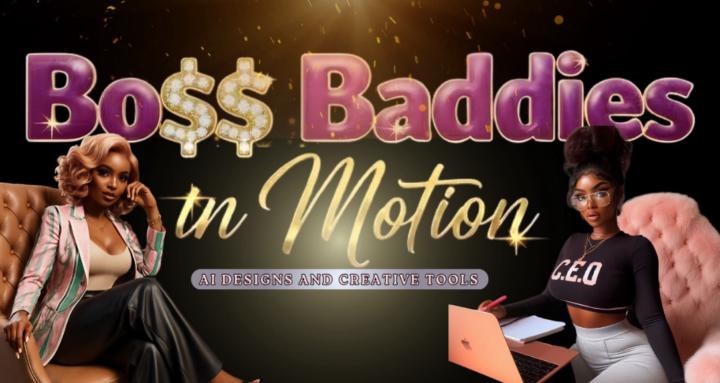
Boss Baddie Collective - Not your average girl gang — this is a creative powerhouse for women creating empires with brains, beauty, and boldness 💎🎨
Leaderboard (30-day)
1

+65
2

🔥
+61
3

+56
4

+54
5

+51
Powered by