
Write something
🔥
15d •
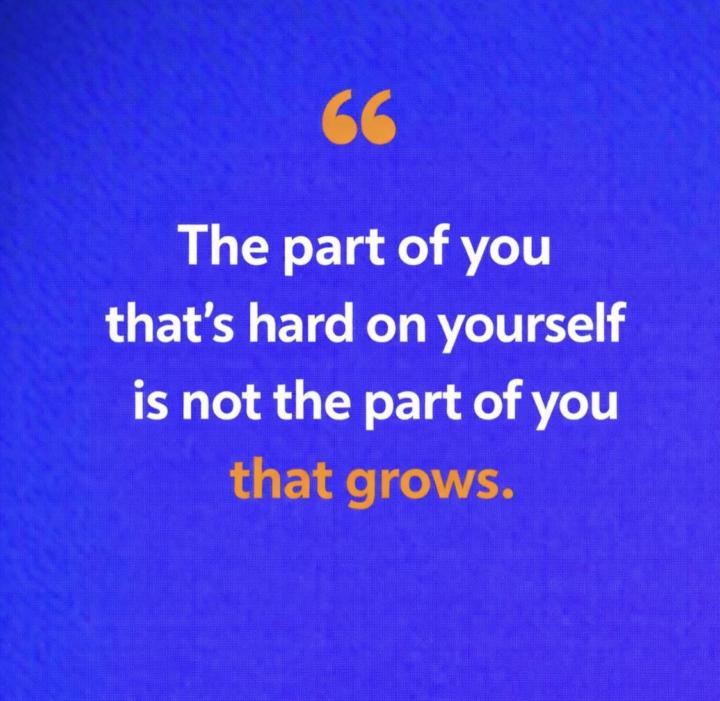
There are two parts of YOU... Only ONE grows! 🌱
There are two parts of you. The part of you that’s hard on yourself is not the part of you that grows. The part that grows is infinite. It doesn’t need evidence before it believes in you. It doesn’t wait for perfect conditions. It doesn’t require you to earn your way back from every mistake. It just keeps growing you. Through every hard thing. Every new step. Every moment you lost the thread and found it again. That was never luck. That was YOU. And you’re still here. Still growing. 🌱 Still believing in what you’re becoming. The only thing you need is to stop letting the hard voice run the show. You already know which one is which. 💞 If you want help letting that part of you lead, come join me in Activate Your Impact! We will help you remember (and practice) who is leading. 💞 I’d love to hear what you’re looking forward to this month. Share in the comments. What are you GROWING toward? 🌱
🔥
21d •
Who loves Quarterly Planning? 🙋🏼♀️
I built a really cool tool for my clients. It's pre-programmed with the exact Quarterly Planning framework I use for my own business and with private clients. (see it in action in the video below.) Claude helped me create the tool, a landing page to promote it, and even this fun automation that I turned into a reel. And it's free for you to use inside my community. Come join us in Activate Your Impact and create a powerful, intentional Q2. SHARE WITH US: What's lighting you up right now? What is your main focus for Q2?
🔥
Mar 10 •
Do you KNOW how powerful you are? ⚡️⚡️
What's one thing you want your clients to know when they are done working with you? One of my main goals is to help my clients see how powerful they are! ⚡️ Are your mind and heart intentionally focused the same direction? If not, growing your business can feel like you have one foot on the gas and one foot on the brake. 🚘 Your mind creates that struggle, but your mind is also your greatest tool when you know how to use it. Aligned Action powered by creation energy is life changing. And it starts on the inside of you. When you grow, your business does, too! 🚀 When you're done working with me, you'll know how powerful you are and how much IMPACT you have to create your world. Come join me in Activate Your Impact and get ALL of your energy powerfully moving in the same direction. 💬 How about you? What's one thing you want your clients to know?

Mar 10 •
Empowerment
I was told by a mentor who said if you want to change bad habits, be intentional about what you’re allowing to stay and detach from it. For example, saying you’re an alcoholic keeps you in that mindset and identifying with it. Yes, acknowledging it is okay, but that’s not who you are anymore, so why stay there? Detachment is needed and real if you want to go places better and higher. Allow me to ask you 3 questions that I wrote down because it was laid on my heart. 1. Who were you before? 2. Who are you now? 3. And who are you becoming?

Mar 13 •
Hi everyone, I'm
Hi everyone, I'm Asraful Alom from Assam, India 🇮🇳. Right now I'm learning AI automation and agentic workflows. I'm building projects using n8n, VS Code, and AI tools to create simple automations that can help businesses and eventually generate online income. My goal is to reach $5K/month online by building and selling automation workflows. Looking forward to learning from everyone here and sharing progress. 🤝
1-11 of 11
Leaderboard (30-day)
1
🔥
+690
2

🔥
+599
3
🔥
+257
4
🔥
+256
5

🔥
+157
Powered by