
Write something

🔥
13d •
Make your Website using Claude Prompting.
https://www.skool.com/ai-income-lab-7132/make-your-first-website-with-ai?p=1ec38361 Use this prompt in Claude. You are a senior web designer. Build me a complete landing page as ONE HTML file with the CSS and JavaScript included in the same file. No build tools, no external setup. I want to save it and open it in a browser. Here is my business: 1. What I sell: [your product or service] 2. Who it is for: [your ideal customer] 3. The one action I want a visitor to take: [buy, book a call, join my email list] 4. Brand name: [your name or brand] 5. The vibe in three words: [example: bold, friendly, premium] Build it with these sections: 1. A hero with a clear headline, one sentence of supporting copy, and a button for my main action. 2. A benefits section written in plain language from the customer's point of view. 3. A proof strip with a few short stats or a testimonial placeholder. 4. An email capture form that shows a friendly success message after someone submits. Put a clearly labeled constant at the top of the script called CAPTURE_ENDPOINT so I can paste a webhook URL later. 5. A simple footer with my brand name and the current year. Design rules: 1. Choose a distinctive color palette and font pairing that match my three vibe words. Do not give me a plain template look. 2. Make it fully responsive down to mobile. 3. Keep keyboard focus visible and respect reduced motion. Write all the copy for me based on what I sell. Keep it specific with no filler. Give me the finished page as one HTML file.
🔥
May 27 •
Useful Course Excerpt - Hands-On: Complete Your First Poster
Hands-On: Complete Your First Poster Time to put everything together and create your first professional poster using Claude's AI brain and Canva's design power. By the end of this lesson, you'll have a complete poster ready to use in your business, plus a proven workflow you can repeat for any design project. Step 1: Generate Your Poster Concept with Claude Let's create a promotional poster for a fictional coffee shop's new seasonal menu. Start by opening Claude and use this exact prompt: 'I need to create a poster for my coffee shop's fall menu launch. The event is next Saturday from 8 AM to 6 PM. I want to highlight our new pumpkin spice latte, maple pecan scone, and cinnamon apple muffin. The vibe should be cozy and inviting. Please provide: 1) A catchy headline, 2) Body text for the poster, 3) A call-to-action, and 4) Design suggestions for colors, fonts, and layout.' Claude will give you everything you need in about 30 seconds. Copy this content into a note or document - you'll paste it directly into Canva next. Notice how Claude doesn't just give you text, but actual design direction too. This is your creative brief and copywriter rolled into one. Pro tip: If you don't love Claude's first attempt, simply say 'Make the headline more exciting' or 'Give me 3 alternative headlines to choose from.' Claude adapts instantly to your feedback. Step 2: Build Your Poster in Canva Open Canva and search for 'poster' templates. Choose any template that roughly matches Claude's layout suggestions - don't overthink this part. Now here's where the magic happens: start replacing the template text with Claude's copy, word for word. Replace the main headline with Claude's catchy title. Swap out the body text with the menu items and details Claude provided. Update the call-to-action button or text box with Claude's CTA. As you make these changes, you'll see how Claude's strategic copy transforms even a basic template into something that feels custom and professional. For colors and fonts, follow Claude's suggestions but use Canva's brand kit feature to stay consistent. If Claude suggested 'warm autumn colors,' browse Canva's color palettes and pick one labeled 'autumn' or 'warm.' If Claude recommended 'friendly, readable fonts,' stick to Canva's font combinations - they're pre-matched to work well together.
🔥
May 22 •
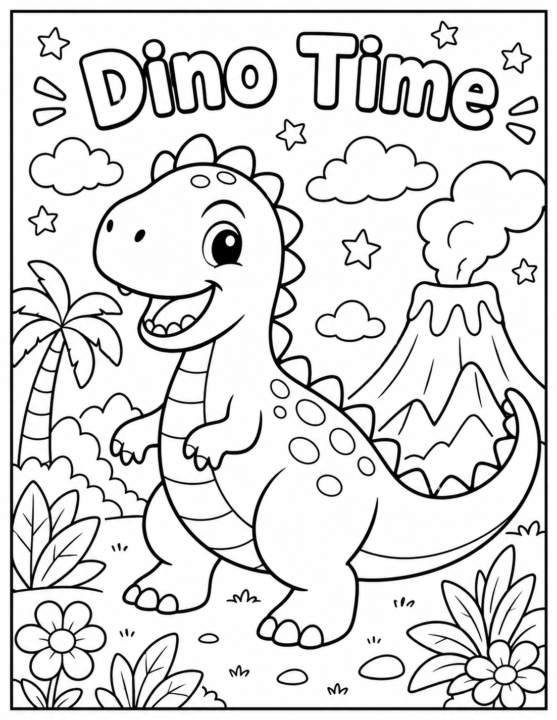
Try this Prompt - Kids Coloring Sheet
"Create a fun and adorable black-and-white coloring book page for kids ages 4–8. The illustration should have thick clean outlines, simple shapes, large coloring areas, and a cute friendly style. Include a happy [SUBJECT HERE — example: dinosaur, unicorn, puppy, astronaut, mermaid, race car, jungle animals, etc.] in the center of the page with playful background elements like stars, clouds, flowers, balloons, trees, or candy. Make the design easy to color, highly engaging, and printable on a standard 8.5x11 inch page. No shading, grayscale, or colors. White background only. Keep the artwork uncluttered and kid-friendly with a cheerful cartoon appearance. Add a bold fun title at the top that says “[TITLE HERE]”. High resolution, coloring-book style line art." Here is a prompt template to make a nice kids coloring page. I used a dinosaur here. Try it yourself and post the result here 👇👇👇
3
0
🔥
May 21 •
The Emergency Design Kit
Every successful designer needs an emergency kit for those 'I need this in 10 minutes' moments. Save these three Claude prompts as your go-to rescue squad: 'Create a professional social media post about [topic] that drives engagement for [target audience],' 'Design a clean, modern flyer for [event/offer] that highlights [key benefit],' and 'Generate copy for a simple lead magnet cover about [topic] that promises [specific outcome].' Pair these with 3 Canva templates you've pre-customized with your brand colors, fonts, and logo placement. When crisis hits, you'll have professional designs ready in minutes, not hours. Test this system this week you'll be amazed how much stress it eliminates.
4
0

May 10 •
Help connecting Botpress to Make.com via webhook
I'm building an AI dental receptionist bot using Botpress Now I have also created an Airtable base where the data collected by the bot should be allocated. My struggle right now is connecting Botpress with Make.com. I need to send that data from Botpress to Make.com via webhook Any help appreciated. 🙏
1-5 of 5
powered by

skool.com/ai-for-everybody-7975
AI Income Hub helps beginners build real income streams with AI automations.
Suggested communities
Powered by