
Write something
Pinned

Jun 8 •
🧵 Week 4 Drill Thread — Post Your Wins Here
This week's drill: Summarize Anything in 60 Seconds. Run it, then post your result here — what you summarized and one thing you noticed. Every result earns you likes → points → Level progress.
Pinned
Jun 7 •
⭐ Drill of the Week — Make Any Message Clearer in 30 Seconds
You wrote something. It's fine. It just doesn't quite land. Here's the fix: one prompt, two versions, under a minute. **The skill** Give the AI your message. Ask for two rewrites — one that cuts everything vague, one that makes it sound like a person wrote it. Pick the version that fits, or mix lines from both. **Do it** 1. Open ChatGPT (chat.openai.com — OpenAI's free AI assistant), Claude (claude.ai — Anthropic's free AI), or Gemini (gemini.google.com — Google's free AI). Any of the three works. 2. Paste this prompt and swap in your own message at the bottom: ``` I'm going to give you a message I wrote. Rewrite it two ways — keep the meaning identical each time: 1. Clearer — cut anything vague or redundant; every word earns its place. 2. Warmer — keep it professional, but make it sound like a person wrote it. Label each version. Don't explain your choices. Here's my message: [paste your text here] ``` 3. Read both. Pick the one that fits your situation — or take the clarity from version 1 and the tone from version 2. **The win** Two sharper options in seconds. You'll never stare at a draft wondering "is this too long?" or "does this sound cold?" again. A *prompt* is what you type to the AI — think of it as a clear instruction. The more specific you are, the better the result. You just ran your first editing prompt. Run it on something real — an email you've been putting off, a Slack message that felt off, an update you have to send today. Then drop your original and whichever version you used in this week's **Drill Thread**. 👇 This is 1 of 3 drills Pro got this week. The other two: *Match the Tone You're Stuck On* (Wed in Pro) and *Cut a Long Doc to One Paragraph* (Fri in Pro).
0
0
Pinned
May 28 •
You're Not Behind. You're Right On Time.
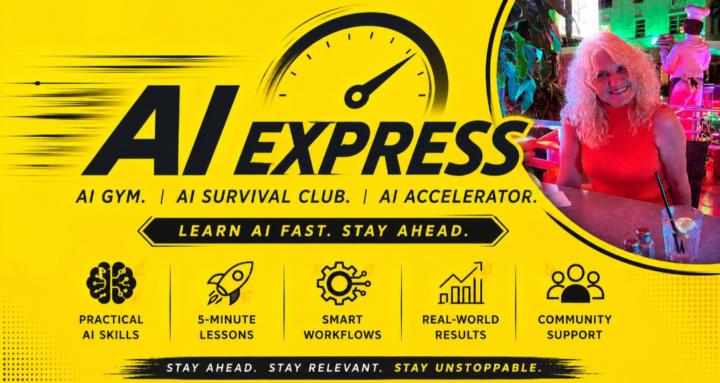
👋 Welcome. You're in — AI Express just opened, and you're among the first people here. That matters: early members shape what this becomes. 🌱 🎯 **What this is in one line:** A community for people who haven't really used AI yet but know they need to. 🚫 No jargon. No doom. No "ship a startup by Friday." ✨ **One practical AI skill. In 5 minutes. Every week.** The kind you can use at work this afternoon. 🚀 **Monday — Week 1 kicks off** *Your First Prompt.* If you've ever stared at a blank ChatGPT box and not known what to type, Monday is for you. 👇 **Your first move** Drop a comment below with: 1️⃣ Your first name 2️⃣ One thing at work you'd love AI to handle for you ⏱️ 30 seconds. Two lines. That's your first rep — and your first **Skool Level** points on the leaderboard. 🏆 See you Monday. — Bojana
0
0
Jun 21 •
📝 **Week 4 recap — AI as Your Researcher**
Here's what landed this week. **Monday — News in 60** Four real things that shifted: Google's NotebookLM added a research mode that browses 50 websites while you do something else, a study of 2,500 professionals found half feel AI is dulling their own thinking (the useful warning), Microsoft quietly added a Researcher feature inside Office, and an AI disproved an 80-year-old assumption — which is also a reminder that AI can be confidently wrong about things in *your* field. **Tuesday — Daily Rep** One decision rule: reach for AI when you want thinking done, reach for Google when you need something current or verifiable. Plus the one-word concept to know — hallucination (when AI produces a confident answer that isn't true) — and why a 30-second Google check on anything high-stakes is the whole habit. **Wednesday — Drill of the Week** Summarize Anything in 60 Seconds. One prompt, pasted after any wall of text, gives you: what it's about, the three most important points, and whether you need to do anything. A filter you can use every day, on anything. **Thursday — Workout preview** The opening move in the 30-minute research dossier build: pick a real topic from work — something you keep nodding along to without fully understanding — write it on a sticky note, and take it into AI. That first step alone changes the framing from "I should read up on this" to "I'm doing it now." **Friday — Daily Rep** The follow-up prompt that gets AI to argue against itself: *"What's the most important thing I'm probably not considering here?"* One line, after any AI answer. Immediately widens your picture of a topic before anyone else in the room has thought to ask. **Saturday — Steal This preview** Three prompts from the learning pack: the Fast Overview (landscape in two minutes), the Role Filter (filters any topic down to what's relevant for your specific job), and the Verification Checklist (finds the spots you should double-check before you share anything important).
0
0
Jun 21 •
📋 **Steal This — Saturday preview**
Pro members got a 10-prompt pack today for learning anything fast, from "I've never heard of this" to "I can brief my team on it." Here are three you can use right now. Works in ChatGPT (chat.openai.com), Claude (claude.ai), or Gemini (gemini.google.com). Fill in the brackets with your real topic. **Prompt 1 — The Fast Overview** *Use this before you read anything else. Gets you the full landscape in under two minutes.* ``` Give me a fast overview of [topic]. Assume I know nothing about it. Cover: what it is, why it matters right now, and the 3–5 most important things someone needs to understand about it. Use plain English. ``` **Prompt 2 — The Role Filter** *Turns generic information into advice that's actually relevant to your job.* ``` I'm a [your role — e.g., HR manager / small-business owner / nurse / project manager]. What do I specifically need to know about [topic]? What parts are most relevant to my work, and what can I skip? ``` **Prompt 3 — The Verification Checklist** *AI can be wrong, especially on recent facts and specific numbers. Use this to find the spots you should double-check before sharing anything important.* ``` Based on everything we've discussed about [topic], where am I most likely to be misled or given outdated information? What specific claims should I verify with a primary source — and where would I go to check them? ``` Run Prompt 1 right now on a topic from your work week. See what comes back. Pro members got all 10 today, plus the Money Move on turning research skills into career visibility — specifically, how being the person who can brief the room puts you in a different category at work.
0
0
1-30 of 34
powered by
skool.com/ai-express-8985
Learn AI in 5 minutes a day. Built for beginners with no tech background. Career-relevant AI skills for professionals. Stay relevant at work.
Suggested communities
Powered by