
Write something
13d •
🎨 Higgsfield Soul 2.0 Color Transfer + FREE PALETTE GUIDE
Higgsfield Soul 2.0 dropped a new feature called Color Transfer — you can now extract the exact hex palette from any image and apply it to your AI videos. I made a video breaking down exactly how to use it. If you haven't seen it yet, check it here: VIEW POST Here's the PDF with my favorite color palettes Like I mentioned in the video, I put together my go-to hex combinations for you. Attached is a PDF with cinematic palettes ready to use: - Blade Runner 2049 (cyberpunk magenta/teal) - Grand Budapest Hotel (pastel warmth) - Amélie (warm yellows/greens) - 2001: A Space Odyssey (clinical whites) - Tron (neon blues) - Plus 10+ more film-grade palettes Just upload these as references in Higgsfield and generate. ⚡ What you DON'T see here: This PDF gives you the color palettes. But it doesn't show you: - The complete workflow (storyboard → final video) - How to use these palettes across multi-shot sequences - Camera movements that match these visual styles - How to maintain consistency across an entire production That's what THE LAB is for. Free community teaches you character building and tools. THE LAB teaches you filmmaking — complete workflows, visual language, monetization. Ready to go pro? → JOIN THE LAB Drop your results in "Show The Community" when you try these palettes 🎬
2
0
14d •
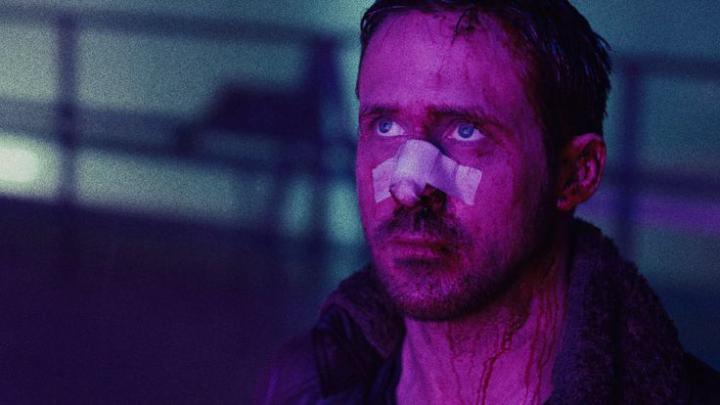
5 DIFFERENT CHARACTER PROMPTS [FREE]
🎬 Here are the prompts I used for my recent carousel on Instagram. If you haven't seen it yet check it out: https://www.instagram.com/p/DVbFGCkDhP6/?utm_source=ig_web_copy_link&igsh=MzRlODBiNWFlZA== Make sure to change it and add your OWN character If you don't know how yet, go to the Classroom and work through the modules. Make sure to interact in this community to unlock the last modules. 📸 These are just image prompts. Made with Nano Banana Pro. Show me your results if you give them a try! And remember: ⚡ If you want to learn how to animate these images with your character in them — with consistency every time — plus: - Complete filmmaking workflows - Camera movements - Learn how to ACTUALLY make prompts and not just copy them - Visual language - Monetization strategies JOIN THE LAB. Our premium community for AI filmmaking: https://www.skool.com/the-ai-creative-lab-4555/about 📸 PROMPT 1: Professional conference stage photograph of [YOUR CHARACTER] wearing a black zip-up sweater pullover over a crisp white collared dress shirt, dark gray tailored pants, and a silver watch on his left wrist. [YOUR CHARACTER] is captured mid-speech, holding a black wireless microphone in his right hand near his chest, left hand gesturing naturally at waist level in a professional speaking pose. Looking slightly to the side with an engaged, confident expression while presenting. Background: vibrant purple and magenta stage lighting creating a gradient wash, professional event backdrop with modern LED panels. Out-of-focus silhouettes of audience heads visible at the bottom of frame in the foreground, indicating packed venue. Lighting: professional stage lighting with purple/magenta key light from above and front, creating dimension on hair and clothing. Clean, broadcast-quality lighting with no harsh shadows. Natural warm skin tones despite colored ambient light.
![5 DIFFERENT CHARACTER PROMPTS [FREE]](https://assets.skool.com/f/ca9c41cfed40449d8f826626726f66d6/e89b7b71aa5946efa0eba44f49916ea8ebd9b34417b94c1ebb78433837e4f1ac-md.jpg)
1-2 of 2
powered by
skool.com/ai-creative-lab-1045
Your starting point for AI character creation. Build, lock, and bring to life a character that lives in the world. Free. Step by step.
Suggested communities
Powered by