15d (edited) • Creative Garden
Creative Resources: My Favorite Tools & How I Use Them
I get a lot of questions about what tools I use to create, share, and organize my varied projects — so I thought I’d put together a little guide to the platforms that are my go-to creative companions. 💛
🎨 Skool – Our Community Classroom
✨ How I Use It:
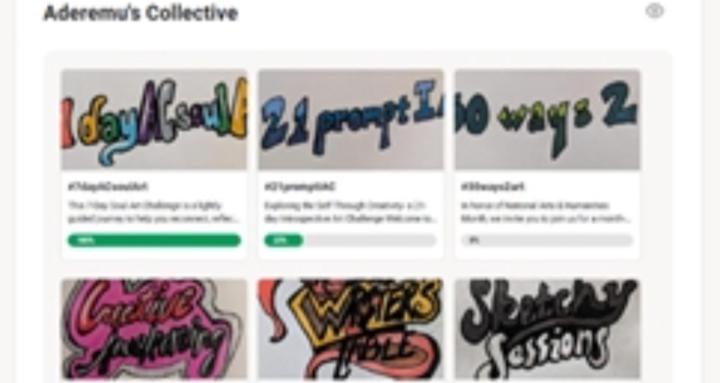
- Hosting and participating in creative challenges and journeys
- Sharing tutorials, prompts, and inspiration with the community
- Seeing reflections and feedback from members, and connecting creatively
💬 Post a quick “today I’m creating…” update — it’s a fun way to share what you’re exploring and spark conversation! Take it a step further and share on socials using #AderemusCollective
🎨Padlet – Our Digital Canvas & Wall
✨ How I Use It:
- Home to The Brew Pot, The Creative Garden, and The Community Brew
💬 Try creating your own Padlet wall displaying your creations based on a creative lounge prompt— post your link so we can all see!
✨ How I Use It:
- Curating and showcasing my own body of work and the story of each piece
💬 Peek at my ACleaver | Artist | HUG portfolio to see my current favorite projects — then think about what pieces you’d like to showcase for yourself!
🎨BMAC – My Patron Hub
✨ How I Use It:
- Perks, exclusive content, or shout-outs like early access drops, behind-the-scenes sketches, and mini-projects especially for patrons
- As a tip jar
💬 Post a mini sketch or note designed especially with your patrons in mind — what small creative joy can you share this week?
💬 Share one of these or your current project in the comments — I’d love to see what you’re brewing today!!
0
0 comments
Creative Resources: My Favorite Tools & How I Use Them
powered by
skool.com/aderemus-collective-9404
A café for artists, dreamers, and soul-seekers — a gathering space where creativity flows, reflection deepens, and connection sparks meaningful art.
Suggested communities
Powered by