Activity
Mon
Wed
Fri
Sun
Mar
Apr
May
Jun
Jul
Aug
Sep
Oct
Nov
Dec
Jan
What is this?
Less
More
Memberships
OpenClaw/Clawdbot Academy
60 members • Free
OpenClaw Builders
21 members • Free
2 contributions to OpenClaw Builders

10h •
Default OpenClaw setup That the OpenClaw Builder created.
Here’s a secure-by-default OpenClaw setup that matches “reviewer-based” norms (the bot can propose + prepare, but a human must approve + execute anything risky). I’ll structure this as a checklist you can implement in order. (References: skill structure + safety patterns , workflows + reviewer gating , and diagnostic commands .) 1) Decide your security posture (default: “read-mostly, write-by-approval”) Default policy (recommended): - ✅ Read access: OK (calendar read, repo read, docs read, web research) - ⚠️ Write access: allowed only with explicit approval steps - ❌ Destructive actions: never without “type-the-confirmation-phrase” approval This mirrors the “submit PR → wait for human approval → deploy” pattern described in the autonomous dev workflow. 2) Isolate the environment (separation prevents “oops” from becoming “breach”) Minimum isolation: - Run OpenClaw on a dedicated machine / VM (don’t co-mingle with your personal daily-driver). - Use a separate OS user account for the bot. - Keep a clean boundary between: This aligns with the “dedicated accounts + limited permissions + approval workflows” guidance. Network hygiene (secure defaults): - Prefer outbound-only connectivity. - If you need inbound control UI access, restrict by VPN / allowlist. - Turn on OS firewall; block unnecessary ports. 3) Use dedicated accounts + least privilege everywhere Create dedicated “bot” identities: - Email account for the bot (no access to your personal inbox) - GitHub user/service account (scoped to only necessary repos) - Separate API keys per integration (don’t reuse your personal keys) Permissions: - Start with read-only scopes. - Add write scopes only after the bot proves reliability on a narrow workflow. - For GitHub: prefer “PR creation” over “push to main”; require reviews for merges. This matches the security section (dedicated accounts, limit sensitive info, approvals). 4) Secrets management: “no secrets in prompts, logs, or skill files”

0 likes • 10h
May I ask which API you’re using it with? OpenAI or Claude?
1d •
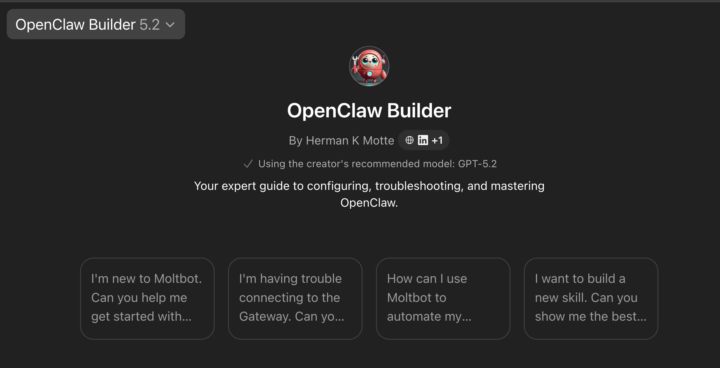
Clawbot Builder GPT
Hello, all while we are creating content for the community. I want to provide some value right off the bat. I'm happ to announce Clawbot Builder GPT,n your Sr Engineer in a box. The GPT will help you set up your bot , analyze your config for best practices and help you save money and stay secure. Basically I took my years of IT infrastructure, app hosting, cybersecurity, cloud and AI knowledge and added the high level knowledge into the GPT. It has the knowledge I picked up working at UPS as an Lead system Architect and most recently as a Enterprise. Engineering Manager at Amazon Web Services. Ok I cant share propitiery information, but the skills I pick up working 30 years in IT.not all but enoght to keep you out of trouble. Although we aare here to help and be your trusted advisor, remember you are accountable for your decisions. Always test before implementing in the real world. Yea, the GPT will also generate a golive check list. https://chatgpt.com/g/g-69791a04d92c8191a0208088e45e7737-openclaw-builder P.S. I will have a users guide with all the secure hacks to get more out of the GPT. If enought people like it and join the group. I'll turn the GPT into a full webapp. Enjoy and go and build something.
0 likes • 1d
Thank you Mr!🤗
0 likes • 11h
@Chase Bolthaven My computer arrives tomorrow, and I’ll install it on that 🙂
1-2 of 2