Activity
Mon
Wed
Fri
Sun
Aug
Sep
Oct
Nov
Dec
Jan
Feb
Mar
Apr
May
Jun
Jul
What is this?
Less
More
Memberships
✨ Spiritual Business Skool ✨
590 members • $8/month
Wild Muse Society
332 members • Free
Pretty Girls Prompt Too
1.2k members • Free
GenX Creator Lab
843 members • Free
Skool Cash Collective
289 members • Free
QMM SYSTEM
1k members • Free
The Quote Vault
310 members • Free
She Stacks Wealth™
1k members • Free
Quote Cash Club
2.9k members • Free
4 contributions to The MUSE Academy -AI Marketing

0 likes • Apr 27
Here!
Oct '25 •
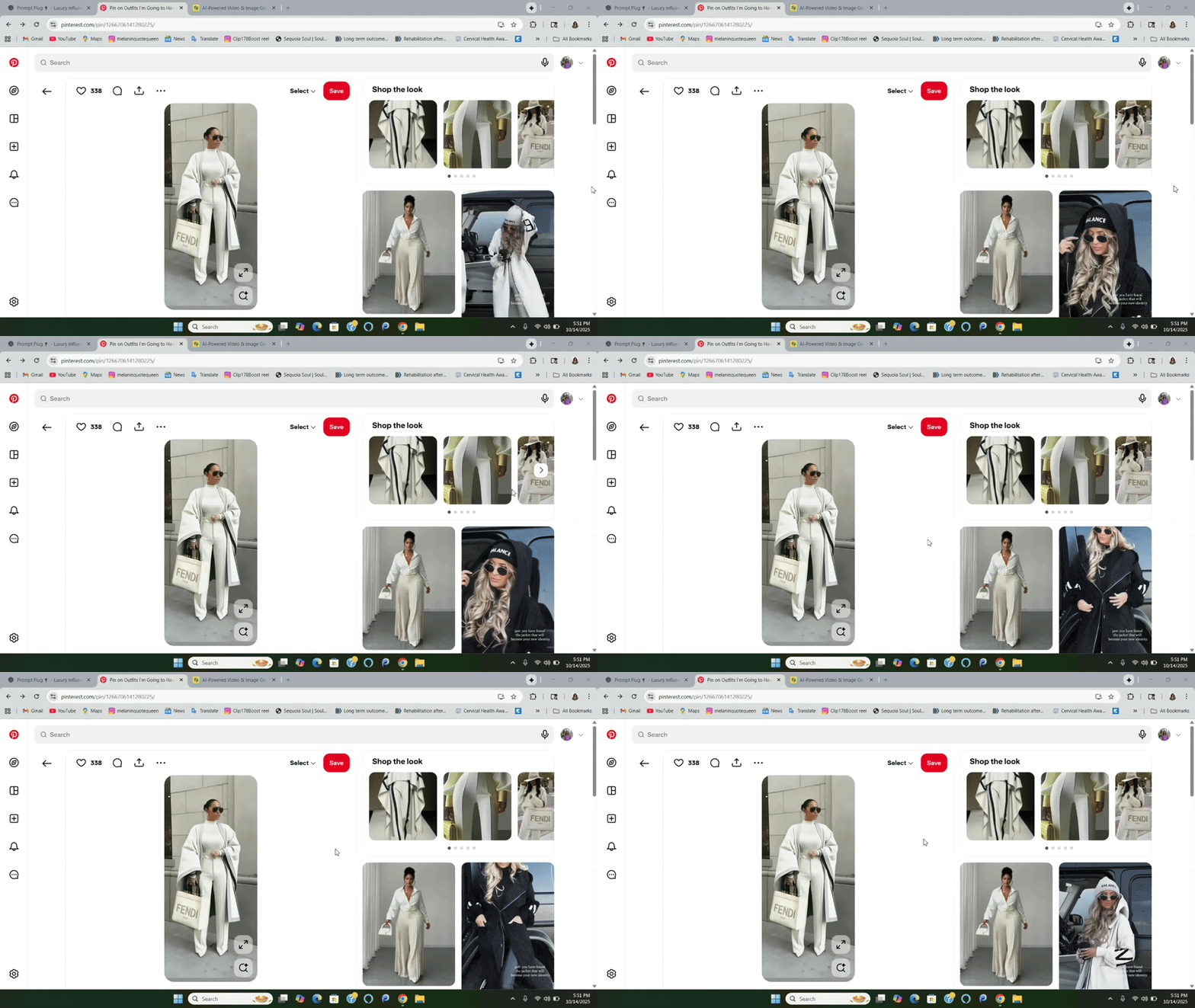
Outfit swap in higgsfield
Procedure for Changing AI Twin's Outfit in Higgs Field Objective This SOP outlines the steps to change the outfit of your AI Twin using Higgs Field and an image sourced from Pinterest or similar platforms. Key Steps Step 1: Source an Outfit Image 0:00 - Find an outfit image from Pinterest or any other source. - Ensure the image is in PNG format or a standard image format. - Use the Snipping Tool to download the image onto your laptop. Step 2: Access Higgs Field 0:17 - Open Higgs Field on your device. - Confirm that you have created your AI Twin prior to this step. Step 3: Select an Image of Your AI Twin 0:27 - Choose an image of your AI Twin where she is standing in a suitable position for the outfit change. Step 4: Upload the Outfit Image 1:20 - Navigate to the editing canvas in Higgs Field. - Select 'Nana Banana Editing'. - Upload the outfit image you downloaded. Step 5: Input the Prompt 1:39 - Type a simple prompt: 'That woman is wearing that outfit.' - This will initiate the outfit swap process. Step 6: Execute the Outfit Change 2:00 - Choose the unlimited option for the outfit change (if available). - Wait for the process to complete, which should take a minute or two. Step 7: Review the Changes 3:19 - Check the final image to ensure the AI Twin is dressed in the new outfit. Cautionary Notes - Ensure your AI Twin is created before attempting to change outfits. - The availability of unlimited changes may vary; check your Higgs Field account for details.
0 likes • Oct '25
Will this work for Amazon influencer? I am one and I have always wanted to use AI to do it because well, i like the body of my ai twin better lol
1 like • Oct '25
So so in love with this ! Ty!!!

Oct '25 •
📸 Easy Camera Settings for Cool AI Photos
Hey Creators 👑 Want your AI pictures to look like real photos taken by a pro? Here’s the trick: it’s not just what you type, but how you describe the camera. When you add camera settings, the AI knows how to “take” the picture the lens, light, focus, and mood. Here are some simple setups you can copy: ⸻ 1️⃣ Real-Life Look (Everyday Style) Camera: Canon EOS R5 with 50mm lens Settings: f/1.8, ISO 100, 1/250s, daylight Best for: People, lifestyle photos, and clear subjects with blurry backgrounds. ⸻ 2️⃣ Fashion Shoot (Magazine Style) Camera: Nikon Z9 with 85mm lens Settings: f/2.0, ISO 200, 1/400s, bright studio lights Best for: Fancy fashion or model photos like in Vogue. ⸻ 3️⃣ Street Style (Movie Look) Camera: Sony A7R IV with 35mm lens Settings: f/2.8, ISO 400, 1/500s, golden hour light Best for: Candid, city-style shots that look like film scenes. ⸻ 4️⃣ Outdoor Shots (Super Clear Nature) Camera: Fujifilm GFX100S with 80mm lens Settings: f/4.0, ISO 100, 1/1000s, sunlight Best for: Skin, clothes, and outdoor photos with amazing detail. ⸻ 5️⃣ Close-Up Detail (Makeup or Jewelry) Camera: Canon 5D Mark IV with Macro lens Settings: f/4.5, ISO 200, 1/125s, soft lighting Best for: Close-up shots of faces, hands, or small things. ⸻ ⚡ Quick Tip At the end of your AI prompt, type something like: “shot on Canon EOS R5, 50mm lens, f/1.8, ISO 100, 1/250s, ultra realistic, 8k, natural lighting” That tells the AI to make your picture look like it was taken with a real camera: clear, bright, and professional.
0 likes • Oct '25
Ty so much!
Oct '25 •
🚧 We’re Officially Under Construction!
Hey everyone — quick update 💛 The community is staying open and active while I rebrand and restructure behind the scenes. You’ll start to see some of the modules shifting and new sections appearing as we evolve. By the end of the 28-Day AI Confidence Challenge, everything will be fully updated, refreshed, and ready for our next level of growth together Big things are coming — and you’re here for the best part of it.
0 likes • Oct '25
Ty so much!
1-4 of 4

@vicki-bengtson-3715
It wasnt too long ago I was a beginner in the digital marketing journey. I love helping other beginners by helping them navigate information overload.
Active 30m ago
Joined Sep 16, 2025